AI prompt gallery 는 단순한 영감 모음이 아니라 visual direction 을 고르고 prompt structure 를 복사한 뒤 자신의 brief 에 맞게 조정하는 작업면입니다. 먼저 이미지가 증명하는 것을 보고, 그다음 prompt 가 제어하는 부분을 읽으세요.
TL;DR: gallery 를 prompt map 처럼 사용하기
- 작업 유형을 먼저 고르고 image style 은 그다음에 고릅니다.
- prompt 의 subject, composition, style, reference rule, output rule 을 분리해서 봅니다.
- GPT Image 2, Nano Banana, Midjourney 를 결과 리스크에 맞춰 선택합니다.
- identity 나 packaging 이 중요할 때만 reference image 를 추가합니다.
- 해결된 version 을 저장해 다음 작업의 시작점으로 씁니다.
AI prompt gallery 에서 사용자가 기대하는 것
좋은 gallery 는 browse, copy, adapt 세 가지를 동시에 해결합니다. category, visible output, prompt anatomy, failure note 가 함께 있어야 실제 작업에 쓸 수 있습니다.
- 좋은 gallery: category, image outcome, copyable prompt, model context.
- 약한 gallery: 예쁜 문장은 많지만 언제 써야 하는지 모호합니다.
- 첫 행동: 개별 문장보다 내 작업 category 를 먼저 고릅니다.
Gallery category matrix
| Category | Use | Copy | Check |
|---|---|---|---|
| Product | 상품 hero 와 launch visual. | material, lighting, crop, no text. | silhouette 와 label distortion. |
| Portrait | avatar 와 editorial portrait. | reference handoff, face boundary, crop. | identity drift 와 skin texture. |
| Poster | social post 와 campaign visual. | focal point, negative space, channel ratio. | headline room 과 fake text. |
| Infographic | blueprint, UI, explainer. | grid, callout, spacing. | unreadable labels 와 perspective. |
복사하기 전에 gallery card 읽기
Card 를 네 층으로 읽으세요: image proof, prompt controls, model inference, replacement fields. 이 순서가 copy-paste 를 production workflow 로 바꿉니다.
- Image proof 를 먼저 표시합니다.
- Prompt controls 를 subject, composition, style 로 나눕니다.
- Model inference 는 prompt 에 쓰이지 않은 시각 단서입니다.
- Replacement fields 만 바꿔 첫 생성 결과를 비교합니다.
복사 가능한 gallery prompt starter
아래 prompt blocks 는 어떤 locale 에서도 바로 붙여넣을 수 있도록 English 로 유지합니다.
- Gallery starter: Browse the gallery for a [category] example, keep the same subject hierarchy and camera distance, replace the subject with [your subject], keep the output rule [aspect ratio], no text, no watermark.
- Fashion editorial: Surreal gallery artwork featuring [model or product], couture styling, museum-scale composition, controlled spotlight, reflective floor, clean negative space, editorial color palette, 4:5 aspect ratio.
- Archive portrait: Black and white 1990s film photograph of [person], natural pose, documentary framing, visible film grain, soft window light, plain background, authentic wardrobe detail, 3:4 crop, no extra text.
- Blueprint infographic: Elegant fashion-style blueprint infographic for [object or concept], measured callouts, clean linework, limited blue and ivory palette, precise labels as placeholders only, premium editorial layout, 16:9 aspect ratio.
Case 1: fashion editorial gallery prompts
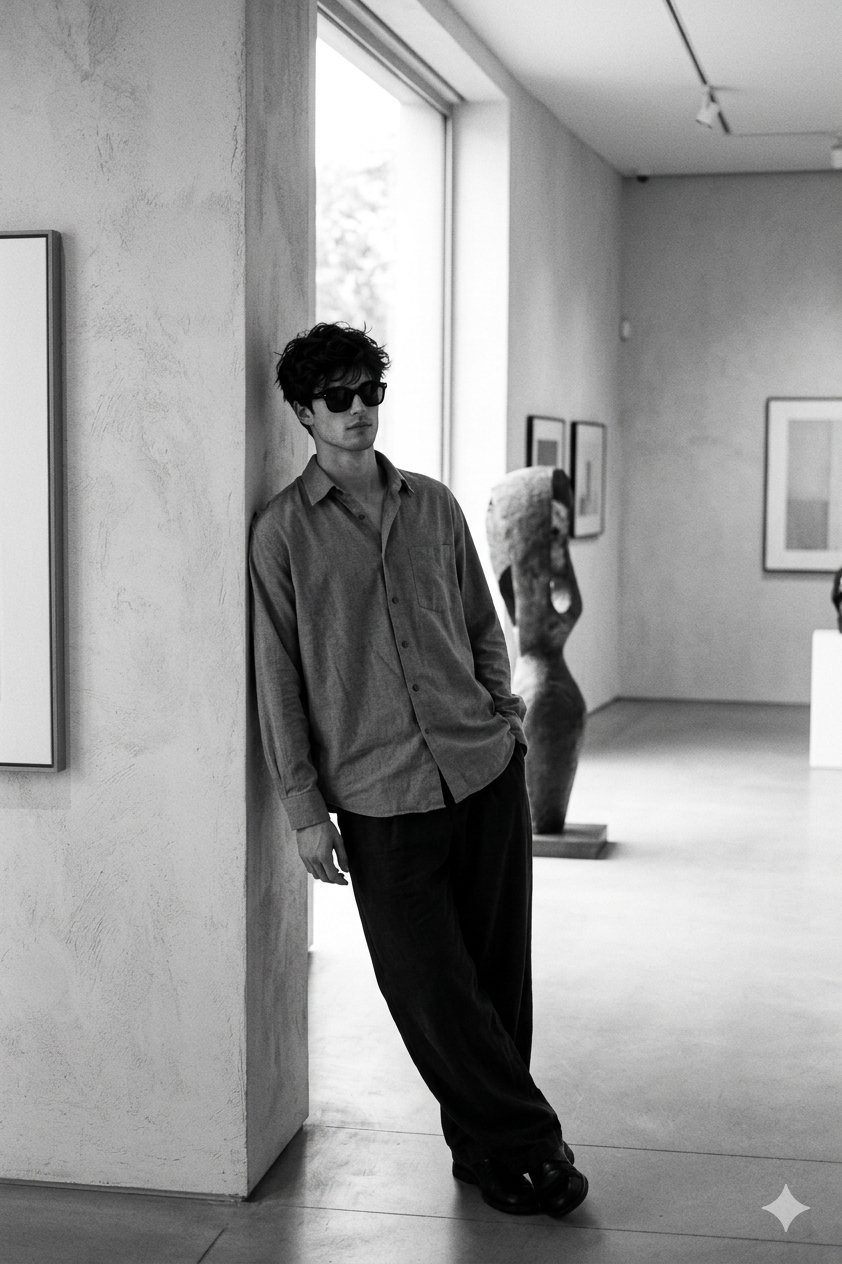
Portrait prompt 에서는 era, lens, wardrobe, crop 을 빌리고 person description 과 reference rule 만 조정합니다. identity 가 흔들리면 art direction 을 바꾸기 전에 reference handoff 를 강화합니다.
Case 2: infographic gallery prompts
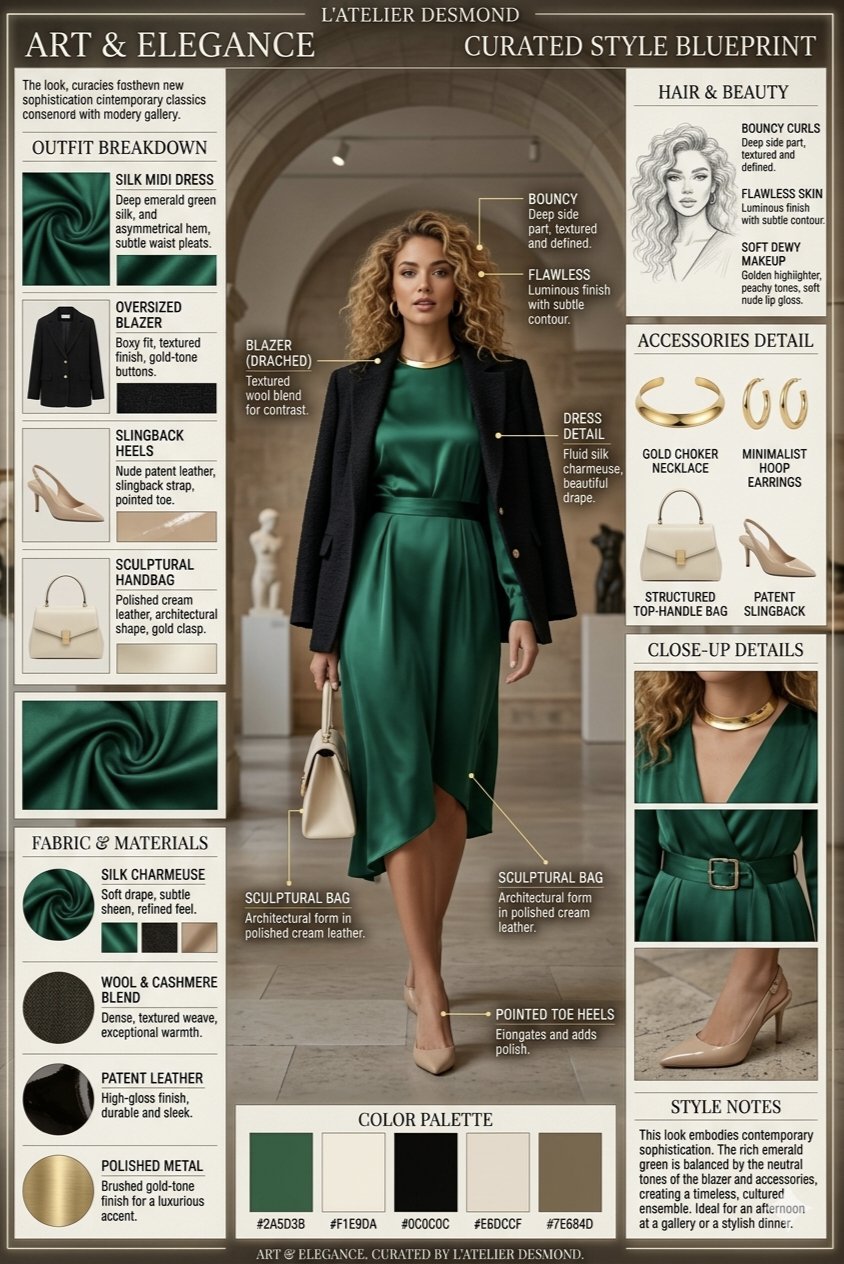
Infographic prompt 는 layout rule 이 중요합니다. grid, callout, palette, spacing 은 유지하되 정확한 final label 은 generation 후 디자인 단계에서 처리합니다.
예시: gallery 발견을 내 prompt 로 바꾸기
Raw brief
Translucent desk lamp launch visual 이 필요합니다. gallery example 은 surreal fashion scene 이지만 결과는 product hero 로 써야 합니다.
Adapted prompt
- Surreal gallery product hero featuring a translucent sculptural desk lamp on a reflective museum plinth, centered composition, controlled spotlight, visible glass texture, quiet charcoal background, premium product editorial mood, clean negative space, 4:5 aspect ratio, no text, no watermark.
Diagnosis
Scene 은 좋지만 lamp shape 이 틀리면 reference image 를 추가해 silhouette, tint, base geometry 를 고정합니다. 너무 abstract 하면 product-page constraint 를 늘립니다.
실수와 수정
| Mistake | Fix | Reason |
|---|---|---|
| Style 만 보고 선택 | Production job 을 먼저 정합니다. | Crop 과 output rule 이 맞아야 합니다. |
| 모든 단어 복사 | Fixed controls 와 variables 를 나눕니다. | 유용한 skeleton 을 보존합니다. |
| Model fit 무시 | Risk 에 맞춰 model 을 고릅니다. | 같은 prompt 도 model 별로 다르게 작동합니다. |
| Exact text 요구 | 빈 text area 를 남깁니다. | Final typography 는 후처리가 안전합니다. |
| 좋은 version 분실 | Solved prompt 를 저장합니다. | 반복 가능한 asset 이 됩니다. |
Vogue AI 에서 실행하기
Vogue AI 안에서는 gallery card 에서 prompt skeleton 을 가져오고, model tag 를 고른 뒤, reference image 가 필요한 경우만 추가해 첫 결과를 확인합니다.
FAQ
AI prompt gallery 란 무엇인가요?
Generated image 와 prompt, category, adaptation note 를 함께 보여주는 browsable collection 입니다.
Prompt library 와 같은가요?
겹치지만 gallery 는 image-led browsing 에 강하고 library 는 saved prompt 와 reuse rule 에 더 강합니다.
그대로 복사해도 되나요?
테스트에는 좋지만 production 에서는 subject, channel, reference role, aspect ratio 를 바꿔야 합니다.
어떤 model 을 써야 하나요?
Instruction control 은 GPT Image 2, quick variation 은 Nano Banana, stylized exploration 은 Midjourney 가 시작점입니다.
좋은 gallery prompt 가 왜 실패하나요?
원래 card 는 style 을 해결했지만 현재 작업은 identity, packaging, channel control 이 더 중요할 수 있습니다.
정확한 text 나 logo 도 만들 수 있나요?
Layout idea 는 생성하되 final text 와 brand typography 는 generation 후 검수 가능한 도구에서 마무리하는 편이 안전합니다.