좋은 text to image prompts 는 형용사를 길게 나열하는 것이 아니라 제작 brief 처럼 작동해야 합니다. 강한 prompt 는 subject, composition, 무엇을 고정해야 하는지, 그리고 첫 생성 후 무엇을 확인할지를 분명히 말해줍니다.
TL;DR: prompt 를 재사용 가능한 제작 brief 로 쓰기
- 먼저 subject, composition, style, output rule, channel goal 을 씁니다.
- product visual, portrait, social poster, UI concept 에 같은 골격을 쓰고 변수만 교체합니다.
- 첫 결과는 취향 평가가 아니라 진단용입니다.
- identity, packaging, face, palette, UI hierarchy 를 보호해야 할 때만 reference image 를 추가합니다.
- 문제를 해결한 version 을 저장하고 Vogue AI 에서 다음 시작점으로 사용합니다.
이 text to image prompts 가 실제로 해결해야 하는 것
이 검색 의도는 실용적입니다. 사용자는 복사해서 조금만 바꿔도 통제 가능한 first draft 를 만들 수 있는 prompt 를 원합니다. 그래서 영감 목록보다 구조 설명이 중요합니다.
- 좋은 결과: product shot, portrait, campaign visual, UI concept 에 쓸 수 있는 first draft.
- 나쁜 결과: 그럴듯해 보이지만 모델이 중요한 것을 마음대로 바꾸는 문장.
- 핵심 기준: prompt 가 real brief 를 지키는가?
Text to image prompt 공식
| 구성 요소 | 무엇을 넣을지 | 왜 중요한지 |
|---|---|---|
| Subject | 정확한 product, person, object, scene, screen. | subject 가 모호하면 나머지 지시도 흔들립니다. |
| Context | product page, launch post, ad, gallery card, UI showcase 중 어디에 쓰는지. | channel 이 달라지면 framing 과 usable output 기준도 달라집니다. |
| Composition | angle, crop, distance, negative space, visual anchor. | composition 은 첫 결과의 혼란을 줄이는 가장 빠른 방법입니다. |
| Style | material, realism, mood, palette, brand tone. | style 은 visual language 를 좁히지만 subject control 을 대체하지 않습니다. |
| Lighting | softbox, rim light, daylight, backlight, cinematic contrast. | lighting 은 generic output 과 usable draft 를 가르는 경우가 많습니다. |
| Output rules | aspect ratio, no text, transparent background, safe area, no watermark. | 실제 작업 조건과 결과를 맞추기 위해 필요합니다. |
| Reference handoff | reference image 가 무엇을 고정하는지. | reference 는 역할이 명확할 때만 유효합니다. |
| Review check | 생성 후 가장 먼저 볼 항목. | 이것이 있어야 전체 prompt 를 너무 빨리 다시 쓰지 않습니다. |
시나리오 매트릭스
| 목표 | Prompt 초점 | 고정할 것 | 첫 수정 |
|---|---|---|---|
| 제품 런치 비주얼 | hero subject, material detail, launch lighting, 제목 공간. | product silhouette, packaging cues, background hierarchy. | 먼저 crop 과 negative space. |
| 인물 캠페인 이미지 | expression, wardrobe, skin texture, camera distance, palette. | face identity, hairstyle, 눈 선명도. | 먼저 reference handoff. |
| Social poster | focal point, contrast, channel ratio, future text space. | subject hierarchy 와 text-safe area. | 먼저 clutter 와 headline space. |
| UI concept | device framing, interface hierarchy, surface, reflections. | screen structure 와 인식되어야 할 product area. | 먼저 perspective 와 reflection noise. |
복사해서 쓰는 text to image prompt 예시
예시 하나를 복사하고 대괄호 변수만 바꾼 뒤 첫 생성에서는 나머지를 고정하세요. Prompt blocks 는 어떤 언어에서도 바로 Vogue AI 에 붙여넣을 수 있도록 영어로 유지합니다.
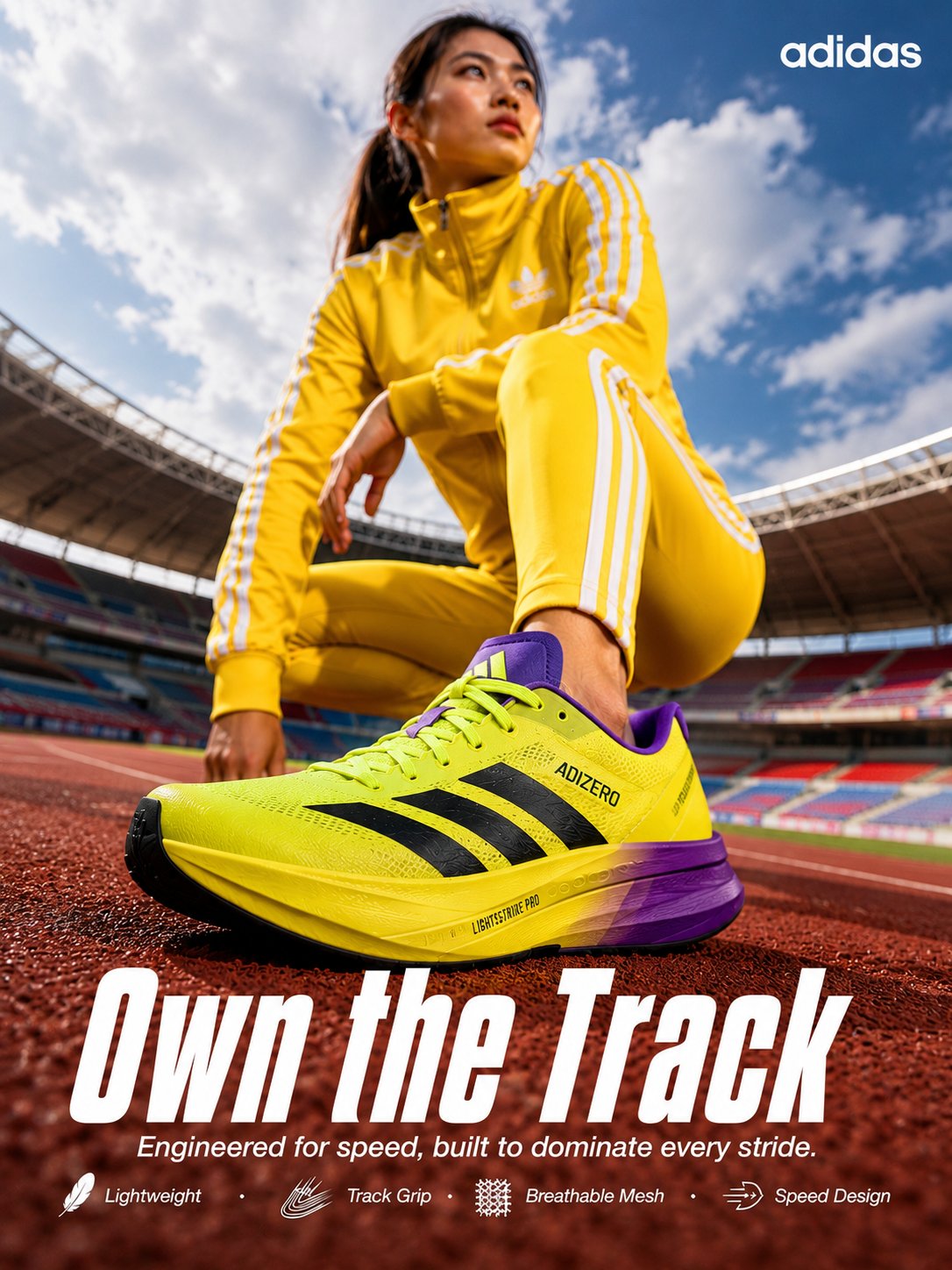
- Product launch hero: Premium launch visual for [product], centered hero composition, crisp material detail, controlled reflections, clean [background color] stage, cinematic rim light, premium ecommerce realism, 4:5 aspect ratio, no text, no watermark.
- Portrait campaign image: Editorial portrait of [subject], confident expression, natural skin texture, soft background separation, wardrobe in [color palette], subtle cinematic contrast, sharp eyes, 3:4 crop, no extra hands, no text.
- Social poster: High-contrast launch poster for [topic], main subject [subject], dramatic lighting, bold negative space for future headline, modern campaign styling, 9:16 aspect ratio, keep text area empty.
- UI concept visual: Product marketing image for [app or website], realistic device framing, visible interface hierarchy, clean desk surface, premium SaaS lighting, restrained reflections, 16:9 aspect ratio, no floating nonsense elements.
실제 이미지와 prompt 가 붙은 두 가지 케이스
이런 글은 공식만 설명하면 약합니다. 아래 두 케이스는 Vogue AI prompt library 에서 가져온 실제 사례로, 실제 이미지와 실제 prompt, 그리고 재사용할 구조를 함께 보여줍니다.
케이스 1: 재질과 배경을 제어하는 제품 촬영 구조
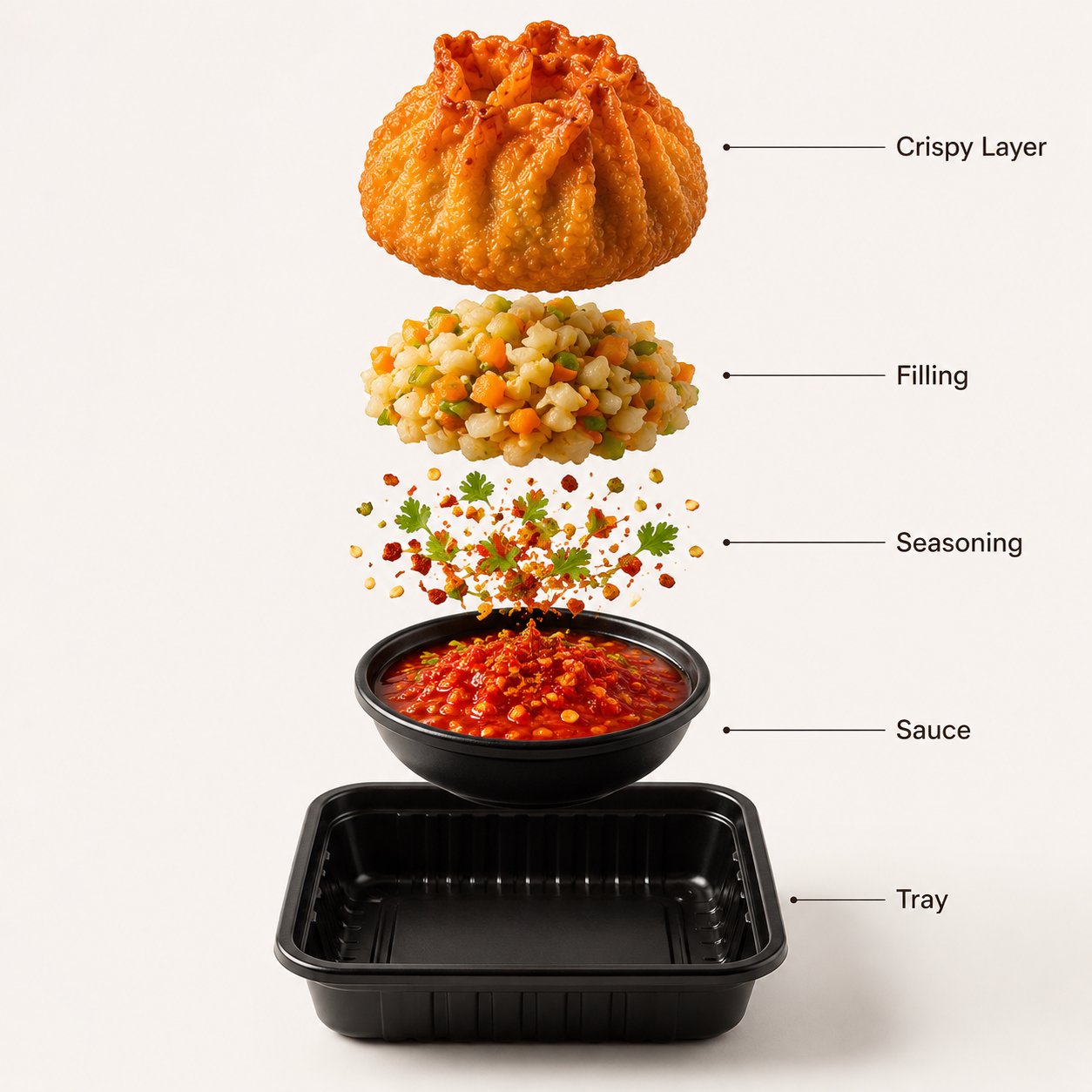
여기서 가져가야 할 것은 음식 소재가 아니라 구조입니다. hero framing, material language, clean studio backdrop, 그리고 text noise 를 제거하는 output rule 이 핵심입니다.
- Prompt: A premium street-food product photograph of crispy fried momos arranged in a black serving tray, centered against a warm White seamless studio background. The momos have a deep golden crispy texture with realistic oil shine and crunchy folds. Fresh green herbs and a vivid red dipping sauce add contrast. Soft studio lighting, premium food-commercial realism, clean composition, 4:5 framing, no text, no watermark.
케이스 2: identity 보호를 위한 reference-led portrait 구조
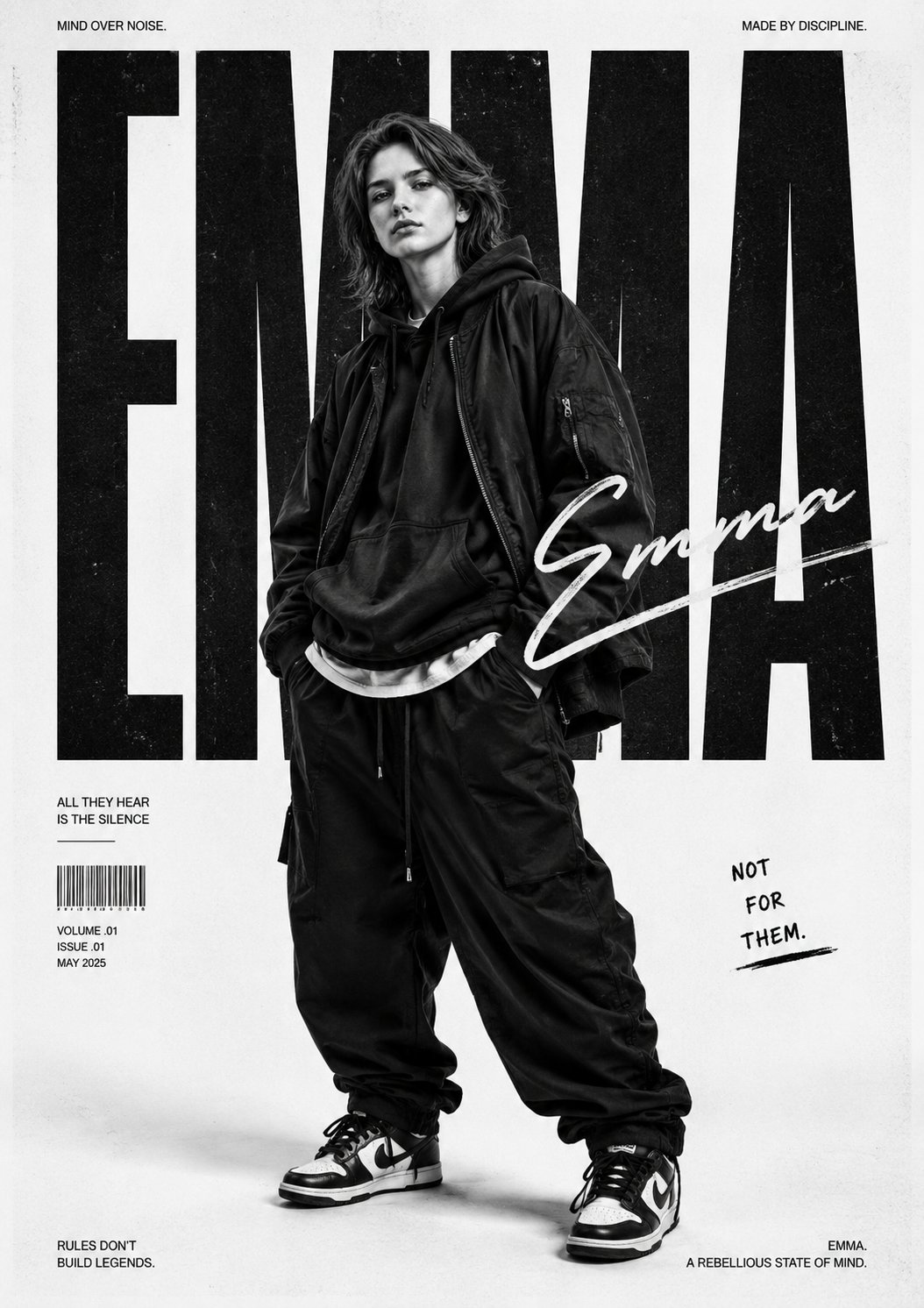
이 케이스는 “사람은 그대로인데 화면 무드만 바꾸고 싶다”는 작업에 맞습니다. 핵심은 explicit reference handoff 로, identity 는 고정하고 clothing, camera mood, campaign style 만 움직이게 하는 것입니다.
- Prompt: Use my uploaded image as the face reference. Create a bold monochrome streetwear editorial poster featuring the uploaded person in oversized urban fashion, relaxed stance, hands in pockets, layered baggy clothing, sneakers, and confident rebellious attitude. Preserve face identity while changing styling, lighting, and composition. High contrast lighting, poster-scale framing, dramatic shadows, clean negative space, no extra text.
완전한 예시: launch brief 에서 첫 prompt 까지
원본 brief
무광 알루미늄 물병의 launch visual 이 필요합니다. product-drop post 와 product-detail page 둘 다에 써야 하고, 병 silhouette 와 뚜껑 색은 안정적으로 유지되어야 하며, 위쪽에는 나중에 headline 을 넣을 공간이 필요합니다.
Prompt version 1
- Premium launch visual for a matte aluminum water bottle, centered hero composition on a deep graphite stage, crisp brushed-metal texture, cool rim light, subtle shadow, premium ecommerce realism, 4:5 aspect ratio, clear negative space above the bottle for headline, no text, no watermark.
첫 생성 후 수정
material 은 맞는데 cap color 가 바뀐다면 전체를 다시 쓰지 마세요. reference image 를 추가하고 그것이 bottle silhouette, lid color, logo placement 를 control 한다고 명시하세요. identity 는 맞지만 launch energy 가 약하다면 subject 와 crop 은 유지한 채 lighting 과 palette 만 조정합니다.
형용사를 더하기 전에 할 일
약한 prompt 의 대부분은 멋진 단어가 부족해서가 아니라 핵심 control 이 빠져서 실패합니다. 먼저 정확성, 그다음 분위기입니다.
- frame 이 어수선하면 crop, angle, negative space 를 추가합니다.
- subject 가 흔들리면 subject sentence 를 조이거나 reference 를 넣습니다.
- style 이 generic 하면 audience, channel, palette 를 추가합니다.
- text 가 깨지면 prompt 에서 text 를 빼고 디자인 단계에서 넣습니다.
Vogue AI 안에서 model 고르기
Vogue AI 안에서는 prompt skeleton 을 최대한 유지하고, model choice 는 production risk 에 맞춰 바꿉니다.
- GPT Image 2 는 instruction control 과 object fidelity 가 중요할 때 적합합니다.
- Nano Banana 는 빠른 variation 과 가벼운 image-to-image 에 적합합니다.
- Midjourney 는 mood-heavy, editorial, stylized exploration 에 적합합니다.
- model 을 바꿔도 skeleton 을 유지하면 무엇이 결과를 바꿨는지 추적하기 쉽습니다.
첫 생성 후 무엇을 바꿔야 하나
첫 생성은 prompt 문장 자체가 아니라 real job 과 비교해 평가하세요. 가장 큰 production failure 를 먼저 고치는 것이 가장 빠른 개선 방법입니다.
| 문제 | 먼저 고칠 것 | 피할 것 |
|---|---|---|
| product, face, screen identity 가 틀림 | subject 를 강화하거나 명시적 규칙이 있는 reference image 를 추가. | identity 가 안정되기 전에 mood adjectives 를 더하는 것. |
| composition 이 약함 | crop, distance, angle, negative space 를 수정. | frame 수정 전에 model 을 바꾸는 것. |
| style 이 generic 함 | audience, palette, material, channel context 를 추가. | prompt 전체를 다시 쓰는 것. |
| text 나 logo 가 깨짐 | text generation 을 빼고 깨끗한 영역을 남김. | 최종 marketing copy 를 완벽히 쓰게 하는 것. |
| 좋은 결과가 점점 흔들림 | best version 을 복제하고 variables 만 교체. | 불안정한 prompt 에 수정을 계속 쌓는 것. |
- identity 문제: subject boundary 나 reference handoff 부터.
- layout 문제: 그다음 ratio, crop, empty space.
- style 문제: frame 이 안정된 뒤 palette, lighting, audience.
- production 문제: text, legal copy, 작은 UI details 는 디자인 도구에서 나중에 처리.
FAQ
좋은 text to image prompt 는 무엇인가요?
subject, composition, style, output rule, review check 가 충분히 명확해서 첫 결과를 real brief 와 비교할 수 있는 prompt 입니다.
항상 긴 prompt 가 필요한가요?
항상 그렇지는 않습니다. subject, frame, output 을 통제할 만큼의 detail 이면 충분합니다. 장식적인 표현은 그다음입니다.
reference image 는 언제 써야 하나요?
identity 가 중요할 때입니다. product shape, packaging, face, logo placement, palette, UI hierarchy 같은 요소가 해당됩니다.
Vogue AI 에서는 어떤 model 부터 시도해야 하나요?
risk 에 따라 고르세요. GPT Image 2 는 control, Nano Banana 는 빠른 variation, Midjourney 는 stylized exploration 에 적합합니다.
왜 결과가 계속 generic 해지나요?
대개 audience, channel, palette, composition rules 가 빠져 있기 때문입니다. generic output 은 vague brief 에서 나옵니다.
개선 사항을 reusable 하게 남기려면?
문제를 해결한 version 을 저장하고 variables 를 명확히 표시한 뒤 다음 visual 의 출발점으로 재사용하세요.