好用的 app design prompts 应该先描述产品系统,而不是只描述好看的界面。先写用户任务、层级、设备框架、组件清单、状态和第一轮检查规则,再补视觉风格。
TL;DR:先写应用 brief,再写视觉风格
- 先明确屏幕任务:onboarding、dashboard、editor、checkout、product detail 或 marketing mockup。
- 先写导航、主区域、次级控件、卡片、表格、图表、空状态、CTA 和安全区。
- 当产品身份、已有布局或 UI 层级必须保留时再用参考图。
- 最终文案、可访问性、组件逻辑和生产代码不要交给生成图片完成。
- 在 Vogue AI 中保持同一套 prompt 骨架,再按失败风险选择 GPT Image 2、Nano Banana 或 Midjourney。
场景矩阵
| 应用任务 | 提示词模式 | 参考图 | 先检查的问题 |
|---|---|---|---|
| Mobile onboarding | 屏幕目标、利益点卡片、拇指可触达 CTA、进度状态和移动端比例。 | 已有品牌系统需要延续时使用。 | 文案太多、CTA 弱、标签太小或下一步不清楚。 |
| SaaS dashboard | 侧边栏、筛选栏、KPI 卡片、图表、表格和桌面框架。 | 已有产品布局需要保留时使用。 | 假数据、装饰性图表、层级混乱或文字过密。 |
| AI editor | 输入区、预览画布、设置抽屉、状态标签、历史记录和输出状态。 | 已有工作流面板结构要保留时使用。 | 画面漂亮但没有真实工作流逻辑。 |
可复制的 app design prompts
复制一条英文 prompt,只替换方括号变量,第一轮不要随意改结构。英文块保留,方便直接粘贴到 Vogue AI。
- Mobile onboarding app screen: Realistic iOS app design for [app category], one clear welcome headline area, three benefit cards, thumb-safe primary CTA, bottom progress dots, clean product hierarchy, soft neutral background, 9:16 aspect ratio, readable generic labels only, no fake brand logo, no distorted text.
- SaaS dashboard app design: High-resolution desktop web app screen for [product category], left sidebar navigation, top filter bar, primary KPI cards, one chart panel, one data table, visible empty or loading state, realistic SaaS spacing, 16:9 browser frame, readable generic labels, no brand logos, no watermark.
- Marketplace product-detail screen: Modern mobile app screen for [marketplace niche], large product media area, compact seller card, price and trust signals, sticky bottom CTA, clean card hierarchy, realistic ecommerce UI density, 9:16 aspect ratio, no exact legal copy, no distorted text.
- AI productivity editor: Desktop app design for [workflow], split layout with input panel, preview canvas, right settings drawer, status chips, version history, restrained professional UI, 16:9 aspect ratio, readable generic labels, no decorative filler.
- App store presentation mockup: Premium marketing image for [app name], two realistic device frames showing key screens, visible interface hierarchy, soft reflection control, clean desk context, 16:9 aspect ratio, screen remains readable, no fake logo, no watermark.
完整示例:AI fashion livestream dashboard
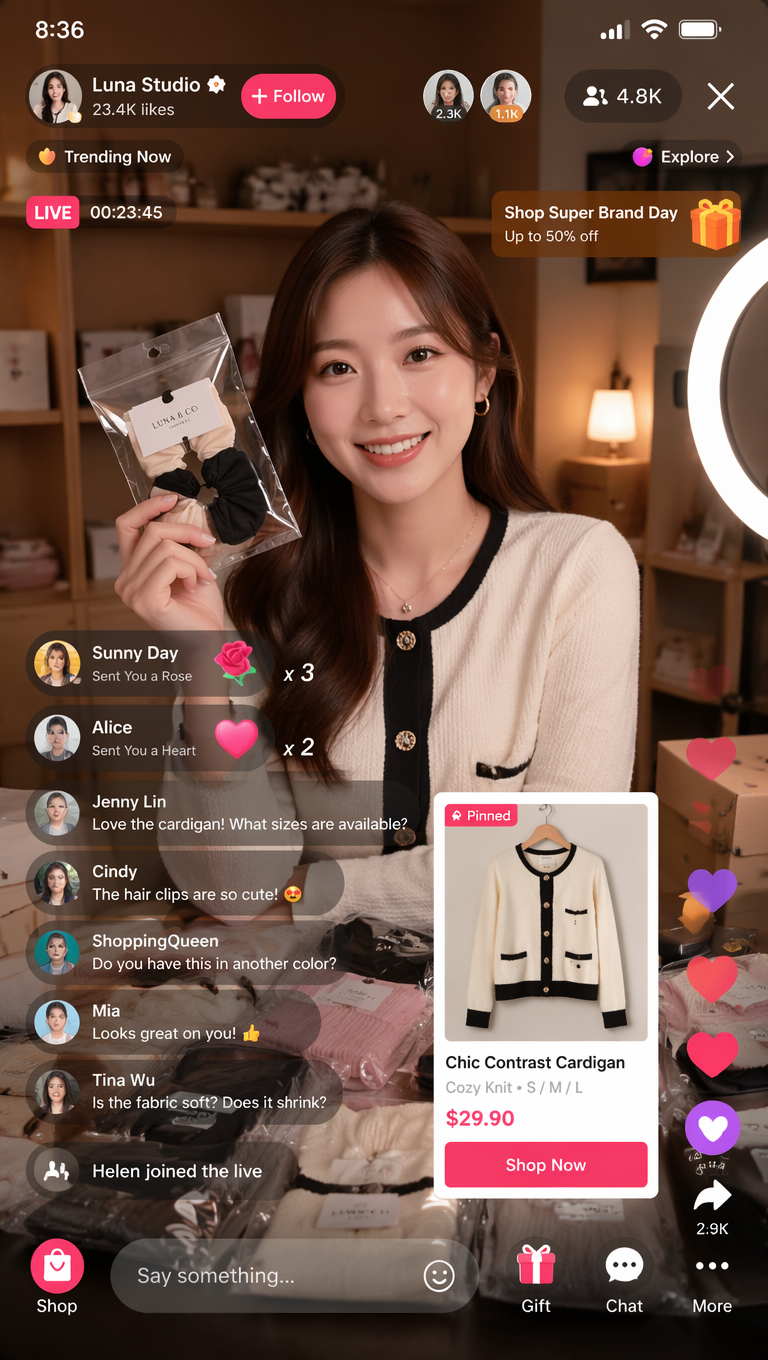
原始任务是为直播电商控制台做可信的 app design 概念图。画面要有主播预览、商品队列、实时指标、聊天和操作控件,但不能伪装成最终生产 UI。
- High-resolution desktop app design screenshot for an AI fashion livestream control room, left sidebar with simple navigation icons, central live preview panel with a smiling fashion host, right product queue cards, bottom timeline controls, compact live chat column, live metrics cards, premium ecommerce UI hierarchy, clean light interface, realistic browser frame, 16:9 aspect ratio, readable generic labels only, no brand logo, no distorted text.
常见错误和修正
| 问题 | 先修什么 | 避免什么 |
|---|---|---|
| 像海报,不像应用 | 明确屏幕任务和组件清单。 | 继续堆 modern UI 形容词。 |
| 层级混乱 | 指定主、次、三级区域。 | 结构没定就先换色板。 |
| 文字错误 | 要求 readable generic labels,最终文案后期添加。 | 要求图片模型生成最终营销文案。 |
| 设备遮住界面 | 用正面浏览器或手机截图 framing。 | 为了好看牺牲可读性。 |
FAQ
App design prompts 不能替代 Figma 或代码,它们更适合概念视觉、层级探索和展示 mockup。生产级交互、无障碍、最终文案、组件和代码仍然需要设计与工程审查。
在 Vogue AI 里选择模型
- GPT Image 2 适合层级控制和更清晰的指令执行。
- Nano Banana 适合快速变体和移动端探索。
- Midjourney 适合更偏 editorial 的 app presentation。
- 跨模型时保持同一条 prompt 骨架。
Prompt 结构检查清单
- 是否写清 screen job。
- 是否列出 layout regions。
- 是否有 component inventory。
- 是否说明 text policy。
- 是否有 first-result review rule。
App design prompts 是什么?
它们是让图像模型生成应用界面、dashboard、mobile flow 或 product mockup 的结构化文字 brief。
它们能替代 Figma 吗?
不能。它们适合概念探索和展示图,最终交互、无障碍、组件和代码仍需人工完成。
学生怎么使用?
学生可以缩短 brief,但不要省略屏幕任务、组件清单和检查规则。
什么时候用参考图?
当已有布局、品牌视觉、产品身份或 UI 层级必须稳定时使用参考图。
为什么生成文字会错?
图像模型不适合精确排最终文案。使用 generic labels,再在设计或代码里加入最终文本。
先试哪个模型?
需要控制时先试 GPT Image 2,需要快速变体时试 Nano Banana,需要风格化展示时试 Midjourney。