把一张图改成指定艺术风格时,关键不是只写“变成某某风格”,而是先说明原图里哪些东西必须保留,再说明新的渲染方式。提示词要保护主体身份、姿势、裁切和关键物体,同时允许线条、材质、配色和光线变化。
TL;DR:保留主体,改变渲染
- 只要身份、姿势、产品形状或版式要保留,就先上传参考图。
- 风格词之前先写保留规则:什么不变、什么可以变、什么不要出现。
- 使用明确风格族:anime、watercolor、oil painting、editorial poster、cartoon 或 cinematic illustration。
- 补充材质控制:linework、paper grain、brushwork、cel shading、film grain、color palette 和 lighting。
- 第一张结果按 failure mode 判断:身份漂移、风格太弱、过度风格化、背景混乱或生成文字错误。
参考图到风格迁移的工作流
流程不复杂,但顺序很重要。如果先写风格、不先保护原图,模型很容易生成一张好看的图,却不像原来的主体。
| 步骤 | 要写什么 | 为什么重要 |
|---|---|---|
| 1. 上传图片 | 把原图作为 subject 或 layout reference。 | 图片承载身份、姿势、镜头角度、产品形状和构图。 |
| 2. 声明保留规则 | Preserve [identity / pose / silhouette / layout / key objects]. | 避免风格把真正的任务替换掉。 |
| 3. 命名目标风格 | Anime、watercolor、oil painting、cartoon、editorial poster 等。 | 明确的风格族会给模型稳定方向。 |
| 4. 添加风格控制 | 线条、阴影、色板、质感、媒介、背景和光线。 | 具体控制比“artistic”“beautiful”更可靠。 |
| 5. 添加输出规则 | 画幅、no text、no watermark、same crop、clean background 或 headline-safe area。 | 结果才能进入真实设计或营销流程。 |
本文配图计划
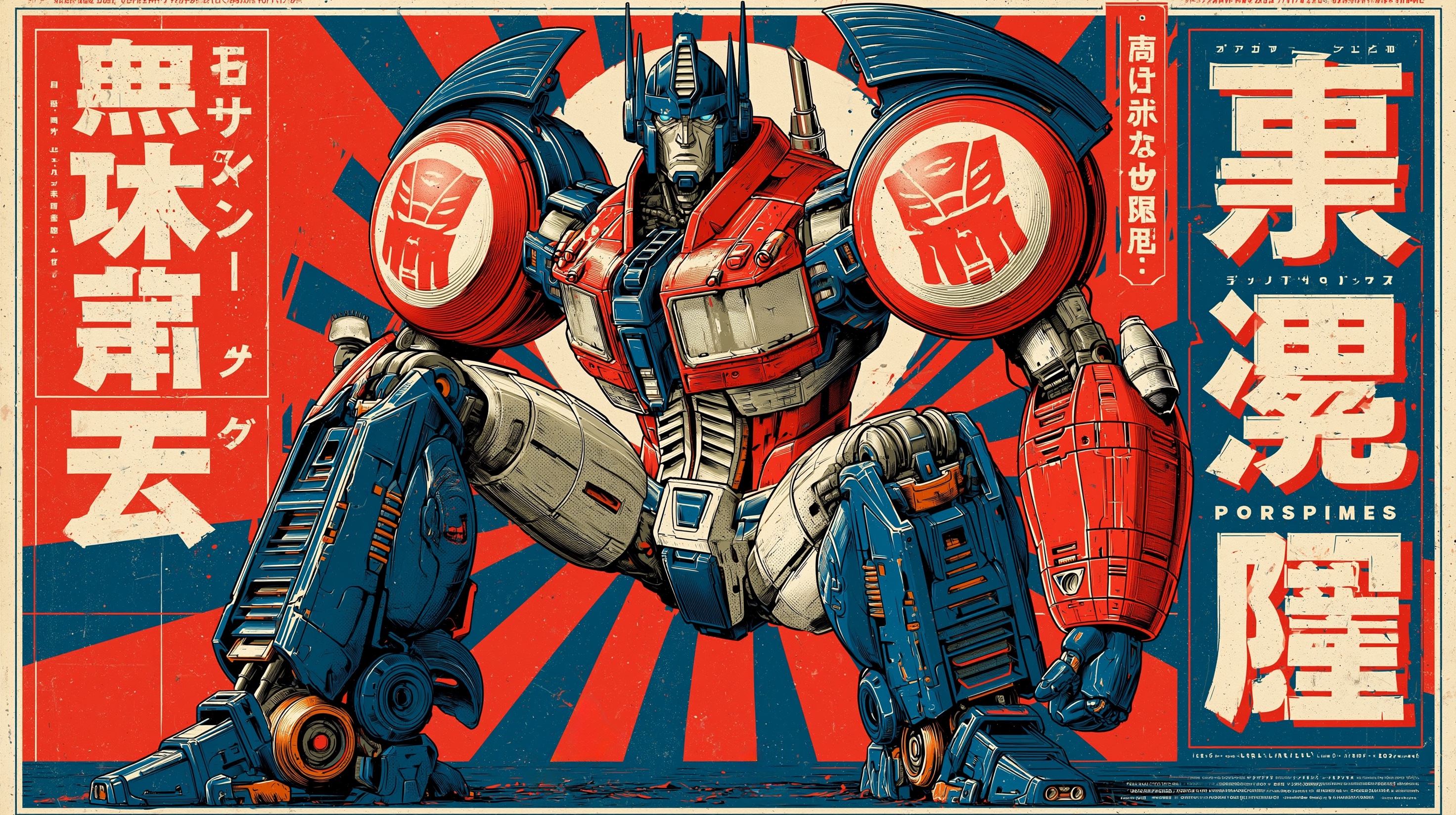
- 首图和封面:Midjourney style-reference 示例,因为主题是风格控制,而不是普通图片编辑。
- 模板段落:anime style 示例,因为动漫风格是高频风格迁移需求。
- 材质段落:watercolor poster 示例,因为水彩最容易暴露主体结构丢失问题。
- 所有图片都来自 Vogue AI 第一方 prompt-library,并保持封面等于第一张正文图。
常见艺术风格的可复制提示词
复制一个 block,替换方括号变量,然后在 Vogue AI 里保持英文粘贴。文章说明可以本地化,但公开提示词块要保持可复制。
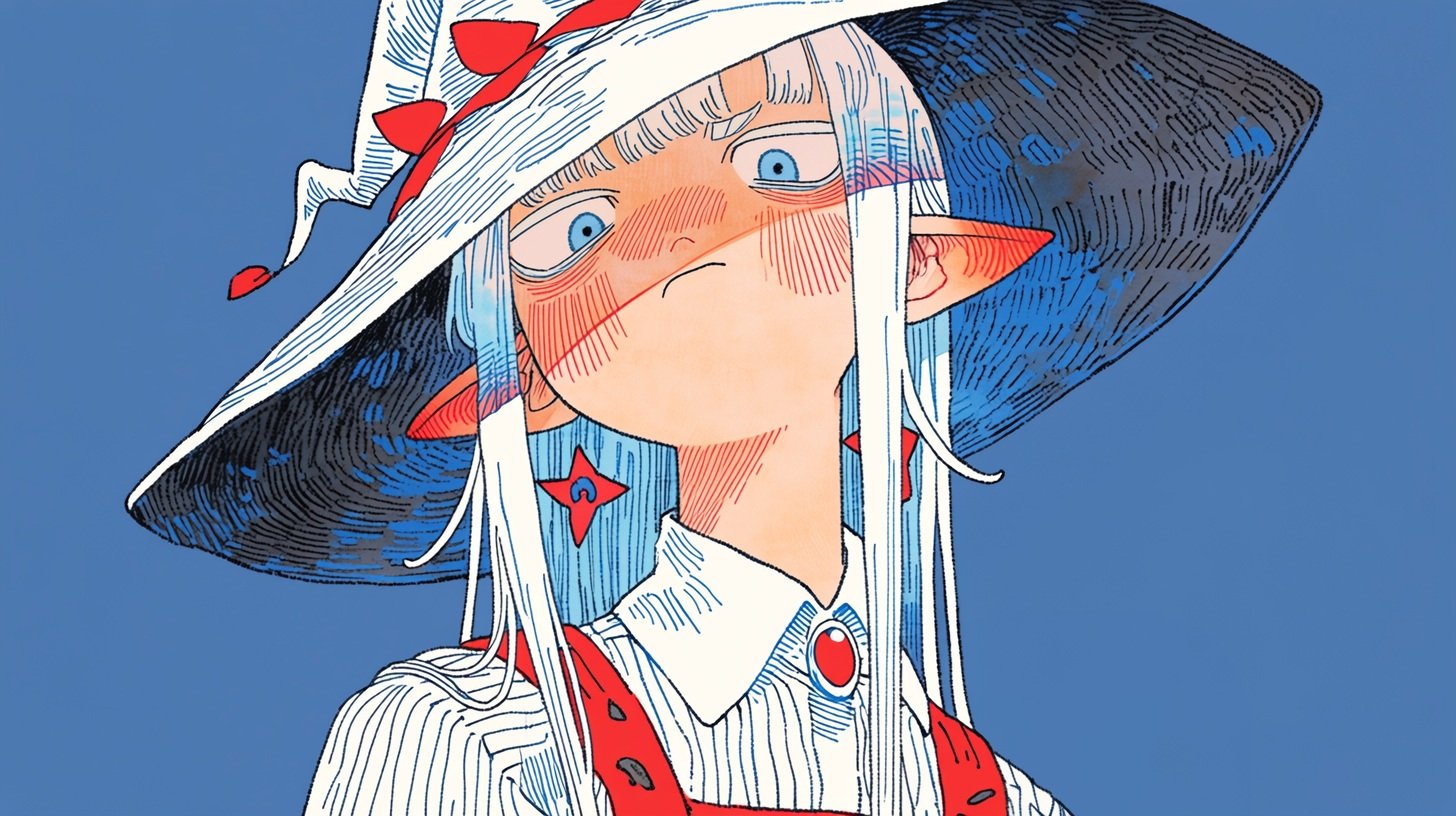
- Anime style transfer: Use my uploaded image as the subject reference. Preserve the main subject identity, pose, camera angle, and key silhouette. Recreate the image in clean Japanese anime style, crisp linework, controlled cel shading, expressive but not exaggerated features, soft cinematic background, same composition, 4:5 aspect ratio, no text, no watermark.
- Watercolor style transfer: Use my uploaded image as the structure reference. Keep the subject, framing, horizon line, and important objects recognizable. Render it as delicate watercolor illustration on textured paper, soft pigment bleed, restrained ink edges, natural light, airy palette, no text, no watermark.
- Oil painting style transfer: Use my uploaded photo as the subject reference. Preserve face identity or product shape exactly, then reinterpret lighting and surface texture as a classic oil painting with visible brushwork, layered warm shadows, museum-quality color depth, stable anatomy, same crop, no text.
- Editorial poster style transfer: Use my uploaded image as the layout reference. Keep the subject placement and negative space, transform the look into a high-fashion editorial poster, bold contrast, refined grain, controlled palette, clean headline-safe area, no generated typography.
- Cartoon style transfer: Use my uploaded image as the subject reference. Preserve the pose, outfit, and main proportions, convert the rendering into a polished cartoon illustration with simple shapes, friendly expression, clean background, limited color palette, no text, no watermark.
风格配方矩阵
| 目标风格 | 从原图保留 | 提示词里添加 | 第一张结果检查 |
|---|---|---|---|
| Anime | 脸部身份、姿势、服装和镜头角度。 | 干净线稿、cel shading、受控表情、简洁背景。 | 检查脸是否变得过于通用,姿势是否被改掉。 |
| Watercolor | 主体轮廓、地平线、重要道具和裁切。 | 纸张颗粒、颜料晕染、柔边、轻盈色板、克制墨线。 | 检查细节是否溶掉,反差是否太弱。 |
| Oil painting | 解剖结构、产品形状、脸部结构和构图。 | 笔触、叠色、暖阴影、画布质感、博物馆式光线。 | 检查风格足够强但没有扭曲主体。 |
| Editorial poster | 主体位置和留白。 | 强反差、精致颗粒、campaign lighting、文字安全区。 | 检查画面是否仍给真实排版留空间。 |
| Cartoon | 姿势、服装、比例和主轮廓。 | 简化形状、友好表情、有限色板、干净背景。 | 检查简化后是否丢失可识别部分。 |
实战例子:把一张照片变成水彩
原图目标
假设上传的是一张手工陶瓷咖啡滤杯的产品照,放在厨房台面上。形状、釉色和镜头裁切必须稳定,但最终要像一张细腻的水彩编辑插画。
Prompt version 1
- Use my uploaded image as the structure reference. Preserve the ceramic coffee dripper shape, glaze color, rim angle, counter placement, camera crop, and main shadow direction. Recreate the scene as a delicate watercolor editorial illustration on textured cold-press paper, soft pigment bleed, restrained ink outlines, warm morning light, airy neutral background, same 4:5 composition, no text, no watermark.
第一张结果诊断
如果水彩效果很好但滤杯形状变了,不要继续加风格词,先强化 preserve 句子。如果形状正确但像普通滤镜,就补充冷压纸、颜料晕染、干刷边缘、克制墨线等媒介细节。
材质风格需要额外约束
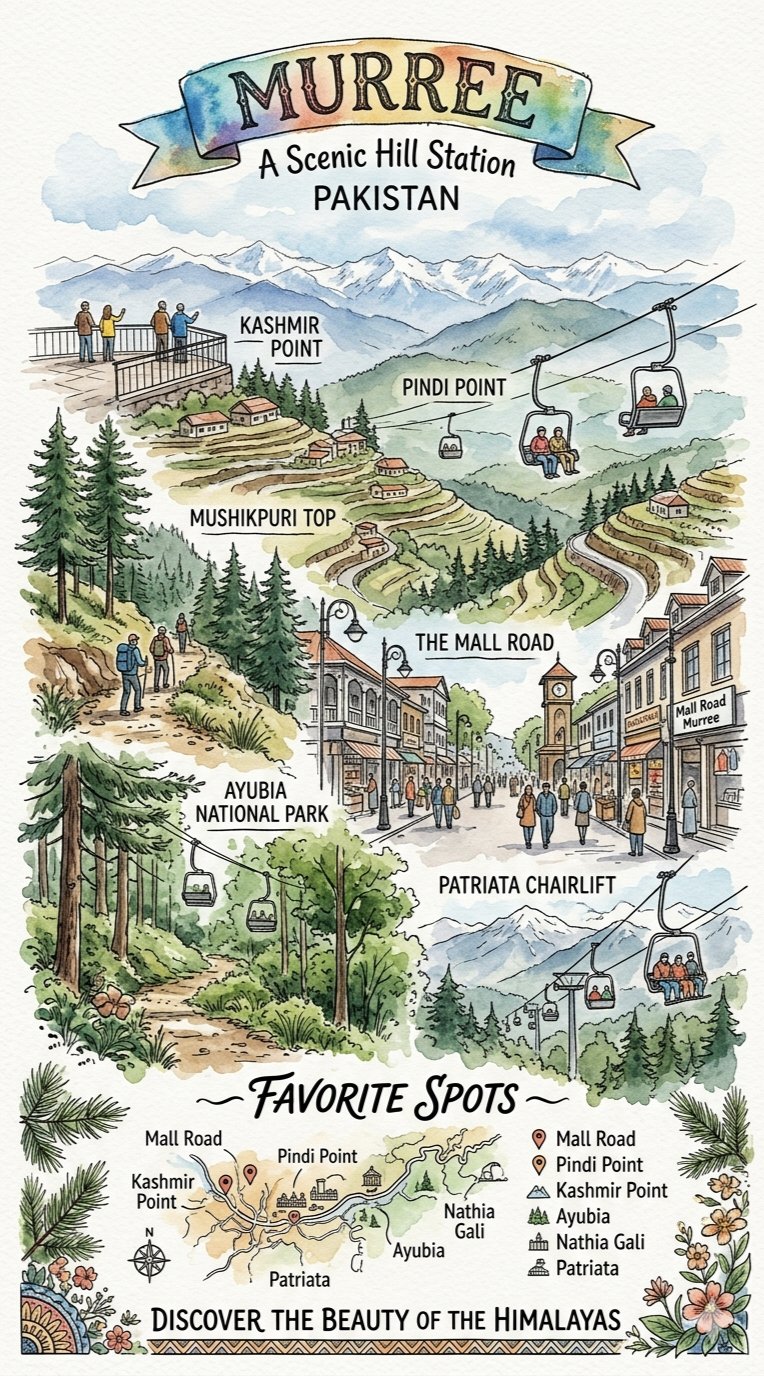
Watercolor、oil painting、crayon、risograph、pencil 和 paper-cut 的价值在于改变材质,但风险是材质吞掉身份。生成多版本前先放一个检查清单。
- 身份:同一个脸、产品形状、logo 位置或物体轮廓仍可识别。
- 构图:裁切、镜头角度和主体位置仍接近原图。
- 风格强度:新媒介清楚可见,但没有变成普通插画。
- 背景:背景服务风格,而不是随机增加道具。
- 生产规则:生成文字移除,或留空给后续设计。
在 Vogue AI 里选哪个模型
| 目标 | GPT Image 2 | Nano Banana | Midjourney |
|---|---|---|---|
| 尽量贴近原图 | 指令遵循和 reference-aware 编辑的首选。 | 适合快速探索,前提是身份要求没那么严格。 | 适合风格发现,不适合强还原。 |
| 探索多个风格方向 | 用同一 prompt skeleton 做受控变体。 | 适合快速社媒或 creator style 变化。 | 适合 style-reference 探索和 art-direction mood board。 |
| 准备生产资产 | 当版式、产品形状或脸部保真重要时优先。 | 适合作为快速草稿再筛选。 | 适合先建立 mood target,再到别处细化。 |
失败修复表
| 失败 | 先修什么 | 先避免什么 |
|---|---|---|
| 身份漂移 | 明确 reference handoff,并写出什么不能变。 | 继续堆风格形容词。 |
| 风格太弱 | 添加媒介控制:线稿、笔触、纸纹、阴影或色板。 | 立刻换原图。 |
| 过度风格化 | 降低风格强度,并重申 same crop、same pose、same silhouette。 | 直接换完全不同风格族。 |
| 背景混乱 | 指定 clean background、更少道具或保留原背景版式。 | 添加更多 cinematic 词。 |
| 文字或 logo 错误 | 要求 no generated text,并留出干净区域后期排版。 | 要求模型完美拼写最终标题。 |
Vogue AI 执行检查清单
- 从最接近的 prompt-library 示例开始,不要空白页硬写。
- 上传原图,并决定它控制身份、产品形状、姿势、版式还是色板。
- 复制一个提示词 block,第一轮只替换变量。
- 保存第一个既保留主体、又清楚呈现目标风格的版本。
- 后续变体一次只改一个控制项:风格族、材质、色板、光线或裁切。
FAQ
怎样把图片改成指定艺术风格?
上传图片,说明哪些必须保留,命名目标风格,添加风格控制,然后生成第一版,再按最大失败点迭代。
参考图应该控制什么?
控制任务真正需要保留的部分:身份、产品形状、姿势、版式、色板或关键物体。要在提示词里直接写清楚。
哪些艺术风格比较好用?
Anime、watercolor、oil painting、editorial poster、cartoon、risograph、pencil sketch、cinematic illustration 和 fashion editorial 都可以。
提示词块一定要英文吗?
公开的 copy-paste block 最好保持英文,方便跨 Vogue AI 模型复用;说明文字可以完全本地化。
如何阻止主体变化?
把保留规则放在风格规则前,明确 reference handoff,并先检查身份漂移,再继续加风格语言。
结果像简单滤镜怎么办?
添加具体媒介词,比如 cel shading、ink linework、paper grain、pigment bleed、brush texture 或 poster grain。