Grok Imagine 1.5 的 image-to-video prompt,核心是先保护第一帧,再添加运动。源图不是灵感图,而是视频起点,所以提示词必须说明哪些能动、哪些不能变,以及镜头如何运动。
TL;DR:先锁定画面,再添加运动
- 先准备强 source image;第一帧质量决定视频上限。
- 按层写:first-frame lock、identity、camera move、motion beats、timing、negative constraints。
- 用 slow push-in、dolly、orbit、rack focus、parallax 等镜头词,不要只写 dynamic。
- 明确 face、product label、UI screen、logo、horizon、hands、text-safe area 不能乱变。
- 不要在生成阶段要求最终字幕;留出干净区域,后期加字。
提示词结构
xAI workflow では still image が video の starting point になります。そのため prompt は motion より先に first-frame preservation を指定する必要があります。
| Layer | Instruction | Reason |
|---|---|---|
| First-frame lock | Begin exactly from the attached image. | Keeps the source frame from becoming loose inspiration. |
| Identity rules | Preserve face, product label, UI screen, hands, logo, and layout. | Prevents identity drift. |
| Camera language | Use push-in, dolly, orbit, pan, rack focus, parallax. | Creates controllable movement. |
| Motion beats | Add 1-3 timed movements. | Short clips need readable beats. |
| Negative constraints | No new people, no scene cut, no generated captions. | Reduces common artifacts. |
| Review check | Inspect identity, camera path, and text-safe space first. | Makes iteration specific. |
场景矩阵
| Goal | Source image | Prompt focus | Check first |
|---|---|---|---|
| Product reveal | Clean product still. | Orbit, reflection, label lock. | Logo distortion. |
| Portrait teaser | Stable face crop. | Identity, breathing, push-in. | Face morphing. |
| Social clip | Vertical layout with empty headline area. | Handheld drift, light sweep. | Generated captions. |
| Cinematic scene | Depth between foreground and background. | Dolly, parallax, stable horizon. | Scene jump. |
| UI showcase | Clear screen hierarchy. | Locked screen and reflection control. | Fake UI changes. |
可复制的 Grok Imagine 1.5 image-to-video prompts
Prompt blocks stay English-only so they can be copied directly into the video workflow.
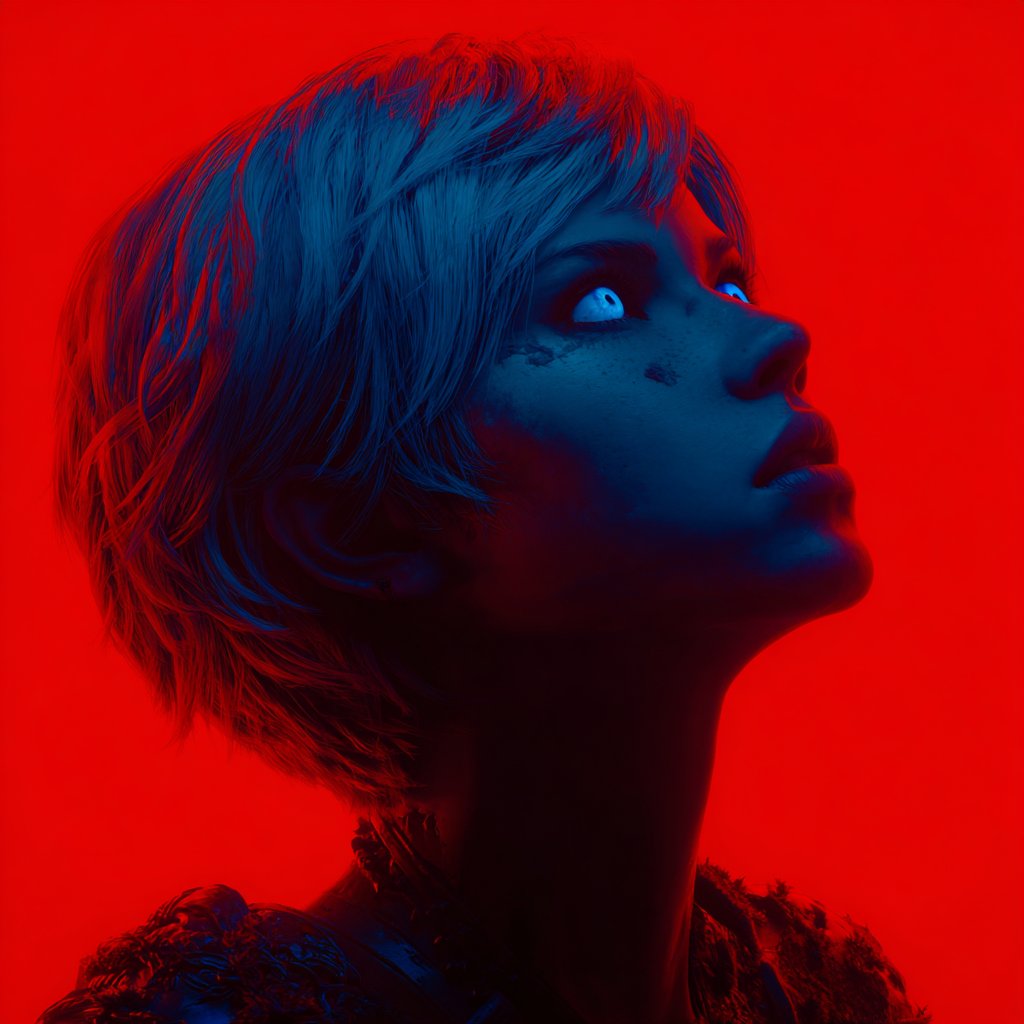
- Product reveal: Animate the attached product image as a 6-second premium launch shot. Keep the product silhouette, label position, and material unchanged. Start with a locked first frame, then add a slow 20-degree orbit, soft rim-light movement, subtle background parallax, realistic reflections, no new text, no logo distortion.
- Portrait motion: Animate the attached portrait as a calm editorial video. Preserve face identity, hairstyle, wardrobe color, and camera crop. Add a gentle push-in, natural breathing, soft fabric movement, eye contact held for the first 2 seconds, shallow depth of field, no extra hands, no face morphing.
- Social teaser: Turn the attached campaign still into a vertical 8-second teaser. Keep the subject placement and empty headline area unchanged. Add slow handheld drift, background light sweep, small foreground particle motion, one clean reveal beat at second 4, no generated captions, no watermark.
- Cinematic scene: Animate the attached environment still with controlled camera language. Begin exactly on the source image, then use a slow dolly forward, mild parallax between foreground and background, wind motion only on cloth and hair, stable horizon, no new characters, no sudden scene cut.
案例 1:用 cinematic still 练镜头语言
Keep the composition intact and add one camera path plus a few environmental beats.
- Prompt: Animate this still as a cinematic tutorial opener. Preserve the full composition and subject scale. Add a slow dolly forward, gentle parallax in the background, slight light movement across the main subject, and one subtle focus pull near the end. No new objects, no scene cut, no text.
案例 2:从 reference-style image 做第一帧规划
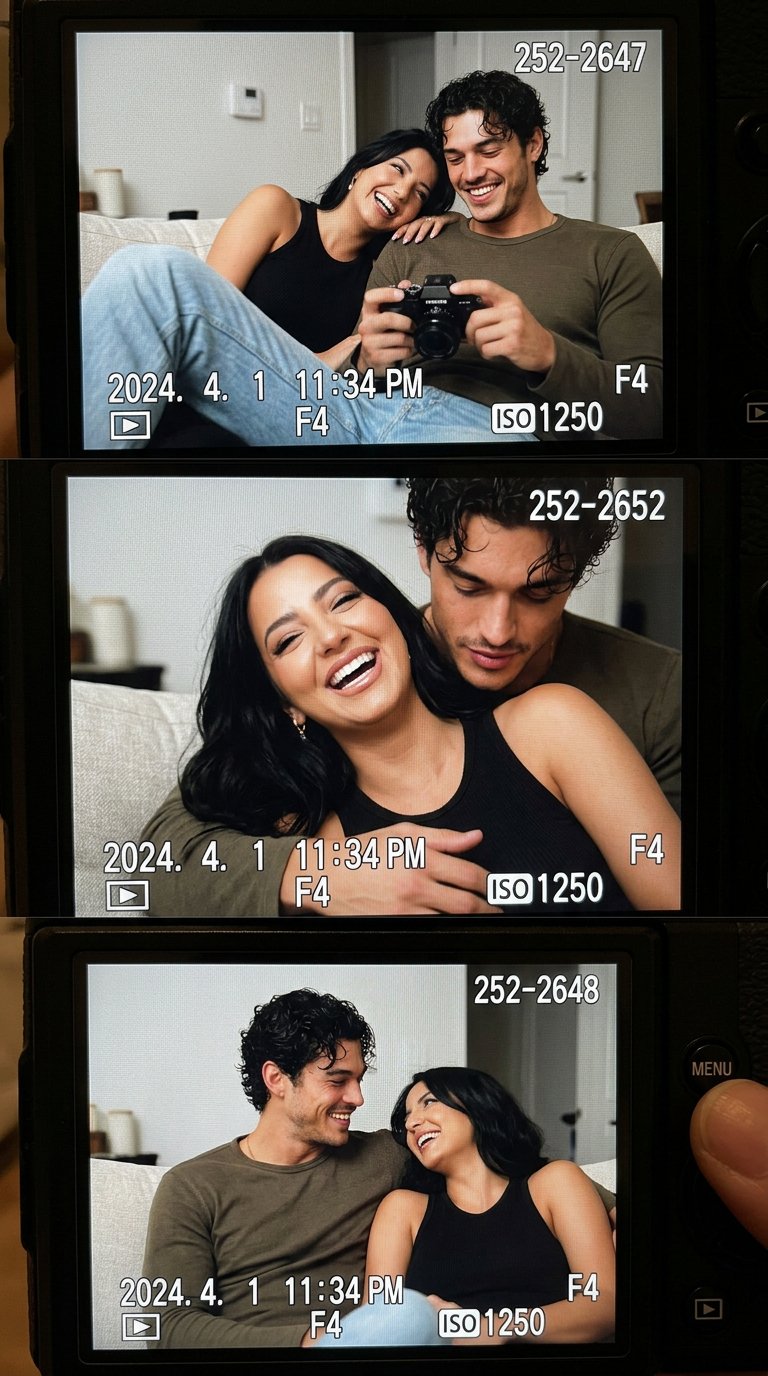
For lifestyle clips, name what the source image controls before adding small believable motion.
- Prompt: Animate this reference-style lifestyle image as a nostalgic 6-second shot. Keep the couple, couch, camera LCD framing, and room layout stable. Add tiny handheld camera drift, soft ambient light flicker, natural blinking, and a slow rack focus from the LCD screen to the people. No identity drift, no extra people, no subtitles.
完整示例:从静态图到视频提示词
Brief
A skincare bottle still needs a 6-second launch teaser. Bottle shape, label, cap color, and top headline space must stay stable.
Prompt version 1
- Animate the attached skincare bottle image as a 6-second premium launch teaser. Begin exactly from the source frame. Preserve bottle shape, cap color, label position, shadow, and empty top-third headline space. Add a slow 15-degree camera orbit, soft rim-light sweep, subtle reflection movement on the bottle, and mild background parallax. No new text, no logo distortion, no extra objects, no scene cut.
First revision
If identity drifts, strengthen preservation and reduce motion. If the clip is flat, keep the frame lock and add one timed beat.
错误和修法
| Failure mode | Fix first | Avoid |
|---|---|---|
| Identity drift | Add first-frame lock and protected details. | More motion. |
| Random camera | Use one clear camera verb. | Stacking every move. |
| New objects | Add negative constraints. | New story beats. |
| Broken text | Reserve clean space for editing. | Final captions in generation. |
| Static clip | Add one timed beat. | Rewriting source role. |
在 Vogue AI 里使用这个结构
Use Vogue AI to build the still frame first, then pair that still with a concise motion prompt.
- GPT Image 2 helps with instruction-heavy still cleanup.
- Nano Banana helps quick image-to-image variations.
- Midjourney helps cinematic mood and fashion framing.
- Keep the video prompt shorter than the still-image prompt.
- Save the source still and motion prompt together.
FAQ
第一帧指令为什么最重要?
Focus on first-frame preservation, protected identity details, one camera move, and one specific revision layer before regenerating.
提示词需要重新描述源图吗?
Focus on first-frame preservation, protected identity details, one camera move, and one specific revision layer before regenerating.
motion prompt 应该多长?
Focus on first-frame preservation, protected identity details, one camera move, and one specific revision layer before regenerating.
可以生成字幕或 logo 吗?
Focus on first-frame preservation, protected identity details, one camera move, and one specific revision layer before regenerating.
为什么脸或产品会变形?
Focus on first-frame preservation, protected identity details, one camera move, and one specific revision layer before regenerating.
坏结果之后怎么迭代?
Focus on first-frame preservation, protected identity details, one camera move, and one specific revision layer before regenerating.