这篇改成 Vogue AI 能承接的个人照片编辑提示词指南。核心不是“某个外部 AI 怎么用”,而是上传自己的照片作为参考图,让 Vogue AI 在保留身份的前提下改变头像、服装、背景、光线或写真风格。
TL;DR:先固定本人,再改变风格
- 先上传清晰的人像参考图:脸部可见、光线简单、不要重滤镜。
- 明确参考图控制什么:脸型、年龄感、表情、发型、姿势、身体轮廓或原始光线。
- 把“必须保留”和“允许改变”分开写:可以换衣服、背景、裁切、光线和氛围,但不要改人。
- 公开提示词块保持英文,方便直接复制到 Vogue AI 工作区和模型对比流程。
- 如果第一张不像本人,先加强 preserve 句,不要继续堆风格词。
为什么这个主题适合 Vogue AI
Vogue AI 可以承接的是“参考图 + 提示词 + 多模型生成”的工作流。用户把自己的照片上传后,可以用同一套结构化提示词测试 GPT Image 2、Nano Banana 或 Midjourney,判断哪一个更适合头像、换装、背景替换或 editorial portrait。
| 用户任务 | Vogue AI 交接方式 | 适合模型 | 第一项质检 |
|---|---|---|---|
| 职业头像 | 参考图保护脸、年龄感、发型和表情。 | GPT Image 2 更适合可控写实。 | 脸还像不像同一个人? |
| 换衣服 | 参考图保护身体轮廓、姿势、脸和镜头角度。 | Nano Banana 适合快速变体,GPT Image 2 适合严格编辑。 | 是否只有服装改变? |
| 换背景 | 参考图保护人物和原始光线方向。 | GPT Image 2 更适合干净背景替换。 | 边缘和阴影是否可信? |
| 杂志风重塑 | 参考图保护身份,提示词改变服装和氛围。 | Midjourney 更适合风格感,GPT Image 2 更适合写实。 | 风格是否增强但脸没有变? |
本文配图计划
| 角色 | 对应段落 | 一方素材 | 匹配原因 |
|---|---|---|---|
| 首图 | 保留身份的个人照片流程 | Nano Banana 提示词库案例 | 它更接近真实个人照片编辑场景,重点是保留本人。 |
| 案例图 | Editorial portrait 提示词 | GPT Image 2 提示词库案例 | 展示围绕单一人物做可控造型,而不是泛泛的时尚场景。 |
| 案例图 | 旅行/抓拍背景提示词 | Midjourney 提示词库案例 | 支撑 Vogue AI 多模型对比和风格化个人照片的角度。 |
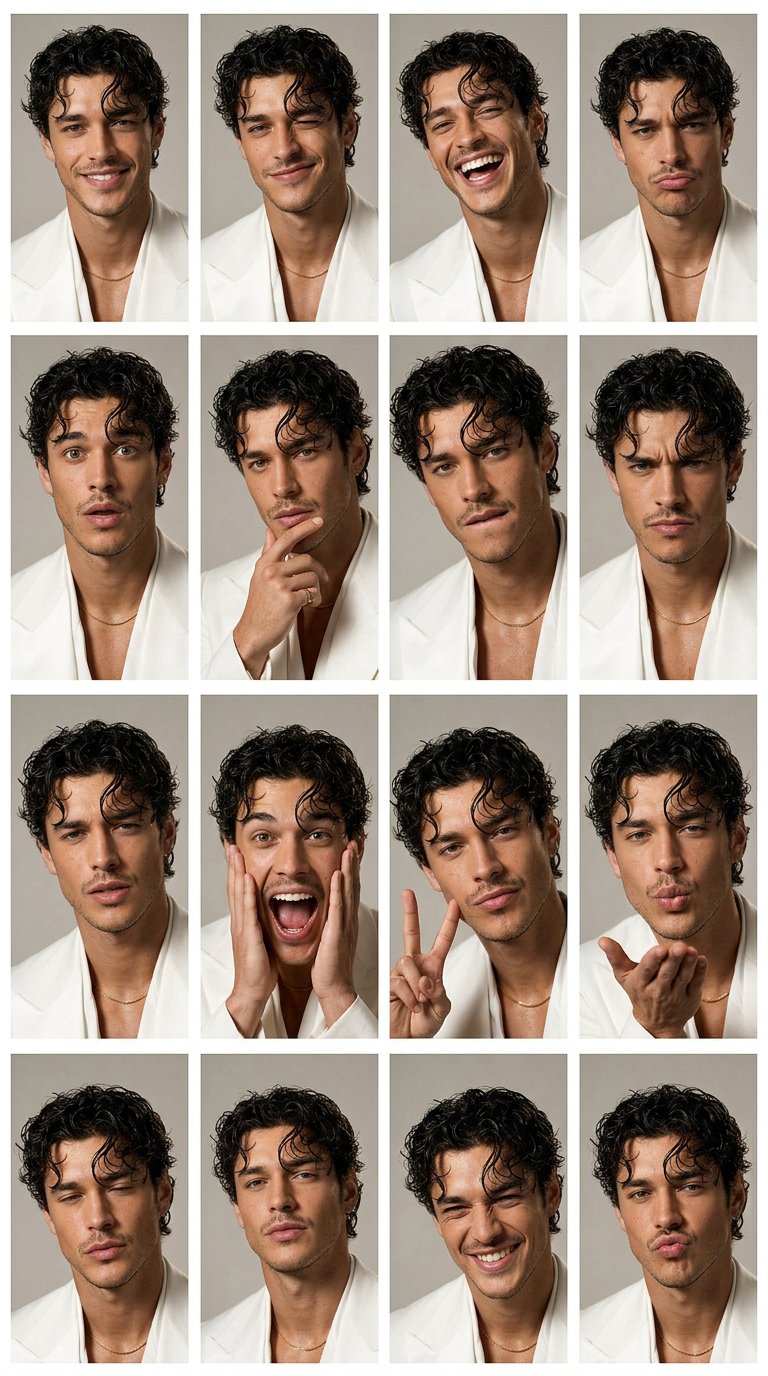
个人照片提示词公式
| 提示词部分 | 应该写什么 | 示例 |
|---|---|---|
| 参考图角色 | 说明上传图片控制什么。 | Use my uploaded photo as the identity reference. |
| 保留清单 | 先列出固定特征。 | Preserve face shape, age, hairline, skin tone, expression, and pose. |
| 允许改变 | 限制本轮可改变的内容。 | Change only outfit, background, lighting, and crop. |
| 风格方向 | 只给一个明确视觉方向。 | Clean professional headshot with soft daylight and neutral background. |
| 输出规则 | 写清比例、真实感和清理约束。 | 4:5 crop, realistic skin texture, no text, no watermark. |
| 复盘规则 | 决定第一轮先修哪个问题。 | If identity drifts, strengthen the preserve list before changing style. |
可复制的 Vogue AI 个人照片提示词
复制其中一条,替换方括号变量。第一轮不要改 identity 句,因为个人照片编辑更需要稳定控制,而不是华丽措辞。
- Profile refresh: Use my uploaded photo as the identity reference. Preserve my face shape, age, skin tone, hairline, expression, and natural facial details. Create a clean professional profile photo with soft daylight, a simple neutral background, sharp eyes, realistic skin texture, 4:5 crop, no text, no watermark.
- Outfit change: Use my uploaded photo as the person reference. Keep my face, body proportions, pose, and camera angle recognizable. Change only the outfit to [outfit]. Use natural fashion editorial lighting, realistic fabric texture, clean background separation, no extra accessories unless specified.
- Background swap: Use my uploaded photo as the source. Keep the person unchanged. Replace only the background with [background], preserving face identity, hair outline, body edge, lighting direction, and believable shadows. Do not alter age, expression, or facial structure.
- Editorial portrait: Use my uploaded photo as the face reference. Preserve identity and natural skin texture while changing styling to [mood or wardrobe]. Create a Vogue-style editorial portrait with controlled shadows, premium lighting, confident expression, no face reshaping, no text.
- Travel portrait: Use my uploaded photo as the identity reference. Keep me recognizable while placing me in [destination or setting]. Use golden-hour natural light, relaxed candid travel composition, realistic lens depth, clean background separation, no text, no watermark.
案例 1:仍然像本人的头像
头像最怕脸漂移。第一轮先保守:身份、表情、皮肤质感、光线、背景和裁切。模型证明能保留本人后,再加更强的风格。
- Prompt: Use my uploaded photo as the identity reference. Preserve face identity, facial proportions, hair, age, expression, and body outline. Improve lighting, background, wardrobe, and crop only. Keep the result realistic, recognizable, and suitable for a profile image.
案例 2:不变脸的杂志风重塑
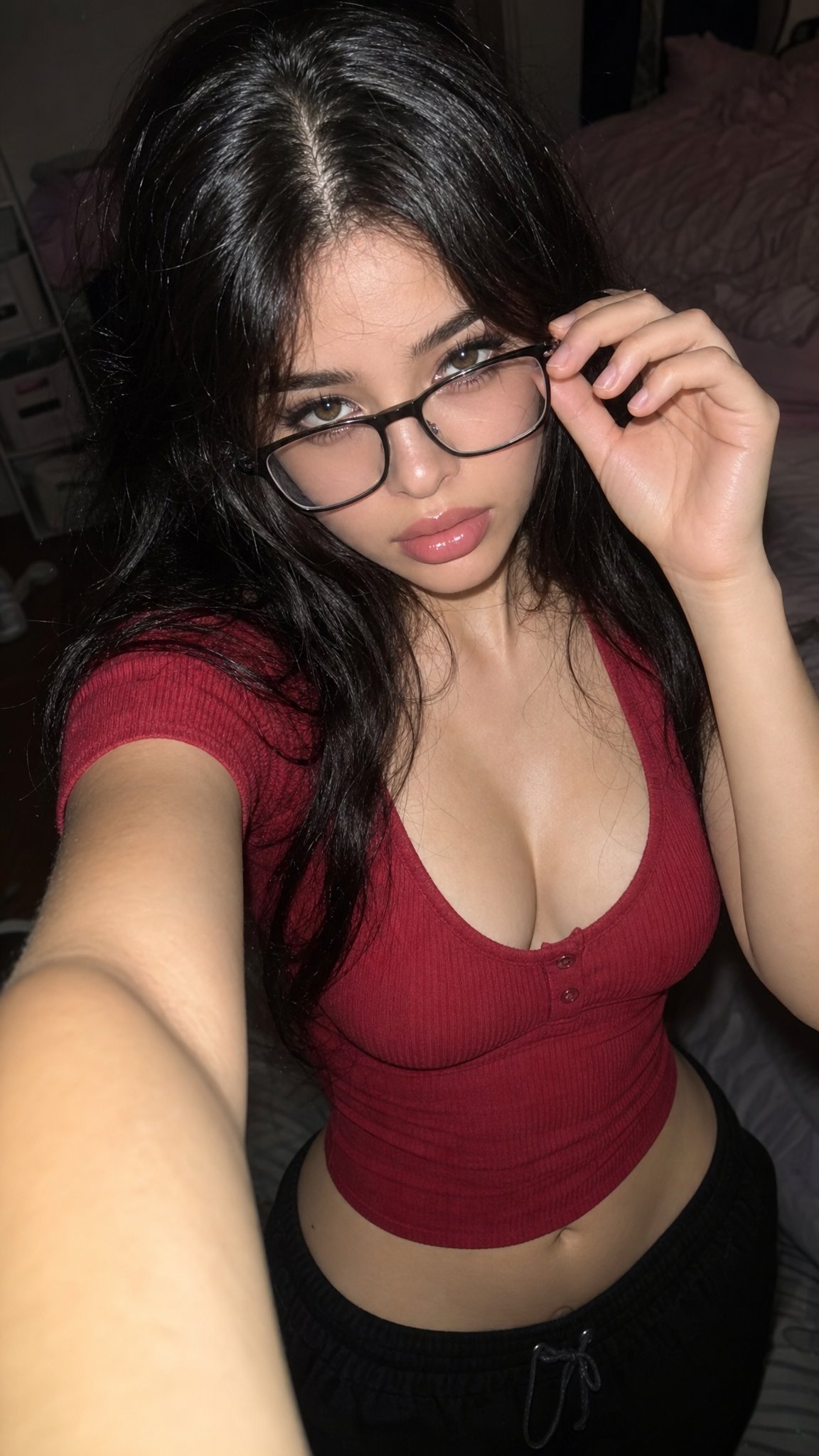
Editorial prompt 可以改变更多内容:服装、背景、色彩和光线。但身份句仍然要放在前面。如果脸变了,先删掉多余氛围词,再强化保留清单。
- Prompt: Transform my uploaded photo into a polished fashion editorial portrait. Keep me recognizable. Change wardrobe, lighting, color palette, and background to match [style], with realistic skin texture, sharp eyes, controlled shadows, no extra text, and no face reshaping.
案例 3:旅行或抓拍背景替换
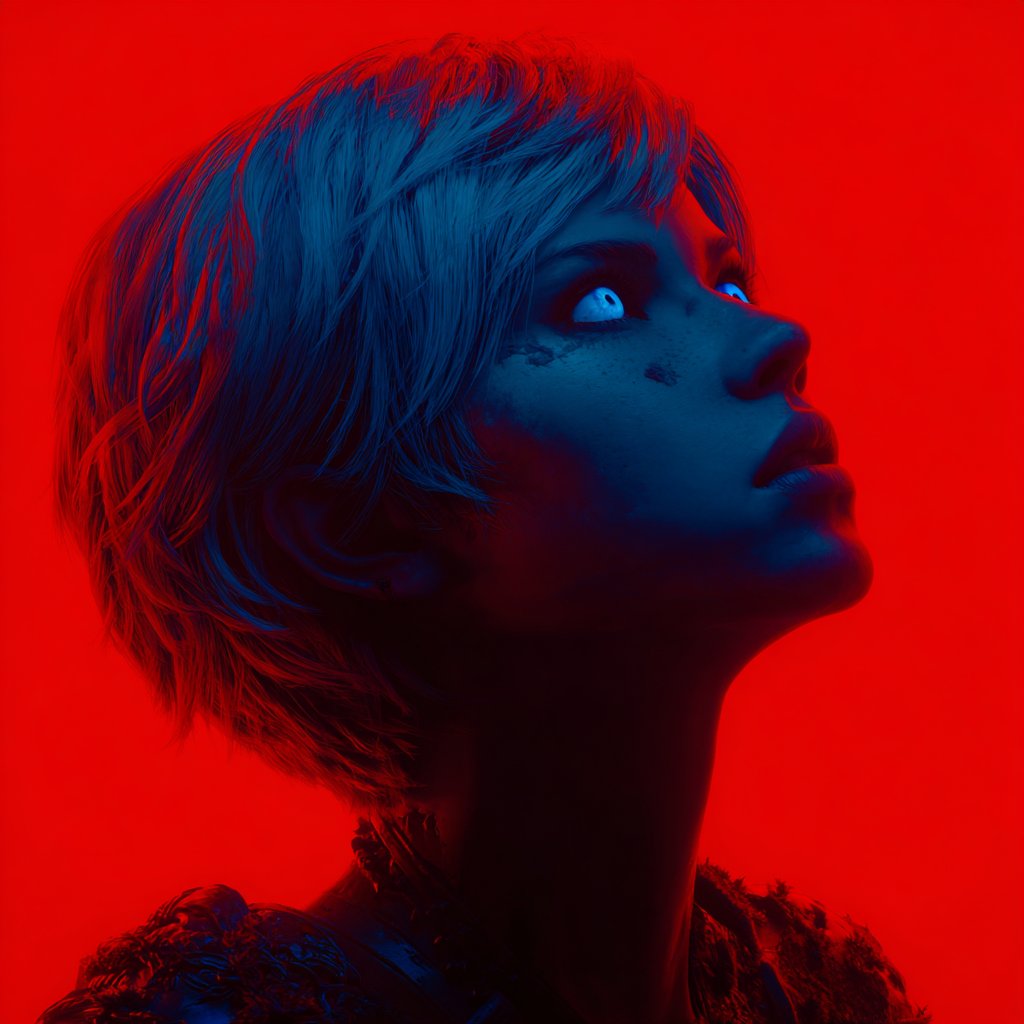
旅行提示词常见问题是背景太抢戏。先锁住人物,再让地点只影响光线、色彩和空气感;如果无法接受近似效果,就不要要求精确地标。
- Prompt: Use my uploaded photo as the person reference. Keep identity, pose, and facial expression stable. Move the scene to [location], add natural travel lighting, relaxed candid framing, realistic background depth, and no text or invented logos.
错误与修正表
| 失败表现 | 先修什么 | 避免什么 |
|---|---|---|
| 脸不像本人 | 把保留身份放到第一句,并列出固定特征。 | 继续增加时尚形容词。 |
| 姿势或身体轮廓变化过大 | 说明参考图控制姿势、比例和镜头角度。 | 同时要求全新动作。 |
| 背景看起来假 | 补充光线方向和阴影规则。 | 只写一个模糊地点。 |
| 换装把人也改了 | 写清只换衣服,身份不变。 | 同时改发型、年龄和妆容。 |
| 文字或 logo 变形 | 先不要生成最终文字,后期再加。 | 要求模型精确拼写标题。 |
| 不同模型都变成另一个人 | 先用 GPT Image 2 做保守基准,再测试更强风格。 | 身份提示未稳定就开始模型对比。 |
在 Vogue AI 中使用这套模式
把第一张结果当成参考图交接测试。保留同一句 identity prompt,一次只比较一个模型或一个变量,这样才知道问题来自提示词、模型,还是原始照片。
- 身份和指令遵循优先时,先用 GPT Image 2。
- 保留句稳定后,用 Nano Banana 做快速个人照片变体。
- 更强调 editorial 风格时,再测试 Midjourney。
- 先保存真正保留身份的版本,再做更强视觉变化。
- 问题没定位前,不要同时换参考图、模型和风格。
FAQ
第一条个人照片提示词应该怎么写?
先写保守头像 prompt,保护脸、年龄感、发型、表情和姿势。模型保留本人之后,再加更强风格。
先用 GPT Image 2 还是 Nano Banana?
需要可控编辑时先用 GPT Image 2;身份提示稳定后,再用 Nano Banana 做更快变体。
可以同时换衣服和背景吗?
可以,但如果脸漂移,拆成两步:先换衣服,再换背景。
为什么结果像磨皮滤镜?
加入 natural skin texture、realistic pores 和 soft lighting,删掉过度美颜词。
可以用别人的照片吗?
只在获得授权时使用。个人照片涉及肖像和身份,不适合未经允许地编辑他人。
第一张结果变脸怎么办?
不要继续加风格。把身份保留放到第一句,列出变掉的特征,必要时换更清晰参考图。
这篇文章如何承接到 Vogue AI 页面?
它讲的是 Vogue AI 的参考图提示词模式,可以在同一工作流里比较 GPT Image 2、Nano Banana 和 Midjourney。