写真を良く見せる近道は、曖昧に「enhance」と頼むことではありません。まず問題を診断し、1つの改善目標を選び、変えてはいけない要素を守る prompt を使います。
スタイル化の前に写真を整える
- Fix the biggest issue first, then revise one control at a time.
- Use the uploaded image as a reference when identity, product shape, pose, or color must stay stable.
- Keep prompt blocks in English so they remain copyable in Vogue AI.
- Check identity, light, crop, background, texture, and artifacts after the first result.
- Use GPT Image 2 for control, Nano Banana for quick variations, and Midjourney for mood exploration.
まず写真を診断する
写真を良く見せる近道は、曖昧に「enhance」と頼むことではありません。まず問題を診断し、1つの改善目標を選び、変えてはいけない要素を守る prompt を使います。
| Problem | Prompt focus | Protect |
|---|---|---|
| Dark or flat | Improve exposure, white balance, and contrast. | Identity, real color, believable shadows. |
| Messy background | Simplify or blur distractions. | Subject outline and depth. |
| Weak crop | Set a useful aspect ratio and negative space. | Important subject edges. |
Choose the improvement lane
| Goal | Pattern | Risk |
|---|---|---|
| Natural cleanup | Conservative reference-led edit. | The subject changes too much. |
| Portrait polish | Identity anchor plus light and skin texture. | Waxy skin or changed face. |
| Product polish | Preserve silhouette, label, and material. | Invented packaging. |
| Social upgrade | Crop, contrast, and clean hierarchy. | No space for later text. |
Copyable prompts
The prompt blocks remain in English intentionally so they can be pasted directly into Vogue AI.
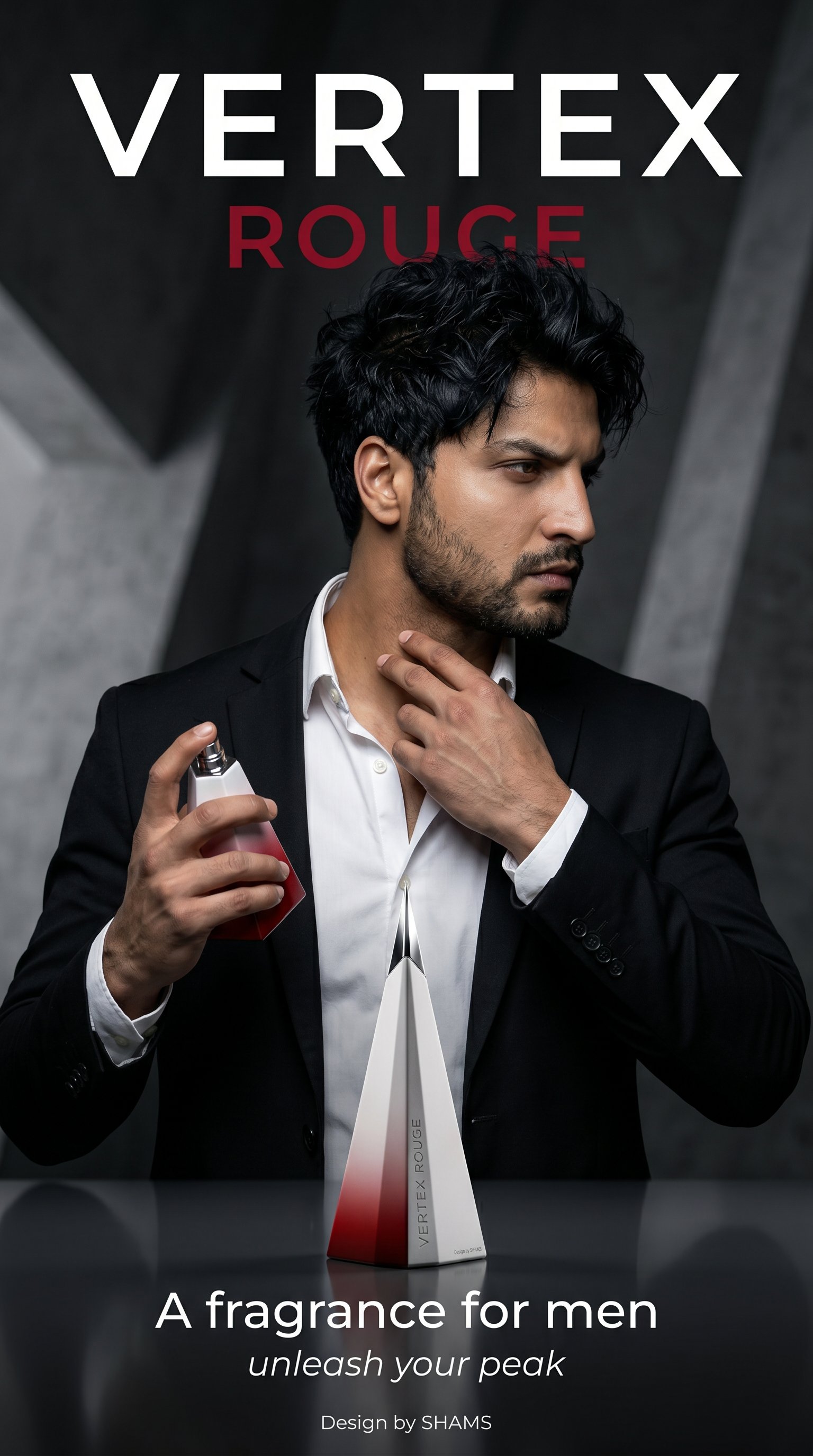
- Natural cleanup edit: Use the uploaded photo as the only subject reference. Improve exposure, white balance, skin or material texture, and background clarity while preserving the original person, product, pose, camera angle, and realistic details. Keep the edit natural, no face reshaping, no added text, no watermark.
- Professional portrait upgrade: Use the uploaded portrait as the identity anchor. Preserve face identity, age, expression, hairstyle, and pose. Improve soft daylight, eye sharpness, natural skin texture, simple wardrobe polish, and background separation. Editorial but realistic, 3:4 crop, no extra hands, no text.
- Product photo improvement: Use the uploaded product image as the product reference. Preserve silhouette, color, label placement, and material. Improve studio lighting, clean shadow, background simplicity, edge sharpness, and ecommerce composition. 4:5 aspect ratio, no invented logo, no text.
- Social-ready style pass: Use the uploaded picture as the base scene. Keep the main subject recognizable, improve color harmony, contrast, crop, and negative space for a social post. Modern editorial mood, clean background, 9:16 or 4:5 framing, no generated typography.
Worked example: improve a casual portrait
Raw job
A casual indoor portrait has a good expression, but the room is distracting and the light feels yellow.
Prompt version 1
- Use the uploaded portrait as the identity anchor. Preserve the same person, facial features, expression, hairstyle, pose, and camera angle. Improve soft daylight, neutral white balance, eye sharpness, natural skin texture, and gentle background separation. Simplify the room into a clean softly blurred interior. Professional profile photo, realistic edit, 3:4 crop, no face reshaping, no extra text.
First-result diagnosis
If the face changes, tighten the identity sentence. If the face is right but the image still feels casual, revise only lighting and background.
Use style after control

- Protect identity before editorial lighting.
- Protect product silhouette before studio polish.
- Protect the real place before cinematic grading.
- Reserve negative space and add typography later.
Mistakes and fixes
| Mistake | Why | Fix |
|---|---|---|
| Vague enhance prompt | The model guesses what may change. | Name defect and protected details. |
| Too many styles | The frame becomes inconsistent. | Use one mood per pass. |
| No aspect ratio | The output may not fit the channel. | Set ratio early. |
| Generated text/logo | Small text mutates. | Leave text area empty. |
Vogue AI handoff
Upload the photo in Vogue AI, choose the closest prompt-library example, paste the English prompt, and review the output with a checklist.
Final checklist
- Identity is still recognizable.
- Light and white balance improved.
- Crop fits the destination.
- Background distractions are reduced.
- Texture still looks natural.
- No warped text, fake logos, or extra fingers.
FAQ
How can I make my pictures look better quickly?
Fix one major issue first and state which identity, color, pose, or product details must stay protected.
Should I use AI or a normal photo editor first?
Fix one major issue first and state which identity, color, pose, or product details must stay protected.
How do I keep my face from changing?
Fix one major issue first and state which identity, color, pose, or product details must stay protected.
Why does an improved picture look fake?
Fix one major issue first and state which identity, color, pose, or product details must stay protected.
What aspect ratio should I choose?
Fix one major issue first and state which identity, color, pose, or product details must stay protected.
Can AI fix blurry photos?
Fix one major issue first and state which identity, color, pose, or product details must stay protected.
How many edits should I make at once?
Fix one major issue first and state which identity, color, pose, or product details must stay protected.
Can I use these prompts for product photos?
Fix one major issue first and state which identity, color, pose, or product details must stay protected.