良い text to image prompts は、形容詞の寄せ集めではなく制作 brief として機能します。強い prompt は、主体、構図、何を固定するか、そして初回生成後に何を確認するかを明確にします。
TL;DR:prompt を再利用できる制作 brief として書く
- まず subject、composition、style、output rule、channel goal を決めます。
- product visual、portrait、social poster、UI concept で同じ骨格を使い、変えるのは変数だけにします。
- 最初の結果は審美判断ではなく診断のために使います。
- identity、packaging、face、palette、UI hierarchy を守る必要があるときだけ reference image を加えます。
- 仕事を解いた version を保存し、次回は Vogue AI でそこから始めます。
この text to image prompts が解くべきこと
この検索意図はかなり実務的です。ユーザーが欲しいのは、コピーして少し変えれば制御しやすい first draft が出る prompt です。だから inspiration の列挙ではなく、structure の説明が必要です。
- 良い結果:product shot、portrait、campaign visual、UI concept に使える first draft が出ること。
- 悪い結果:見た目は上手いのに、モデルが大事な部分を勝手に変えてしまうこと。
- 判断基準:その prompt は real brief を守れるか。
Text to image prompt の公式
| 要素 | 入れる内容 | 重要な理由 |
|---|---|---|
| Subject | 具体的な product、person、object、scene、screen。 | subject が曖昧だと他の指示も不安定になります。 |
| Context | product page、launch post、ad、gallery card、UI showcase のどこで使うか。 | channel によって framing と usable output の基準が変わります。 |
| Composition | angle、crop、distance、negative space、visual anchor。 | composition は最初の失敗を減らす最短ルートです。 |
| Style | material、realism、mood、palette、brand tone。 | style は subject control を壊さずに visual language を絞ります。 |
| Lighting | softbox、rim light、daylight、backlight、cinematic contrast。 | lighting が generic image と usable draft を分けることが多いです。 |
| Output rules | aspect ratio、no text、transparent background、safe area、no watermark。 | real job に合わせるために必要です。 |
| Reference handoff | reference image が何を固定するか。 | reference は役割が明確なときだけ有効です。 |
| Review check | 生成後に最初に確認する点。 | これがあると prompt 全体を書き直さずに済みます。 |
シナリオ別マトリクス
| 目的 | Prompt の焦点 | 固定するもの | 最初に直すもの |
|---|---|---|---|
| 商品ローンチ visual | hero subject、material detail、launch lighting、見出し用スペース。 | product silhouette、packaging cues、background hierarchy。 | まず crop と negative space。 |
| Portrait campaign image | expression、wardrobe、skin texture、camera distance、palette。 | face identity、hairstyle、eyes の sharpness。 | まず reference handoff。 |
| Social poster | focal point、contrast、channel ratio、future text space。 | subject hierarchy と text-safe area。 | まず clutter と headline space。 |
| UI concept | device framing、interface hierarchy、surface、reflections。 | screen structure と認識してほしい product area。 | まず perspective と reflection noise。 |
コピーできる text to image prompt 例
例を 1 つコピーし、角括弧の変数だけを入れ替えて、最初の生成では残りを固定します。Prompt blocks はどの言語でも English のまま残し、Vogue AI にそのまま貼れるようにしています。
- Product launch hero: Premium launch visual for [product], centered hero composition, crisp material detail, controlled reflections, clean [background color] stage, cinematic rim light, premium ecommerce realism, 4:5 aspect ratio, no text, no watermark.
- Portrait campaign image: Editorial portrait of [subject], confident expression, natural skin texture, soft background separation, wardrobe in [color palette], subtle cinematic contrast, sharp eyes, 3:4 crop, no extra hands, no text.
- Social poster: High-contrast launch poster for [topic], main subject [subject], dramatic lighting, bold negative space for future headline, modern campaign styling, 9:16 aspect ratio, keep text area empty.
- UI concept visual: Product marketing image for [app or website], realistic device framing, visible interface hierarchy, clean desk surface, premium SaaS lighting, restrained reflections, 16:9 aspect ratio, no floating nonsense elements.
実際の画像と prompt を使った 2 つのケース
この手の記事は、抽象的な公式だけでは弱いです。以下の 2 ケースは Vogue AI prompt library の実例で、実際の画像、実際の prompt、そして再利用すべき構造をそのまま確認できます。
ケース 1:材質と背景を制御する product-shot 構造
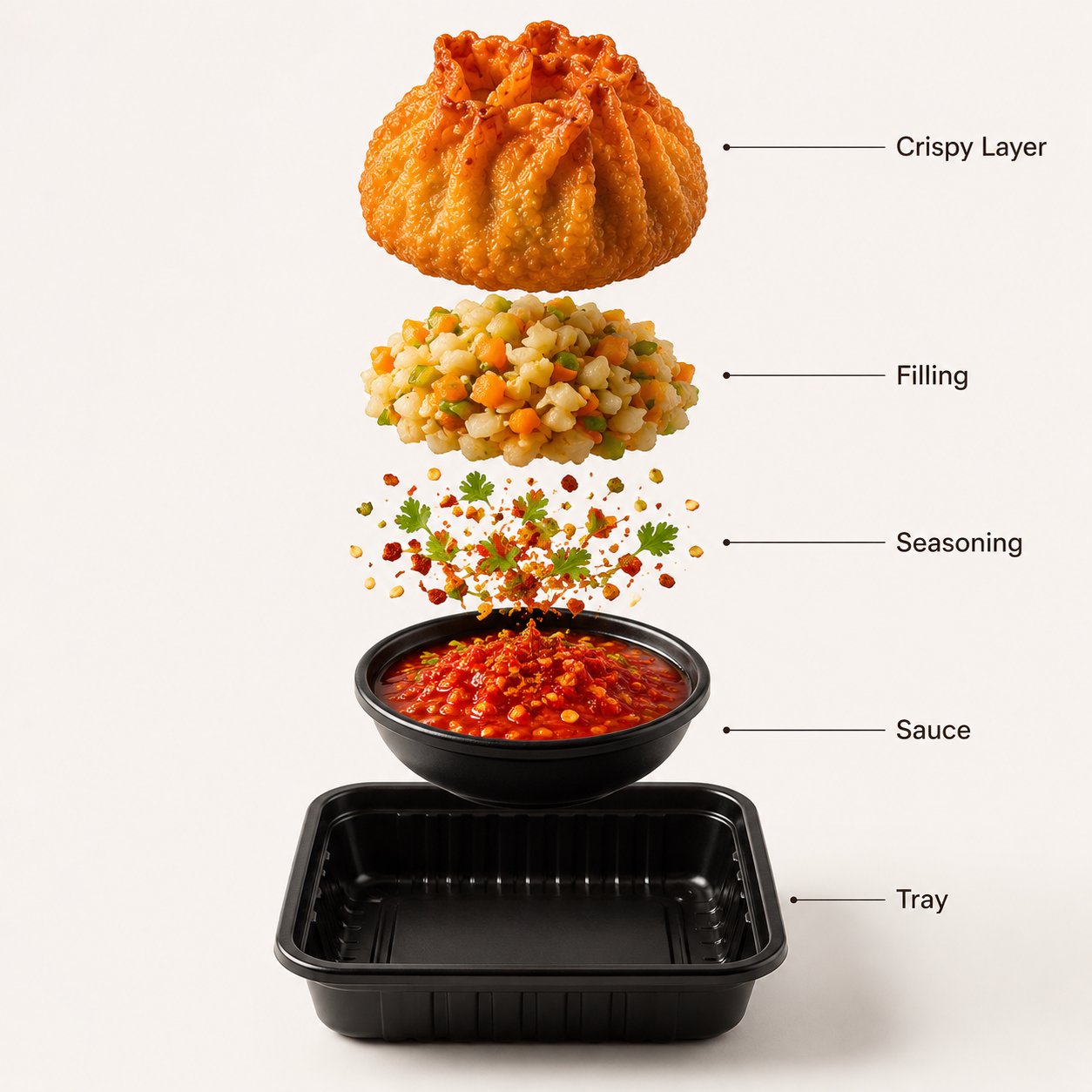
ここで真似すべきなのは food subject ではなく、hero framing、material language、clean studio backdrop、そして text noise を消す output rule です。
- Prompt:A premium street-food product photograph of crispy fried momos arranged in a black serving tray, centered against a warm White seamless studio background. The momos have a deep golden crispy texture with realistic oil shine and crunchy folds. Fresh green herbs and a vivid red dipping sauce add contrast. Soft studio lighting, premium food-commercial realism, clean composition, 4:5 framing, no text, no watermark.
ケース 2:identity を守る reference-led portrait 構造
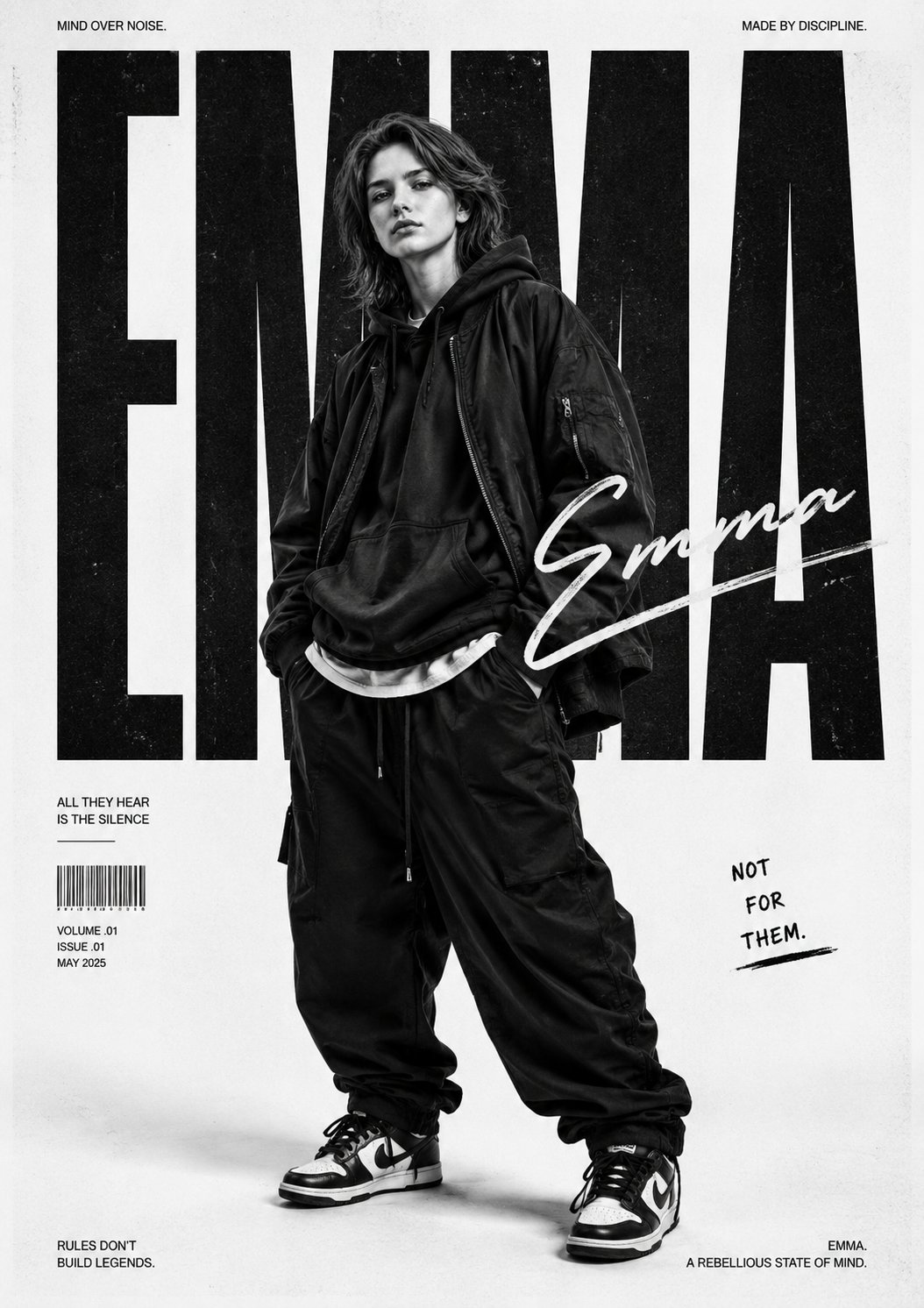
このケースは「人物は同じまま、画面の雰囲気だけ変えたい」仕事に向いています。鍵になるのは explicit な reference handoff で、identity を固定しつつ、clothing、camera mood、campaign style にだけ自由度を与えます。
- Prompt:Use my uploaded image as the face reference. Create a bold monochrome streetwear editorial poster featuring the uploaded person in oversized urban fashion, relaxed stance, hands in pockets, layered baggy clothing, sneakers, and confident rebellious attitude. Preserve face identity while changing styling, lighting, and composition. High contrast lighting, poster-scale framing, dramatic shadows, clean negative space, no extra text.
完全な例:launch brief から最初の prompt へ
元の brief
マットなアルミ製ウォーターボトルの launch visual を作る必要があります。product-drop post と product-detail page の両方で使いたく、ボトルの silhouette とキャップ色は安定させたい。さらに上部には将来の headline 用スペースが必要です。
Prompt version 1
- Premium launch visual for a matte aluminum water bottle, centered hero composition on a deep graphite stage, crisp brushed-metal texture, cool rim light, subtle shadow, premium ecommerce realism, 4:5 aspect ratio, clear negative space above the bottle for headline, no text, no watermark.
初回生成後の修正
material は合っているのに cap color が変わるなら、全部書き直さないでください。reference image を追加し、それが bottle silhouette、lid color、logo placement を control すると明記します。identity は合っているのに launch energy が弱いなら、subject と crop は保ったまま、lighting と palette を調整します。
形容詞を足す前にやること
弱い prompt の多くは、言葉が足りないのではなく control が足りません。poetic wording より先に precision を入れてください。
- frame が散らかるなら crop、angle、negative space を追加。
- subject が揺れるなら subject sentence を締めるか reference を追加。
- style が generic なら audience、channel、palette を追加。
- text が壊れるなら prompt から text を外し、後で design tool で入れる。
Vogue AI 内での model 選び
Vogue AI では prompt skeleton をなるべく固定し、model choice は失敗リスクに合わせます。
- GPT Image 2 は instruction control と object fidelity が必要なときに向いています。
- Nano Banana は quick variation と軽い image-to-image に向いています。
- Midjourney は mood-heavy、editorial、stylized exploration に向いています。
- model を変えるときも同じ skeleton を使うと、何が result を変えたか追いやすくなります。
最初の生成後に何を変えるか
最初の生成は、prompt の文章ではなく real job と比べて評価します。改善は、一番大きい production failure を先に直すのが最速です。
| 問題 | 最初に直すこと | 避けること |
|---|---|---|
| product、face、screen の identity が違う | subject を強めるか、明示ルール付きの reference image を足す。 | identity が安定する前に mood adjectives を増やす。 |
| composition が弱い | crop、distance、angle、negative space を修正。 | frame を直す前に model を変える。 |
| style が generic | audience、palette、material、channel context を追加。 | prompt 全体の書き直し。 |
| text や logo が壊れる | text generation を外し、空き領域を確保する。 | 最終 marketing copy を完璧に書かせる。 |
| 良い result が徐々に崩れる | best version を複製し、variables だけ置換。 | 不安定な prompt に edits を積み重ねる。 |
- identity 問題:まず subject boundary か reference handoff。
- layout 問題:次に ratio、crop、empty space。
- style 問題:frame が安定してから palette、lighting、audience。
- production 問題:text、legal copy、小さな UI details は後工程の design tool で。
FAQ
良い text to image prompt とは何ですか?
subject、composition、style、output rule、review check が明確で、最初の結果を real brief と比較できる prompt です。
毎回長い prompt が必要ですか?
必ずしも必要ではありません。subject、frame、output を control できるだけの detail があれば十分です。装飾語はその後です。
reference image はいつ使うべきですか?
identity を守りたいときです。product shape、packaging、face、logo placement、palette、UI hierarchy などが対象です。
Vogue AI ではどの model から試すべきですか?
失敗リスクで選びます。GPT Image 2 は control、Nano Banana は quick variation、Midjourney は stylized exploration に向いています。
なぜ generic な画像ばかり出るのですか?
多くの場合、audience、channel、palette、composition rule が足りません。generic output は vague brief から生まれます。
改善を reusable にするには?
仕事を解いた version を保存し、variables を明示し、その base を次の visual に再利用してください。