App design prompts полезны, когда описывают экран как product system: user job, hierarchy, device frame, components, state и review rule.
TL;DR: сначала brief приложения, потом стиль
- Сначала назовите задачу экрана: onboarding, dashboard, editor, checkout или marketing mockup.
- Опишите navigation, primary panel, controls, cards, table, chart, empty state, CTA и safe areas.
- Reference image нужен, когда надо сохранить identity продукта или UI hierarchy.
- Final copy, accessibility, component logic и production code остаются вне generated image.
- В Vogue AI держите один skeleton и выбирайте GPT Image 2, Nano Banana или Midjourney по риску.
Копируемые prompts
Копируйте английский блок, заменяйте variables в скобках и сохраняйте структуру стабильной для первой генерации.
- Mobile onboarding app screen: Realistic iOS app design for [app category], one clear welcome headline area, three benefit cards, thumb-safe primary CTA, bottom progress dots, clean product hierarchy, soft neutral background, 9:16 aspect ratio, readable generic labels only, no fake brand logo, no distorted text.
- SaaS dashboard app design: High-resolution desktop web app screen for [product category], left sidebar navigation, top filter bar, primary KPI cards, one chart panel, one data table, visible empty or loading state, realistic SaaS spacing, 16:9 browser frame, readable generic labels, no brand logos, no watermark.
- Marketplace product-detail screen: Modern mobile app screen for [marketplace niche], large product media area, compact seller card, price and trust signals, sticky bottom CTA, clean card hierarchy, realistic ecommerce UI density, 9:16 aspect ratio, no exact legal copy, no distorted text.
- AI productivity editor: Desktop app design for [workflow], split layout with input panel, preview canvas, right settings drawer, status chips, version history, restrained professional UI, 16:9 aspect ratio, readable generic labels, no decorative filler.
- App store presentation mockup: Premium marketing image for [app name], two realistic device frames showing key screens, visible interface hierarchy, soft reflection control, clean desk context, 16:9 aspect ratio, screen remains readable, no fake logo, no watermark.
Пример: fashion livestream dashboard
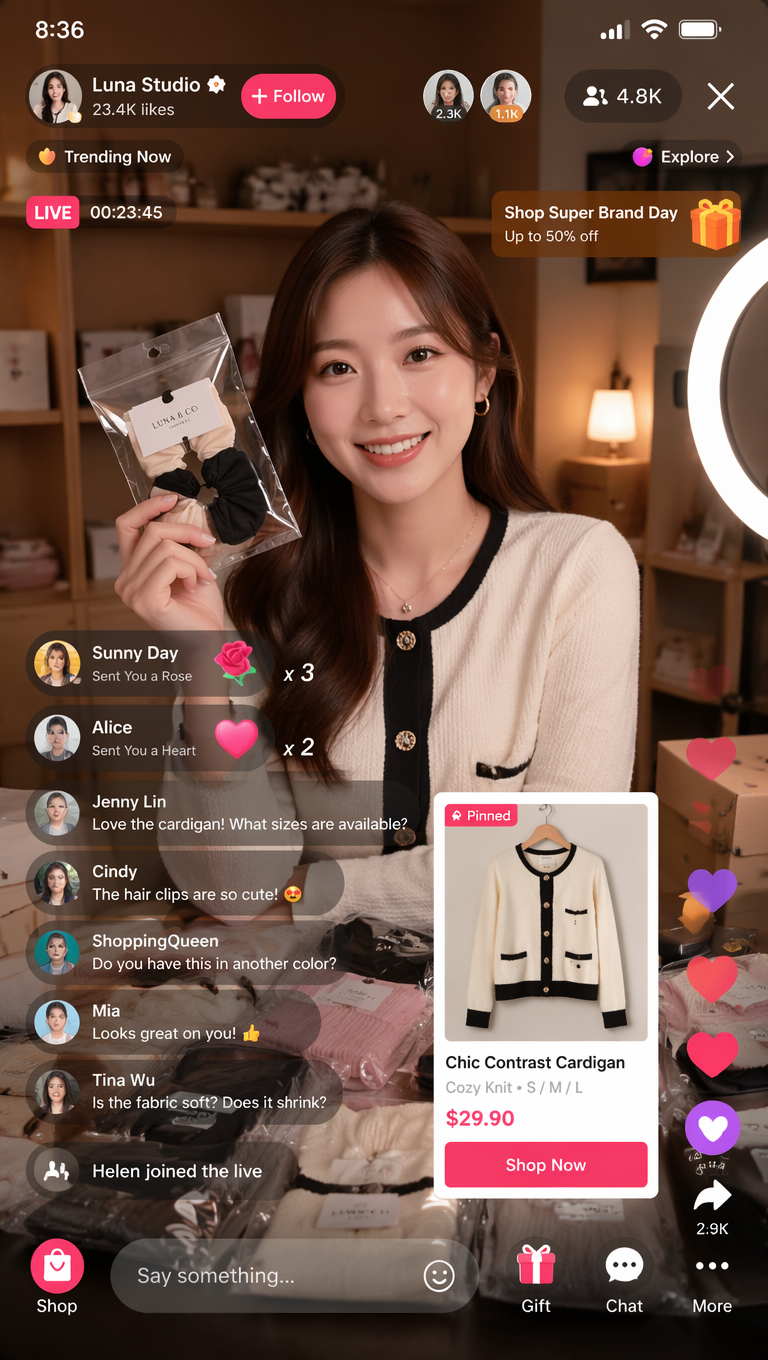
Если результат выглядит как poster, уточните screen job и component inventory. Если ломается text, используйте generic labels и добавьте финальный copy позже.
FAQ
Такие prompts не заменяют Figma или code. Они помогают с concept visuals, hierarchy exploration и presentation mockups.
Выбор модели в Vogue AI
- GPT Image 2 для контроля hierarchy.
- Nano Banana для быстрых вариантов.
- Midjourney для stylized presentation.
- Сохраняйте один prompt skeleton.
Чеклист структуры
- Screen job указан.
- Layout regions названы.
- Component inventory есть.
- Text policy задана.
- Review rule написано.
| Ошибка | Исправление |
|---|---|
| Слишком декоративно | Добавить screen job. |
| Сломанный text | Использовать generic labels. |
| Сценарий | Модель |
|---|---|
| Строгая hierarchy | GPT Image 2 |
| Быстрые варианты | Nano Banana |
| Stylized presentation | Midjourney |
Что такое app design prompts?
Это structured briefs для генерации app screens, dashboards, mobile flows и product mockups.
Они заменяют Figma?
Нет. Они помогают с concept visuals, но не заменяют production design.
Когда нужен reference?
Когда нужно сохранить layout, identity или UI hierarchy.
Почему ломается text?
Image models плохо работают с точной типографикой; используйте generic labels.
Какую модель выбрать?
GPT Image 2 для контроля, Nano Banana для вариантов, Midjourney для style.
Как улучшать первый результат?
Сначала исправьте hierarchy, затем text policy, затем style.