An AI prompt gallery is useful only when it helps you choose, copy, and adapt a visual direction without losing control of the brief. Treat the gallery as a decision surface: browse by output job, inspect the image and prompt together, then change only the variables that belong to your own image.
TL;DR: use a gallery like a prompt map
- Start from the image category that matches the job: product, portrait, poster, infographic, UI, or art direction.
- Copy the prompt structure, not the whole concept. Keep subject hierarchy, composition, style controls, reference rules, and output rules visible.
- Use Vogue AI model tags as a filter: GPT Image 2 for instruction control, Nano Banana for fast variations, and Midjourney for stylized exploration.
- Attach a reference image only when identity, packaging, face, UI hierarchy, or brand color must stay recognizable.
- Save the version that solves the job so the gallery becomes a reusable production library, not a one-time inspiration wall.
What searchers expect from an AI prompt gallery
People looking for an AI prompt gallery usually want three things at once: examples they can browse, prompts they can copy, and enough context to know which example fits their own goal. A useful gallery therefore needs categories, visible image outcomes, prompt anatomy, and adaptation notes.
- Good gallery behavior: category filters, image-first examples, copyable prompts, model context, and clear edit rules.
- Weak gallery behavior: hundreds of pretty prompts with no failure notes, no reference guidance, and no clue about when to choose one style over another.
- Best first action: pick the closest job category before reading individual prompt wording.
Gallery category matrix
| Gallery category | Use it for | Prompt signal to copy | First failure to check |
|---|---|---|---|
| Product and ecommerce | Hero images, catalog concepts, packaging studies, launch visuals. | Material detail, lighting, background rule, crop, no-text rule. | Wrong silhouette, weak shadow, label distortion, or cluttered background. |
| Portrait and identity | Headshots, avatars, editorial portraits, character continuity. | Reference handoff, face boundary, wardrobe, expression, crop. | Identity drift, waxy skin, extra hands, or wrong age. |
| Poster and social | Campaign visuals, thumbnails, launch posts, event creative. | Focal point, negative space, channel ratio, text-safe area. | No headline room, generated fake text, or weak subject hierarchy. |
| Infographic and UI | Explainers, mockups, blueprint images, product education. | Layout grid, screen hierarchy, callout placeholders, clean spacing. | Tiny unreadable text, distorted UI, or messy perspective. |
| Art direction | Mood boards, fashion editorial, surreal scenes, style exploration. | Scene logic, palette, lens language, lighting, controlled texture. | Beautiful image that does not answer the production brief. |
How to read a gallery card before copying it
Do not copy the longest prompt first. Read the card as four layers: what the image proves, what the prompt controls, what the model probably inferred, and what you need to replace. That habit keeps a gallery-led workflow practical.
- Image proof: identify the crop, subject scale, material detail, and background behavior you actually want.
- Prompt controls: mark the words that control subject, composition, style, reference, and output.
- Model inference: notice details that were not explicitly written, such as texture, lens, or era.
- Replacement fields: change product, person, channel, aspect ratio, palette, and reference role without touching the whole skeleton.
Copyable gallery prompt starters
Use these English prompt blocks as gallery starters. Replace the bracketed fields, run the first image, then revise by failure mode instead of adding random adjectives.
- Gallery starter: Browse the gallery for a [category] example, keep the same subject hierarchy and camera distance, replace the subject with [your subject], keep the output rule [aspect ratio], no text, no watermark.
- Fashion editorial: Surreal gallery artwork featuring [model or product], couture styling, museum-scale composition, controlled spotlight, reflective floor, clean negative space, editorial color palette, 4:5 aspect ratio.
- Archive portrait: Black and white 1990s film photograph of [person], natural pose, documentary framing, visible film grain, soft window light, plain background, authentic wardrobe detail, 3:4 crop, no extra text.
- Blueprint infographic: Elegant fashion-style blueprint infographic for [object or concept], measured callouts, clean linework, limited blue and ivory palette, precise labels as placeholders only, premium editorial layout, 16:9 aspect ratio.
Case 1: fashion editorial gallery prompts
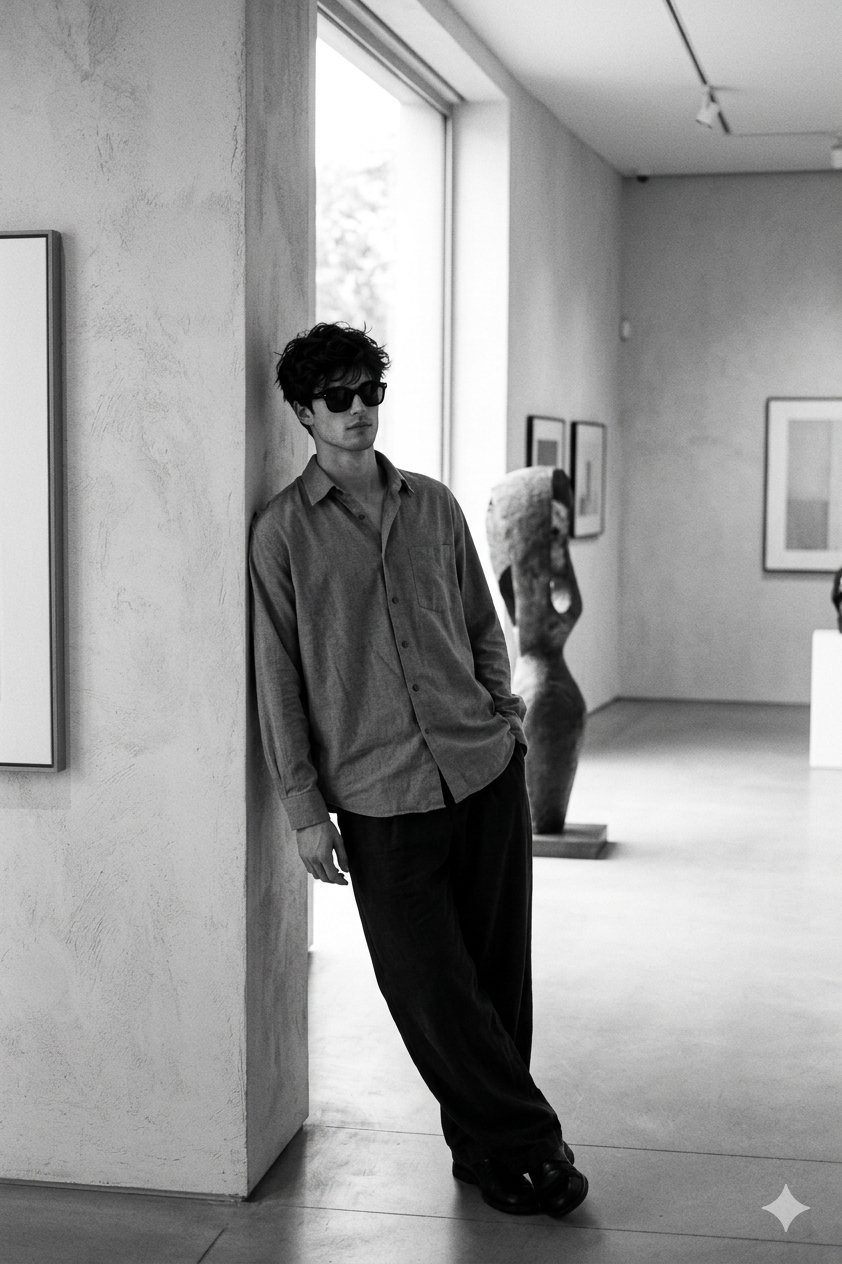
For portrait and fashion examples, borrow the era, lens, lighting, wardrobe, and crop structure. Replace the person description and reference-image rule carefully. If the first result loses identity, keep the same style but strengthen the reference handoff before changing the art direction.
Case 2: infographic gallery prompts
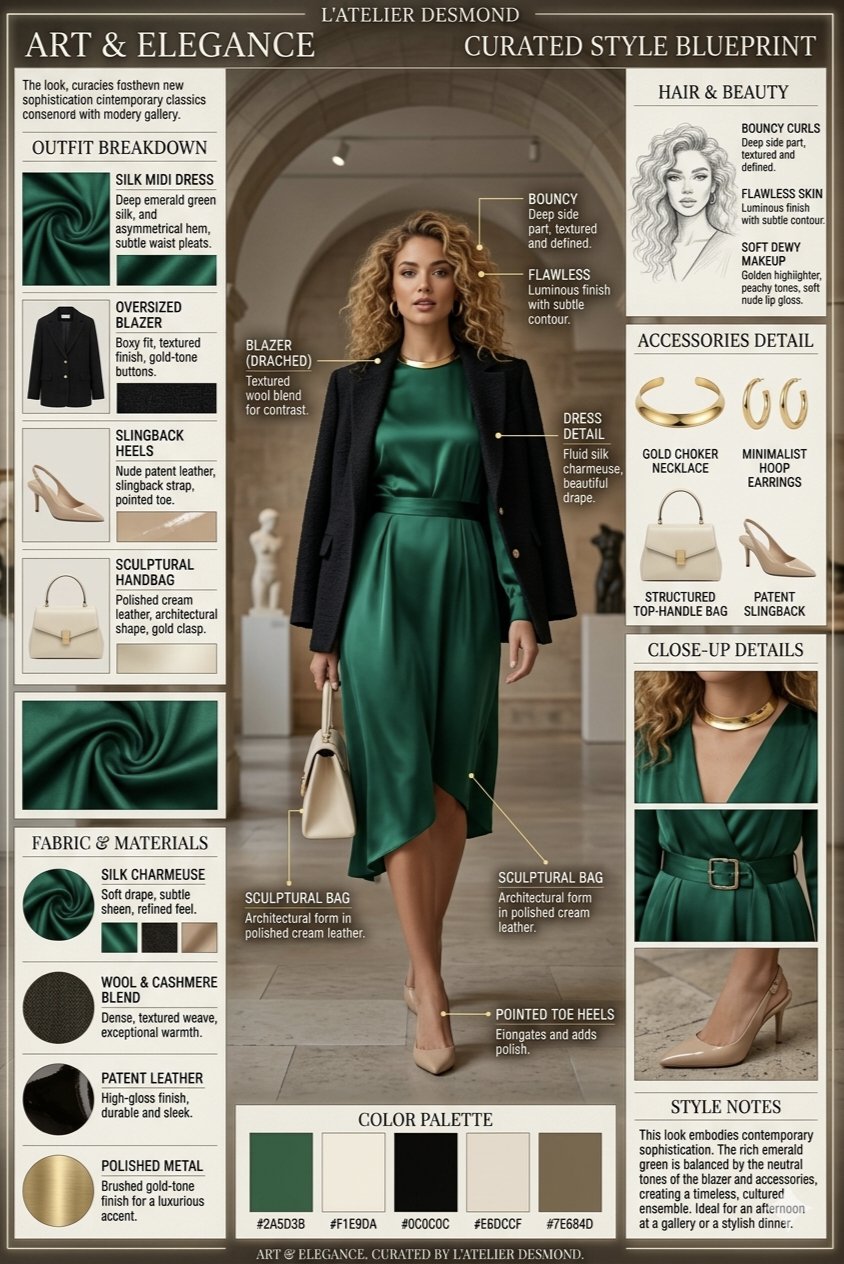
Infographic prompts need stricter layout rules than mood prompts. Copy the grid, callout, palette, and spacing language, but keep final labels out of the generation step when exact wording matters. Generate the structure first, then add final text in a design tool.
Worked example: turn a gallery find into your own prompt
Raw job
You need a product-launch image for a new translucent desk lamp. The gallery example you like is a surreal fashion gallery scene, but your final image must still feel like a product hero.
Adapted prompt
- Surreal gallery product hero featuring a translucent sculptural desk lamp on a reflective museum plinth, centered composition, controlled spotlight, visible glass texture, quiet charcoal background, premium product editorial mood, clean negative space, 4:5 aspect ratio, no text, no watermark.
First-result diagnosis
If the scene is beautiful but the lamp shape is wrong, add a reference image and say it controls silhouette, glass tint, and base geometry. If the lamp is correct but the image feels too abstract, reduce surreal details and add product-page constraints such as shadow, material clarity, and centered crop.
Mistakes and fixes
| Mistake | Fix first | Why it works |
|---|---|---|
| Browsing by style only | Choose the production job before choosing the prettiest image. | The same style can fail if the crop or output rule is wrong. |
| Copying every word | Mark fixed controls and variable fields before editing. | This preserves the useful skeleton while making the prompt yours. |
| Ignoring model fit | Use GPT Image 2 for control, Nano Banana for variation, Midjourney for mood exploration. | The same gallery prompt can behave differently across models. |
| Asking for exact final text | Reserve text space and add final wording after generation. | Image models can create layout ideas, but exact typography needs review. |
| Losing a good version | Save the solved prompt with a plain category label. | The gallery becomes a repeatable workspace asset. |
Use Vogue AI as the handoff surface
Inside Vogue AI, a prompt gallery can move directly into generation. Browse the visual family, copy the prompt skeleton, choose the model tag that matches the risk, add references when identity matters, and keep the winning version in your workspace for the next image.
FAQ
What is an AI prompt gallery?
It is a browsable collection of generated images paired with prompts, categories, and adaptation context so you can copy a proven structure instead of starting from a blank prompt.
Is an AI prompt gallery the same as a prompt library?
They overlap. A gallery is image-led and helps visual browsing; a library is usually more structured around saved prompts, tags, reuse rules, and workflow notes.
Can I copy gallery prompts directly?
Yes, but direct copying works best for testing. For production work, replace the subject, channel, reference role, aspect ratio, and brand controls before judging the result.
Which model should I use with gallery prompts?
Use the model that matches the risk. GPT Image 2 is useful for instruction control, Nano Banana for quick variations, and Midjourney for stylized exploration.
Why does a good gallery prompt fail on my product?
The original card may solve style while your job needs identity, packaging, or channel control. Add reference handoff and output rules before rewriting the whole prompt.
Should gallery prompts include exact text or logos?
Use generated images for layout and visual direction, but add final text and brand typography after generation when exact wording or logo fidelity matters.