MiniMax H3 prompts work best as short production plans. Choose a generation mode, label every reference, describe what changes over time, and lock the details that would make the video unusable if they drift.
TL;DR: prompt H3 like a timed production brief
- H3 accepts text, image, video, and audio context and can generate up to 15 seconds of 2K video with native stereo sound.
- Choose text to video, first/last-frame animation, or Omni Reference before writing the scene.
- Give every supplied asset one job: identity, product, style, motion, camera, voice, music, or edit rhythm.
- Write opening state, timed changes, camera, audio, consistency locks, and ending state.
- Vogue AI has published the model page and prompts, but generation remains unavailable until the H3 API is integrated.
What MiniMax H3 changes about video prompting
The important shift is not only higher resolution. H3 places text, images, video, and audio inside one generation context. That makes the prompt an instruction layer for multiple assets rather than a caption for one image. The practical skill is assigning roles and sequencing change.

Choose the H3 generation mode first
MiniMax exposes text-to-video, first/last-frame image-to-video, and reference generation through one multimodal API. Video and audio references belong to the Omni Reference workflow; first/last-frame inputs cannot be mixed with reference roles in the same request.
| Mode | Input | Choose it for | First risk |
|---|---|---|---|
| Text to video | Prompt | Concepts, social spots, atmosphere, and motion studies | The scene may drift when the subject is underspecified. |
| First / last frame | Prompt + one or two images | Animate a still or control the ending composition | Vague change rules can fight the supplied frame. |
| Omni Reference | Prompt + images, video, and/or audio | Identity, product, motion, camera, voice, or rhythm control | Unlabeled assets create conflicting instructions. |
| Video editing | Prompt + reference video | Motion transfer or targeted regeneration | Too many simultaneous changes weaken continuity. |
Scenario matrix: match the prompt to the production job
| Job | Prompt pattern | Reference plan | First failure to check |
|---|---|---|---|
| Product ad | Opening state → reveal → proof detail → hero frame | Product image + optional motion or music reference | Package shape, label area, hands, and silhouette |
| Short film | Identity locks → timed shots → performance → sound marks | Character images + location + optional voice or camera clip | Identity drift, eyelines, dialogue timing, and continuity |
| Music video | Visual premise → beat changes → performer lock → ending beat | Track + character image or video | Audio relationship, rhythm, lip movement, and wardrobe |
| UGC ad | Creator action → one benefit → product use → end frame | Product and creator references when accuracy matters | Skin texture, product contact, fingers, and fake text |
MiniMax H3 awesome prompts to copy
The templates below are original adaptations of patterns observed in public H3 launch examples on X. Keep the structure, replace the subject and reference roles, then remove any instruction that does not serve the final shot.
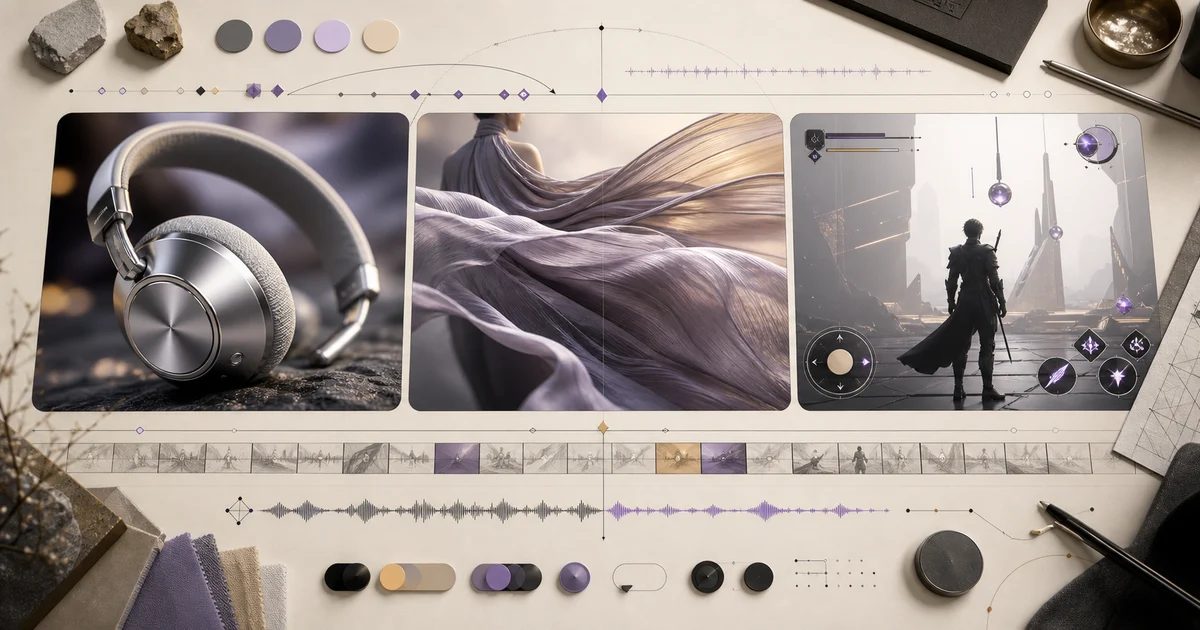
- Fashion campaign: 12-second cinematic luxury fashion campaign, 16:9, photoreal. A model in a flowing iridescent gown crosses a minimalist desert runway at golden hour. Begin with a wide aerial establishing shot, move into a side tracking shot, then a restrained orbit, a fabric macro, and a final hero frame. Prioritize believable cloth weight, soft wind, controlled reflections, consistent face and garment construction, natural motion blur, warm sun flare, editorial color science, and seamless continuity. No flicker, body warping, extra limbs, wardrobe changes, or text. End with a clean fade to black.
- Vertical UGC ad: Create a vertical 9:16 UGC skincare video with a realistic creator speaking directly to a phone camera in a bright home bathroom. She holds a premium serum bottle, gives one concise benefit, applies a small amount to her cheek, and reacts naturally. Use conversational delivery, believable eye contact, subtle hand gestures, healthy skin with visible natural texture, minimal makeup, soft morning window light, shallow depth of field, and a clean luxury-beauty palette. Keep the bottle shape and label area consistent throughout. Smartphone-shot framing, gentle autofocus breathing, no beauty-filter skin, no extra fingers, no floating product, no generated captions, and no watermark.
- Image-to-video comedy: Use the supplied image as the exact opening frame. Create a 15-second high-budget 1980s live-action family comedy scene made with practical robot suits, animatronics, handmade props, vintage wardrobe, warm tungsten light, and authentic 35mm texture. The group hears a noise above, looks up together, then erupts into escalating celebration while one robot attempts a clumsy dance. Start with a locked group shot and introduce a subtle handheld push-in as the chaos grows. Preserve every person, robot, shirt design, headline, face, and composition from the source frame. Add crowd reactions, robot beeps, a short synthesizer sting, and comedic percussion. No CGI sheen, morphing, extra people, rewritten text, or modern clothing.
H3 prompt anatomy
A dependable H3 prompt has seven layers. They do not all need to be long, but they should not contradict one another. Put reference and identity rules early, time-based motion in the middle, and failure constraints at the end.
- Mode: text to video, first/last frame, or Omni Reference.
- Asset roles: what each image, video, or audio clip controls.
- Timeline: what changes from opening state to final state.
- Camera: framing, movement, cut logic, and stability.
- Sound: dialogue, ambience, effects, music, and silence.
- Locks: identity, product geometry, wardrobe, direction, and text.
- Negative constraints: only the failures that would make the result unusable.
Worked example: build a 12-second product film
This example starts with one product reference, one human interaction, and one brand-safe final frame. The first draft protects geometry before it adds camera and sound.
Raw job
Create a 12-second product film for silver over-ear headphones. The product shape must stay accurate, the film needs one human interaction, and the final frame needs clear space for brand copy.
Prompt version 1
- Use Reference Image 1 as the exact headphone design and material reference. Create a 12-second premium product film in a dark graphite studio. 0–3s: locked macro of the brushed-metal ear cup as soft light travels across it. 3–7s: a hand lifts the headphones; preserve hinge geometry and cushion thickness. 7–10s: profile shot as the model puts them on with natural contact and hair movement. 10–12s: clean three-quarter hero frame with empty space on the left. Sound: subtle metal touch, cushion compression, low room tone, and one restrained bass note. No product morphing, extra fingers, invented text, material changes, or camera shake.
What to change after the first result
Diagnose the first failed production constraint rather than rewriting the entire prompt. Geometry, identity, motion, edit rhythm, and sound should be fixed in that order unless the job has a different non-negotiable.
- If the product changes, strengthen the reference role and remove nonessential style language.
- If the action is weak, describe one cause-and-effect motion beat instead of adding adjectives.
- If the edit feels chaotic, reduce the shot count and reserve more time for the hero action.
- If audio feels generic, tie each important sound to a visible action in the same shot.
MiniMax H3 mistakes and fixes
| Problem | Fix first | Avoid |
|---|---|---|
| References conflict | Give each asset one explicit role. | Calling every upload the main reference. |
| Identity or product drift | Move the lock to the opening sentence. | Adding more cinematic adjectives. |
| Too many shots | Use fewer beats with clear timing. | Packing a full commercial into every second. |
| Audio does not support the image | Connect sound to visible actions and useful silence. | Listing unrelated music, voice, and effects. |
| Unreadable generated text | Reserve blank space and add final type later. | Demanding several perfect labels or logos. |
| Motion looks random | Write the opening state, change, cause, and ending state. | Describing only visual style. |
How H3 fits the Vogue AI workflow
Vogue AI can already help prepare the still assets: character references, product images, style frames, and opening compositions. The new H3 model page stores copyable motion briefs and source examples. Actual H3 generation will be added only after provider integration, credit rules, storage, callback handling, and output QA are ready.
Pre-generation checklist
- The generation mode matches the supplied media.
- Every asset has one explicit role and conflicting roles are removed.
- The prompt says what changes across the clip and how the clip ends.
- Camera and sound support the main beat instead of competing with it.
- Identity, product geometry, wardrobe, left/right details, and text rules are locked where needed.
- The negative list contains only failures that would make the output unusable.
FAQ
What is MiniMax H3?
MiniMax H3, also presented as MiniMax Hailuo 3, is a general-purpose multimodal video model for generation, reference-based creation, and editing.
What can I upload to H3?
The current official API accepts text and supports image, video, and audio references within documented count, duration, size, and format limits.
Does H3 make audio with the video?
Yes. MiniMax describes native stereo output. Prompts can direct dialogue, ambience, effects, music, and silence, while audio references require at least one image or video reference.
How long can an H3 clip be?
MiniMax documents video up to 15 seconds. Use the live provider controls for the exact duration options available when you generate.
Should I write exact timecodes?
Use timecodes when shot timing, dialogue, sound, or a reveal must land precisely. A simple atmosphere or UGC clip can use a looser beginning-middle-end structure.
Can I use MiniMax H3 inside Vogue AI?
Not yet. Vogue AI has the model page and prompt library ready, but the generation API has not been integrated.
Are H3 weights already downloadable?
MiniMax announced a planned open-weight release after launch. Treat that as announced until the weights and license are actually published.