Cartoon styles for AI prompts work best when the style name is paired with shape, line, color, texture, and output rules. A bare phrase like "cartoon style" is too broad; a usable prompt says whether you want a mascot, comic panel, editorial caricature, 3D toy render, sticker, or minimal vector icon.
TL;DR: choose the cartoon job before the cartoon label
- Use classic cartoon for friendly mascots, stickers, and approachable brand characters.
- Use comic-book style when the job needs action, panels, ink lines, or dramatic motion.
- Use 3D cartoon when you want toy-like products, avatars, or soft social visuals.
- Use editorial cartoon when the idea needs personality, satire, or recognizable portrait exaggeration.
- Keep prompts in English, then adapt subject, palette, line weight, and aspect ratio inside Vogue AI.
Image plan for this guide
| Role | Source | Why it matches |
|---|---|---|
| Hero | GPT Image 2 cartoon-style infographic starter | It summarizes multiple cartoon directions, so it fits the broad style-catalog search intent. |
| Mascot example | Nano Banana anthropomorphic bulldog BBQ classic cartoon style | It shows rounded character design, mascot posture, outline control, and sticker-friendly expression. |
| Material style example | Midjourney glass and paper style example | It shows how a cartoon prompt can be pushed by material language instead of only naming a style. |
Cartoon style matrix
| Style | Use it for | Prompt controls | Common failure |
|---|---|---|---|
| Classic cartoon mascot | Brand characters, stickers, thumbnails, kid-friendly explainers. | Rounded shapes, bold outline, simple pose, friendly expression, limited palette. | The character becomes generic because the role, prop, or brand cue is missing. |
| Comic book panel | Action scenes, launch stories, tutorial thumbnails, dramatic before/after scenes. | Ink linework, panel framing, halftone shadows, motion lines, foreground action. | Too much clutter or fake speech bubbles. |
| 3D cartoon render | Product scenes, avatars, toy-like social posts, playful app visuals. | Soft geometry, clay/plastic texture, studio lighting, clean silhouette. | The product loses identity because the toy style overpowers shape details. |
| Editorial cartoon | Opinion visuals, founder portraits, personality-led posts. | Respectful exaggeration, expressive linework, controlled facial features, magazine crop. | Unflattering distortion or loss of recognizability. |
| Minimal vector cartoon | Icons, onboarding art, badges, and UI illustrations. | Geometric shapes, few colors, flat lighting, centered composition. | Tiny details that disappear at small sizes. |
Copyable cartoon prompt blocks
Copy one block, replace the bracketed variables, and keep the first pass stable. These prompt blocks stay in English so they can be pasted directly into Vogue AI.
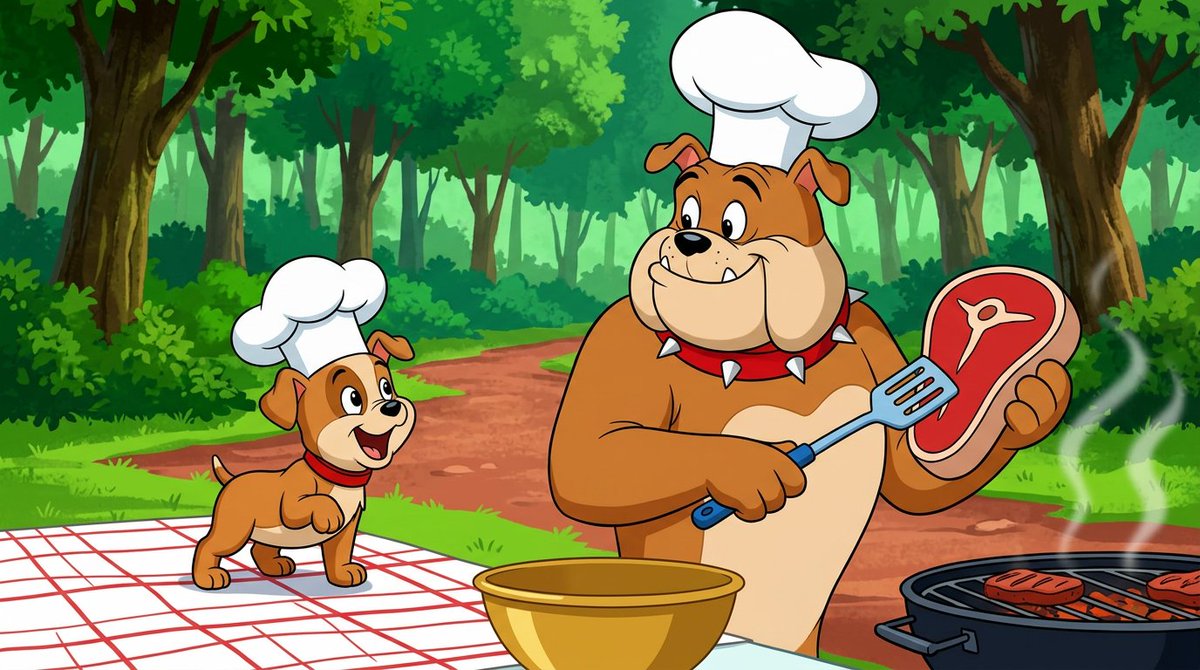
- Classic mascot cartoon: Friendly [animal or character] mascot for [brand or topic], rounded shapes, bold outline, warm expression, simple readable pose, limited color palette, clean background, sticker-ready composition, no text, no watermark.
- Editorial cartoon portrait: Stylized cartoon portrait of [person description], exaggerated but respectful facial features, confident pose, clean magazine illustration lighting, expressive linework, controlled color palette, 4:5 crop, no text.
- 3D cartoon product scene: Playful 3D cartoon render of [product], soft clay-like forms, rounded props, bright studio lighting, simple stage, clear product silhouette, premium toy-like finish, 1:1 aspect ratio, no text.
- Comic panel action scene: Dynamic comic panel showing [action], strong foreground subject, clear motion lines, halftone shadows, readable background, dramatic camera angle, high contrast ink style, 16:9 frame, no speech bubbles.
- Minimal vector cartoon icon: Flat vector cartoon icon of [object or character], geometric shapes, friendly expression, two-color accent palette, centered on transparent or plain background, app-icon clarity, no tiny details.
Style controls that matter more than adjectives
- Shape language: rounded and soft for friendly mascots, angular for action, geometric for vector UI art.
- Line weight: bold outline for stickers and thumbnails, thinner expressive linework for editorial portraits.
- Color system: limited palette for icons, saturated contrast for comic panels, soft pastel for 3D cartoon scenes.
- Texture: flat vector, paper grain, halftone ink, clay, plastic, glass, felt, or watercolor.
- Output rule: no text, no watermark, aspect ratio, clean background, or transparent-background intent.
Worked example: turn a mascot request into a reusable prompt
Raw request
You need a friendly cartoon mascot for a coffee subscription brand. It should feel warm, work as a sticker, and stay readable on a social thumbnail.
Prompt version 1
- Classic mascot cartoon of a cheerful coffee cup character for a subscription coffee brand, rounded body shape, bold dark outline, warm smile, small steam curl, simple waving pose, limited mocha brown and cream palette, sticker-ready centered composition, clean background, no text, no watermark.
First-result diagnosis
If the mascot is cute but not brand-specific, add one prop or material cue before changing the whole style. If the silhouette is weak, strengthen shape language and pose. If it looks too childish, reduce facial exaggeration and use a more restrained editorial palette.
Material-driven cartoon styles
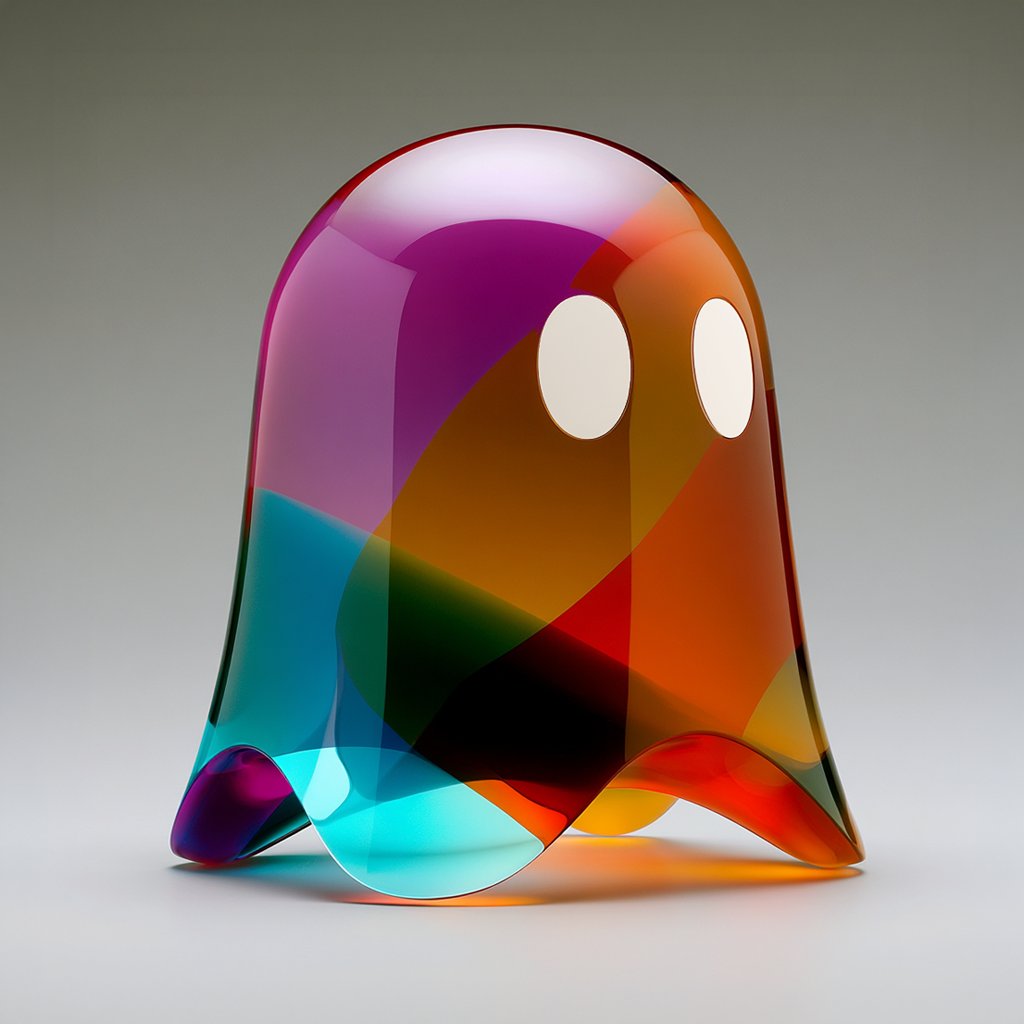
When a named cartoon style is not enough, add a material. A 3D cartoon product can feel like clay, plastic, glass, paper cutout, felt, plush, or glossy vinyl. The material tells the model how edges, shadows, and highlights should behave.
Mistakes and fixes
| Problem | Fix first | Avoid |
|---|---|---|
| Everything looks like a generic children cartoon | Name the job, audience, shape language, and color palette. | Adding more broad words like cute or fun. |
| Character identity changes between versions | Save one mascot prompt and change only props, pose, or palette. | Rewriting the character description every time. |
| Comic panel is unreadable | Reduce background detail and remove speech bubbles. | Asking for more action before composition is clear. |
| 3D cartoon loses product fidelity | Add reference-image handoff for silhouette, color, and logo placement. | Letting toy-like texture override the product shape. |
| Vector icon has too much detail | Limit shapes, colors, and facial features. | Using poster-level details in an icon-size output. |
How to use these styles inside Vogue AI
In Vogue AI, start from the prompt library example closest to the job, then copy the structure rather than the subject. Use GPT Image 2 for instruction control, Nano Banana for quick cartoon variations, and Midjourney for mood-heavy style exploration.
FAQ
What cartoon style should I use first?
Start with the output job. Choose mascot for brand characters, comic panel for action, 3D cartoon for playful product scenes, editorial cartoon for personality, and vector cartoon for icons.
Can I mention famous animation studios or artists?
For safer, more reusable prompts, describe visual traits instead: rounded forms, watercolor background, bold ink outlines, paper texture, cel-shaded lighting, or toy-like material.
Should I use a reference image?
Use one when identity matters: a mascot shape, product silhouette, face, logo position, or brand palette. Text-only prompts are fine for broad style exploration.
Why do my cartoon prompts look generic?
The prompt probably names the style but not the job. Add audience, channel, subject role, shape language, palette, and the first failure you will inspect.
How do I keep a character consistent?
Save one character brief with fixed silhouette, colors, facial features, and props. For new scenes, change only pose, action, background, or camera angle.
Which model should I try in Vogue AI?
Use GPT Image 2 when prompt control matters, Nano Banana for fast variations, and Midjourney when the priority is expressive style exploration.