People searching gemini ai photo prompt copy paste trending usually do not need a longer list of trend words. They need a social-photo prompt they can paste, generate, and still control after the first result. Inside Vogue AI, the closest starting point for this query is usually the Nano Banana social-photo lane, not a generic poster or isolated product shot. The fastest path is to lock the job, crop, lighting, reference handoff, and text rule first, then use styling words as the last layer.
TL;DR: keep the trend, fix the job
- The best Gemini photo prompts define the image job first: profile photo, street-style Reel cover, couple portrait, creator-with-product shot, or mirror-selfie beauty post.
- “Trending” usually comes from styling, crop, and lighting, not from piling on random adjectives.
- Keep prompt blocks in English for copy-paste reuse across Gemini and Vogue AI.
- Use a reference image when face identity, hairstyle, wardrobe truth, or product shape must survive the prompt.
- After the first result, change one layer at a time: identity, crop, location, wardrobe, or light.
What this keyword usually means
Most people searching this query want fast social-photo wins: a profile portrait that looks premium, a fashion photo that looks current, a couple shot that feels shareable, or a creator image that makes the product look native to social media. In Vogue AI, those examples usually map best to Nano Banana references because that library already has identity-led portraits, vertical street frames, and product-in-frame beauty shots. That is why the useful structure here is not “best AI art prompt.” It is “best controllable social-photo prompt.”
- Good fit: portrait photos, couple photos, creator-fashion posts, product-in-hand shots, vertical social covers, and beauty or selfie-style edits.
- Poor fit: prompts that rely on exact readable long text, legal claims, or pixel-perfect brand typography inside the generated image.
- Best first move: copy one stable prompt pattern, replace the bracketed fields, and judge the first result by failure mode rather than taste.
8 copy-paste Gemini photo prompts while the trend is still useful
These blocks stay in English on purpose so they remain copyable across tools. If you are starting inside Vogue AI, use Nano Banana examples as the visual anchor for this keyword first, then replace only the bracketed variables and keep the rest stable for pass one.
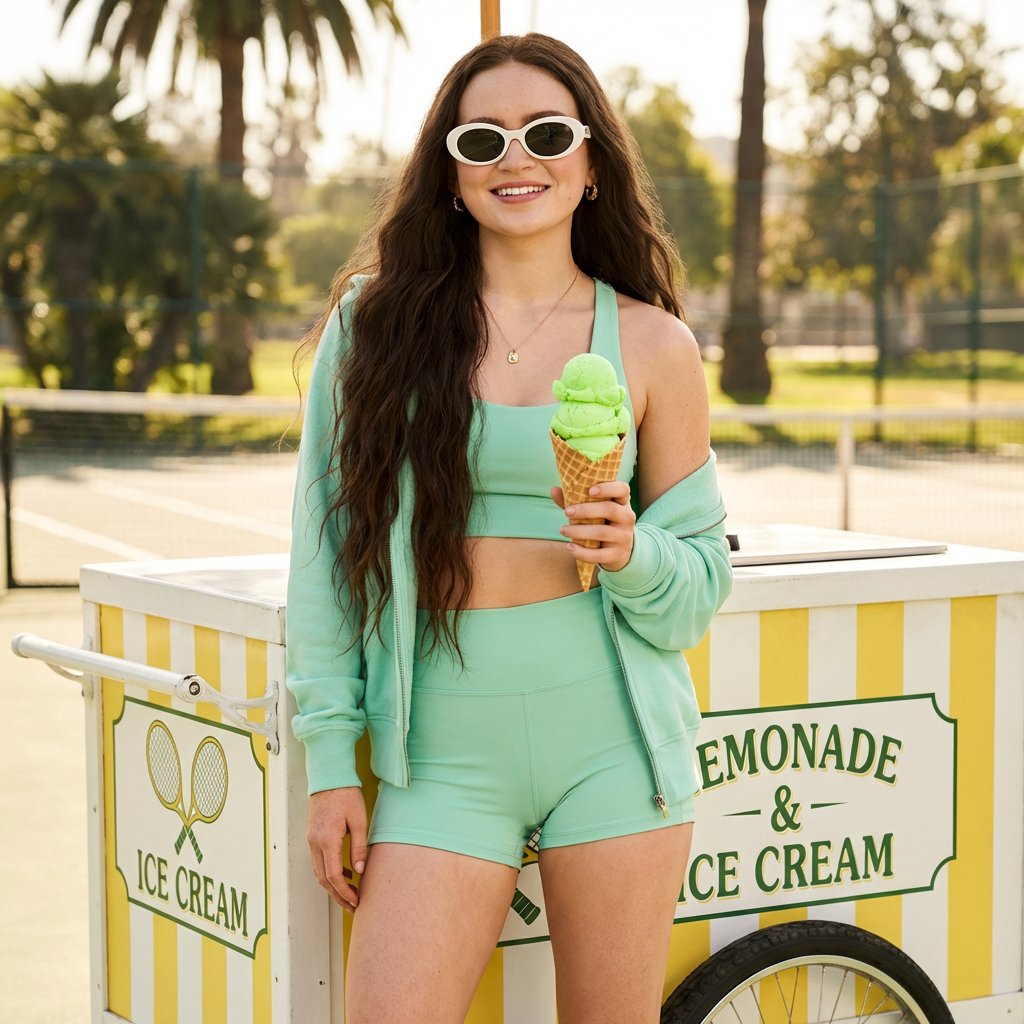
- Editorial profile portrait of [person], relaxed confident expression, natural skin texture, clean styling, soft daylight from a large window, premium Instagram profile photo, 4:5 crop, no text, no watermark.
- Street-style cinematic portrait of [person] wearing [outfit], rainy city pavement, blue-hour reflections, fashion-magazine framing, natural motion blur, realistic face, 9:16 vertical, no text.
- Luxury couple portrait of [two people], coordinated neutral outfits, rooftop golden-hour background, elegant editorial pose, natural skin texture, gentle film grain, 4:5 crop, no text.
- Creator-and-product campaign photo of [person] holding [product], minimal studio set, sculptural shadows, crisp product detail, campaign-ready composition, empty space for later typography, 4:5 crop, no generated text.
- K-drama inspired cafe close-up of [person], soft backlight, polished casual outfit, city cafe background, emotional but natural expression, realistic photography, 3:4 crop, no text.
- Old-money fashion portrait of [person], tailored blazer, understated jewelry, stone architecture background, muted luxury palette, sharp eyes, natural pose, medium-format photo look, 4:5 crop, no watermark.
- Fitness campaign portrait of [person], clean sports styling, studio-white or stadium background, strong rim light, premium activewear editorial, 4:5 crop, no text.
- Mirror-selfie beauty portrait of [person], believable phone angle, tidy room or boutique-hotel background, soft flash realism, premium social-photo tone, 4:5 crop, no extra hands or fake text.
Prompt anatomy that keeps the photo controllable
| Prompt part | What to include | Why it matters |
|---|---|---|
| Subject | Person, couple, creator, or product scene in plain language. | Prevents the model from drifting into generic beauty-photo output. |
| Styling | Outfit, hair, makeup, accessories, product material, or brand palette. | Adds trend signal without replacing the real brief. |
| Camera and crop | 4:5 feed, 9:16 Story, 3:4 portrait, lens feel, and depth of field. | Keeps the image aligned with the publishing surface. |
| Light and mood | Daylight, golden hour, studio softbox, neon, or blue hour. | This is usually where “trending” actually comes from. |
| Constraint | No text, no watermark, realistic hands, natural skin texture. | Cuts the most common AI-photo failure modes early. |
| Reference handoff | Say exactly what the uploaded reference must preserve. | Protects face identity, wardrobe truth, or product shape. |
Scenario matrix
| Goal | Best prompt focus | Keep fixed | Revise first if weak |
|---|---|---|---|
| Profile portrait | Face realism, simple wardrobe, 4:5 crop, calm light. | Face identity, eye clarity, and background separation. | Reference handoff before changing style adjectives. |
| Street-style reel cover | Vertical crop, movement, location, and lighting contrast. | Subject silhouette and title-safe space. | Crop and lighting before adding more mood words. |
| Couple photo | Pose, wardrobe coordination, emotional tone, and clean background depth. | Body scale, skin texture, and relationship framing. | Pose simplicity before changing color palette. |
| Creator with product | Product visibility, hand pose, set design, and negative space. | Product shape, label, and hero placement. | Hand complexity and object position first. |
| Beauty or mirror selfie | Believable phone angle, room context, and clean skin realism. | Face identity and camera perspective. | Camera distance and flash styling first. |
Case 1: reference-led profile portrait
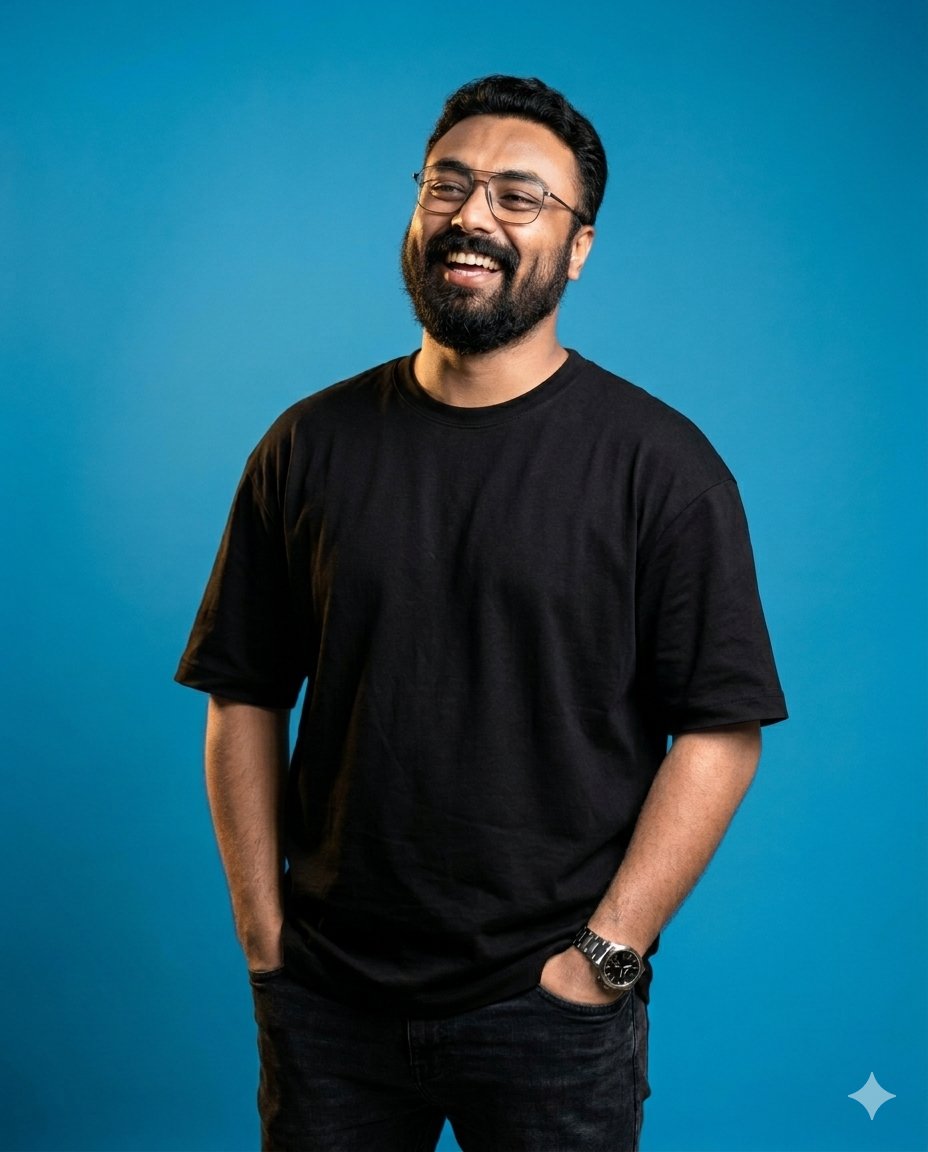
This is the most durable version of the trend. Instead of asking for “viral portrait” and hoping the face survives, you lock the identity first and let the style move around it.
- Prompt: Use my uploaded image as the face reference. Create a premium editorial profile portrait of [person] with soft window light, calm confident expression, natural skin texture, clean hair shape, minimal background separation, 4:5 crop, no text, no watermark. The uploaded image controls face identity, eye shape, and hairline.
Case 2: street-style Story or Reel cover
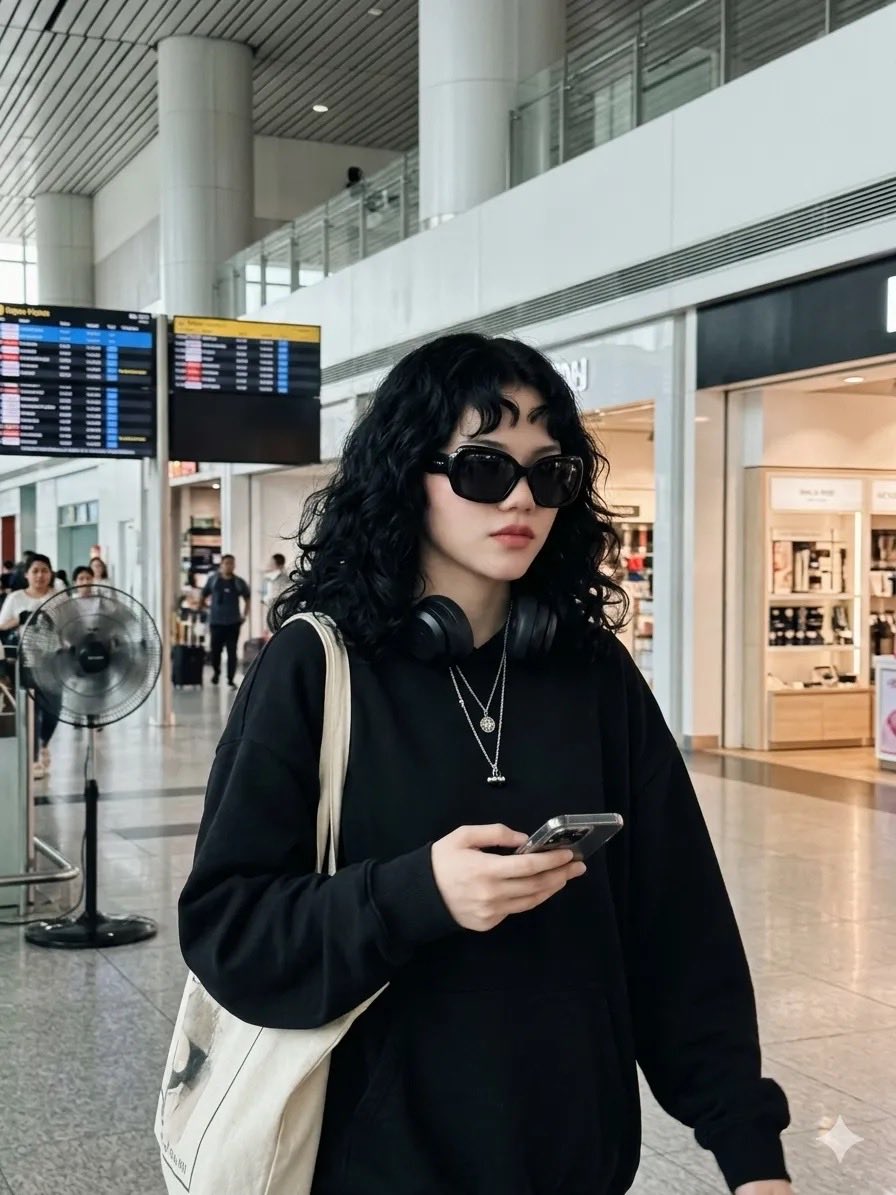
The trend signal here comes from crop, motion, and lighting contrast. If the frame already works vertically, you often do not need more adjectives. You need a cleaner title-safe zone and better subject separation.
- Prompt: Cinematic street-style portrait of [person] walking through a rainy city at blue hour, reflective pavement, clean fashion styling, sharp face realism, premium vertical composition, title-safe top and bottom zones, 9:16 crop, no text, no watermark.
Case 3: product plus person campaign shot
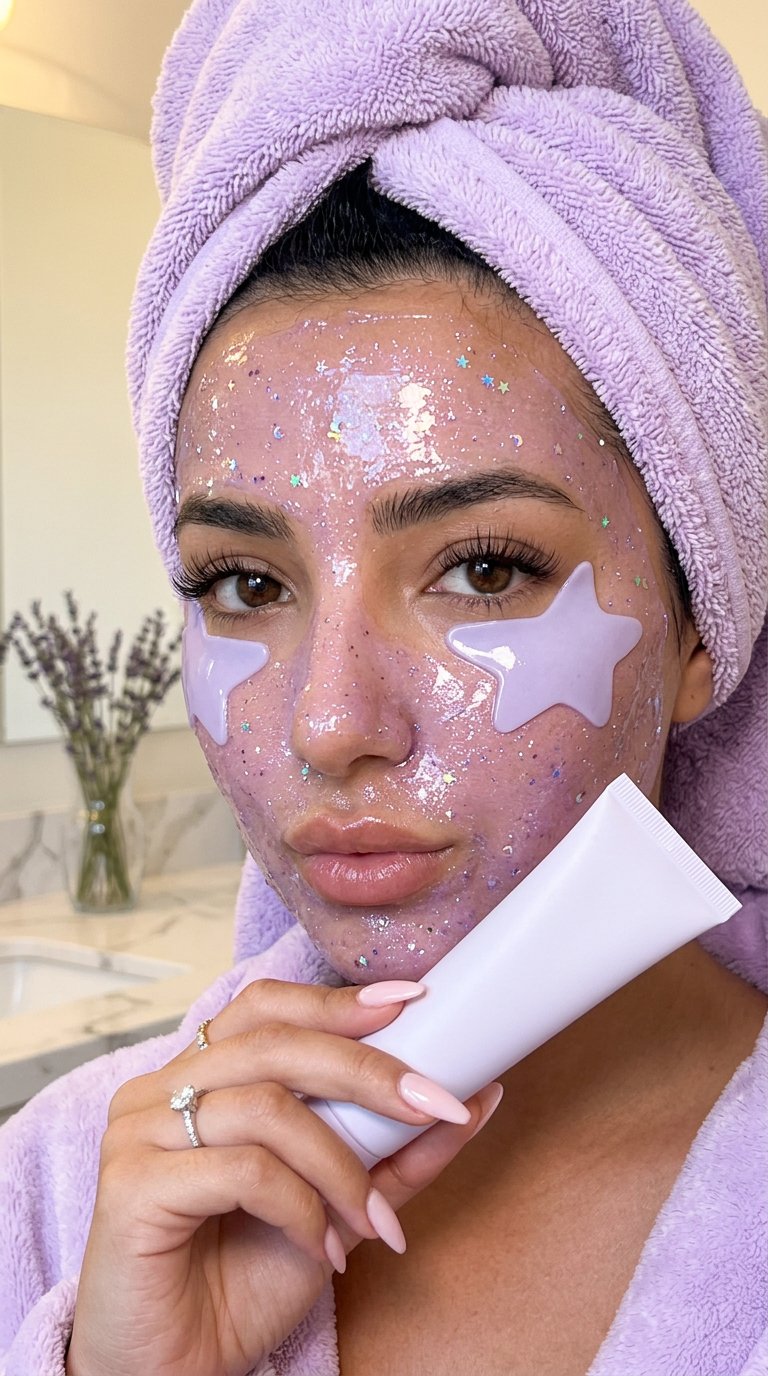
This is where many “trending” prompts fail. They produce a pretty portrait but a weak product. The fix is to state the product role explicitly: the product is not a prop, it is the second hero subject.
- Prompt: Luxury beauty-social portrait of [person] holding [product] close to the face, soft front beauty light, hydrated natural skin texture, premium clean background, realistic hand anatomy, product shape and cap color preserved, vertical or 4:5 composition, no generated text, no fake label changes.
Worked example: from vague brief to usable prompt
Raw brief
You need a launch photo for a new matte aluminum water bottle. The image should work in a feed post and look like a premium creator campaign. The bottle silhouette and lid color must stay stable, and the top of the frame needs room for later text.
Prompt version 1
- Premium launch portrait of [person] holding a matte aluminum water bottle, clean charcoal studio background, cool rim light, realistic skin texture, bottle silhouette and lid color preserved, 4:5 feed crop, negative space above the shoulder for later headline, no generated text, no watermark.
First revision after generation
If the bottle looks premium but the lid color changes, do not rewrite the whole prompt. Add a reference image and say it controls the bottle silhouette, lid color, and label placement. If the bottle is correct but the result feels flat, keep identity stable and only push the lighting and wardrobe layer.
What to change after the first result
- If the face changes too much, add a reference image and say it controls face shape, hairstyle, and expression.
- If the photo feels generic, add wardrobe, season, location, and one named lighting setup.
- If the crop fights the channel, lock 4:5 for feed, 9:16 for Story or Reel, or 3:4 for a tighter portrait.
- If the hand pose or product looks broken, reduce pose complexity and state exactly where the product sits in frame.
- If the model tries to generate text, repeat no generated text and reserve empty space for later typography.
| Failure mode | Fix first | Do not start with |
|---|---|---|
| Face or product identity drifts | Add or tighten the reference-image rule. | A full prompt rewrite. |
| The result feels generic | Add outfit, season, location, and brand palette. | More random “cinematic” adjectives. |
| The crop fights the channel | Lock 4:5, 9:16, or 3:4 and name the safe zone. | Switching models before fixing framing. |
| Hands, props, or product break | Reduce pose complexity and make the object placement explicit. | Adding more background elements. |
| Text appears or looks broken | Repeat no generated text and reserve empty space for later typography. | Trusting the model to render final marketing copy perfectly. |
Use the same prompt inside Vogue AI without losing control
Gemini is fine for fast first-pass social-photo ideas. Vogue AI becomes more useful when you want to keep the winning prompt as a reusable asset, switch models without rewriting the brief, and attach a reference image when identity matters. For this keyword, Nano Banana is usually the best first lane inside Vogue AI because the gallery examples already look like social-native Gemini outputs rather than generic ad comps.
- Use GPT Image 2 when instruction following, product truth, and controlled revisions matter most.
- Use Nano Banana when you want quick variations on the same social-photo idea without rebuilding the brief.
- Use Midjourney when the real job is editorial mood exploration rather than strict identity fidelity.
- Save the working prompt with a plain label such as profile-portrait-4x5-reference-window-light so the next iteration starts from a controlled baseline.
FAQ
Can I copy these prompts directly into Gemini?
Yes. Replace the bracketed variables first and keep the rest stable for the first pass. The stable parts are what preserve crop, realism, and output discipline.
What makes a Gemini photo prompt feel trending?
Usually it is the combination of wardrobe, lighting, crop, and a social-native composition. The trend layer is rarely the main subject sentence by itself.
Should prompts for boys and girls be different?
Only the styling variables need to move. The same camera, crop, realism rule, and reference handoff can often stay stable across both.
When should I add a reference image?
Use one when face identity, hairstyle, wardrobe truth, product shape, label placement, or brand palette has to survive the trend styling.
Can Vogue AI reuse Gemini prompts?
Yes. Paste the same English prompt, then change only the model and reference-image rules. That lets you compare the model, not a rewritten brief.
Should I ask the model to add final text?
Only for rough layout placeholders. If the final post needs a real headline, legal copy, or exact branding, reserve clean space and add typography later in a design tool.