The best GPT Image 2 prompt examples are not long adjective piles. They are reusable production briefs: subject, reference rule, composition, style controls, output policy, and one clear way to judge the first result.
TL;DR: copy the pattern, then replace the variables
- Use a five-part structure: subject, reference rule, composition, style controls, and output policy.
- Keep copyable prompt blocks in English so they work across Vogue AI locales and model workspaces.
- Add a reference image only when identity, product shape, label position, palette, or UI hierarchy must stay stable.
- Revise the first result by failure mode: identity first, layout second, style third, final typography outside the generator.
- In Vogue AI, start from a GPT Image 2 prompt-library example, then adapt the structure in the workspace.
What a useful GPT Image 2 prompt example must show
Searchers want examples they can copy, compare, and adapt. A useful example therefore needs the prompt, the visual job it serves, the control it teaches, and the likely first-result failure it helps prevent.
Prompt anatomy
| Part | What to write | Why it matters |
|---|---|---|
| Subject | The exact product, person, object, screen, or scene. | Anchors the generation before style language begins. |
| Reference rule | What the uploaded image controls and what can change. | Protects identity without freezing the whole image. |
| Composition | Crop, camera distance, aspect ratio, negative space, and angle. | Prevents a messy frame before you tune mood. |
| Style controls | Lighting, palette, material, realism, texture, and editorial tone. | Moves the image toward the intended visual language. |
| Output policy | No text, no watermark, safe area, transparent background, or later typography. | Keeps the result usable in a real workflow. |
Copyable GPT Image 2 prompt examples
Copy one block, replace the bracketed variables, and leave the rest stable for the first generation. The plain wording is deliberate: it makes the result easier to diagnose.
- Product poster: Create a GPT Image 2 product launch image for [product], centered hero object, crisp material detail, controlled rim light, clean [brand color] background, strong negative space for later headline, 4:5 aspect ratio, no text, no watermark.
- High-fashion editorial: Create a premium fashion editorial photograph of [subject], [wardrobe details], confident pose, luxury magazine lighting, clean set, realistic fabric texture, shallow background separation, 3:4 aspect ratio, no extra fingers, no text.
- Reference-safe edit: Use the uploaded image as the reference. Preserve [shape, label position, face identity, color, or UI hierarchy]. Change only [environment, lighting, wardrobe, or background], keep the camera angle similar, no text, no logo distortion.
- Social campaign visual: Create a 9:16 campaign image for [topic], main subject [subject], cinematic lighting, bold foreground silhouette, clean upper-third empty space for future copy, energetic modern editorial style, keep generated text out.
- UI device mockup: Create a realistic marketing mockup of [app or website] on a modern device, readable interface hierarchy without fake tiny text, soft reflections, clean desk surface, premium SaaS lighting, 16:9 aspect ratio.
Example 1: high-fashion editorial control
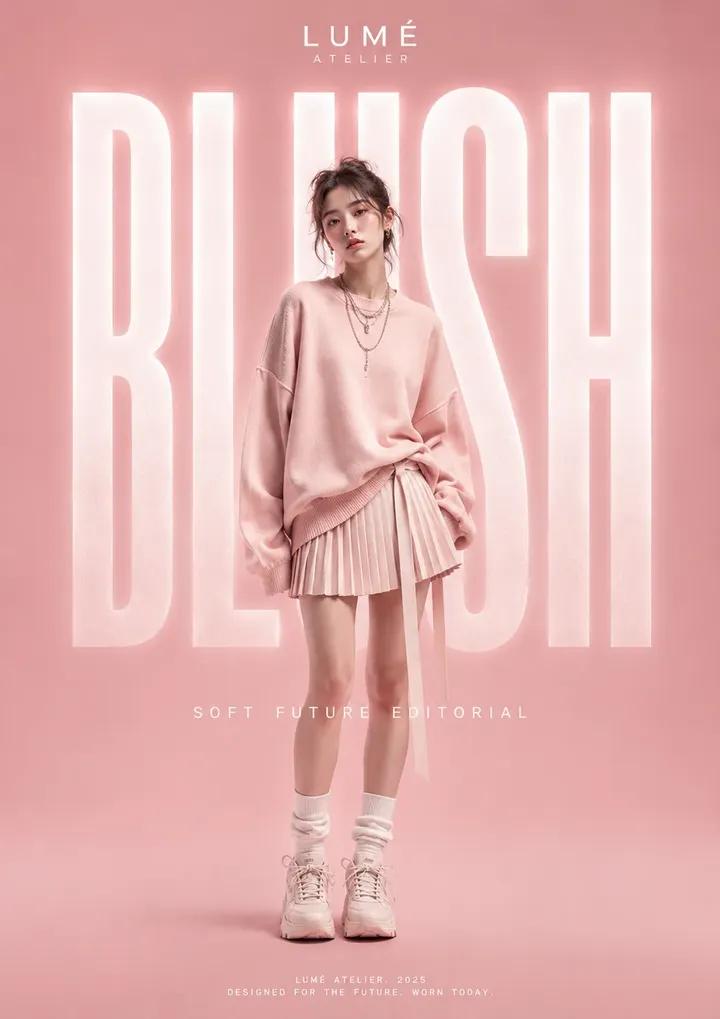
This example is useful when the frame needs fashion energy but still has to preserve a clean subject, pose, fabric detail, and crop. Borrow the structure for portraits, lookbooks, creator avatars, and campaign images.
Example 2: instruction-first workbench prompt
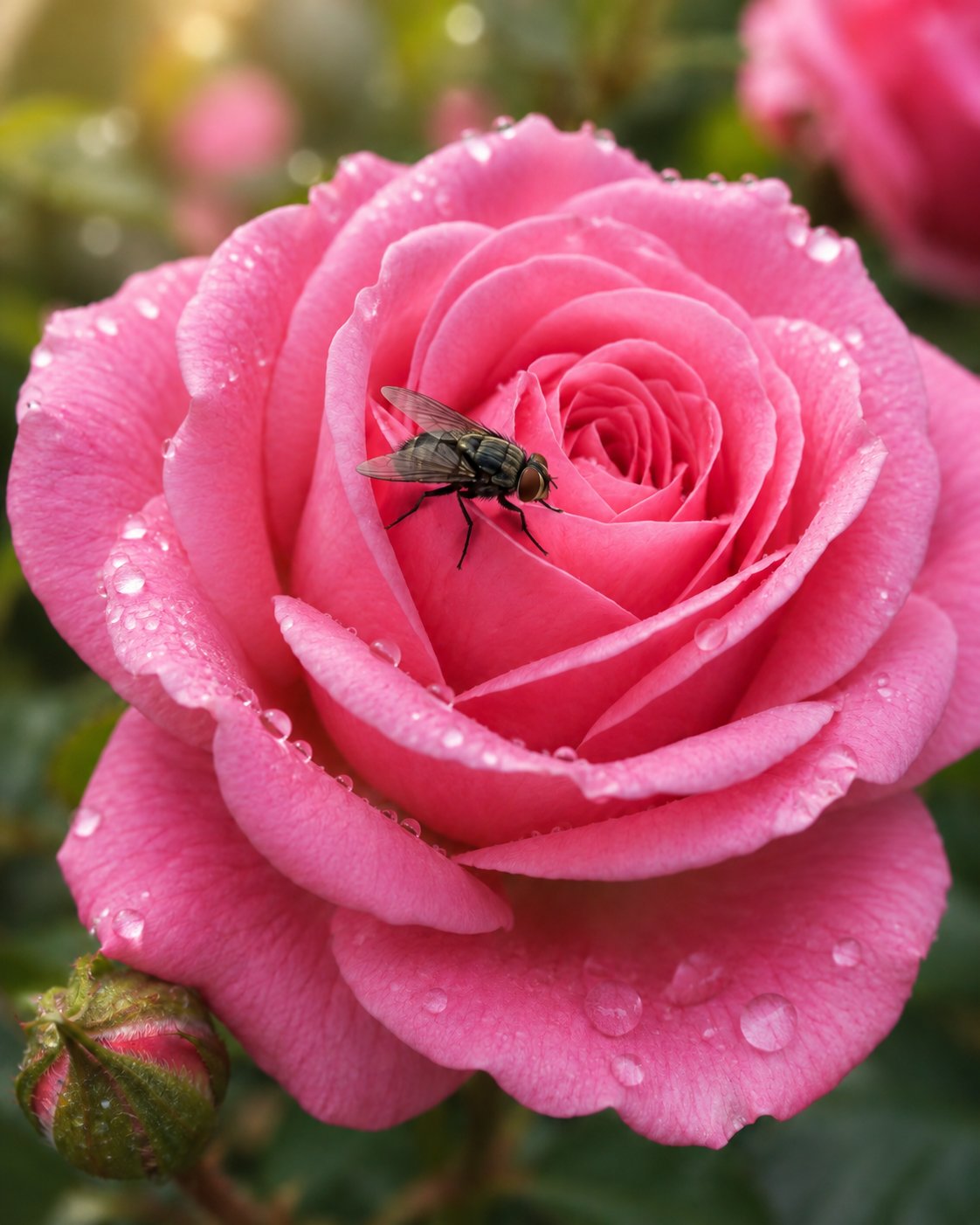
The workbench-style example is a reminder to give GPT Image 2 a job, not just a vibe. State what must be produced, what should stay fixed, and what should be excluded.
Scenario matrix
| Use case | Prompt pattern | Keep stable | First failure to check |
|---|---|---|---|
| Product image | Reference-safe product poster | Product silhouette, label position, material, color | Wrong shape or distorted logo |
| Fashion portrait | Editorial subject with wardrobe and lighting controls | Face identity, pose, fabric texture, crop | Extra fingers or over-stylized skin |
| Social poster | Vertical campaign visual with empty text zone | Focal point, channel ratio, negative space | No headline area or cluttered background |
| UI mockup | Device scene with interface hierarchy rules | Screen layout, device angle, reflection level | Fake tiny text or distorted UI |
Worked example: turn a vague request into a usable prompt
Raw brief
You need a premium launch image for a matte black travel mug. It should work as a product-page hero and a social teaser. The mug shape and logo placement matter, but the background can change.
Prompt version 1
- Create a GPT Image 2 product launch image for a matte black insulated travel mug, centered hero composition, preserve clean cylindrical silhouette and small front logo placement, crisp powder-coated metal texture, cool rim light, dark charcoal studio background, subtle shadow, 4:5 aspect ratio, clear upper negative space for later headline, no generated text, no watermark.
First-result diagnosis
If the mug shape is wrong, add a reference image and say it controls silhouette, lid shape, logo placement, and material. If the shape is right but the image feels generic, keep the prompt stable and change lighting, palette, or channel context only.
Mistake and fix table
| Failure | Fix first | Avoid |
|---|---|---|
| Wrong identity | Attach a reference image and name what it controls. | Adding more style adjectives. |
| Messy composition | Change crop, angle, distance, or negative space. | Switching models before the frame is fixed. |
| Generic style | Add audience, channel, material, palette, and lighting. | Rewriting the whole prompt from scratch. |
| Broken text or logo | Remove generated text and reserve space for later design. | Asking the model to spell final copy perfectly. |
| Good result drifts | Duplicate the best prompt and replace only variables. | Stacking edits onto an unstable version. |
How to use these examples in Vogue AI
- Open a GPT Image 2 prompt-library card that matches your job type before writing from zero.
- Copy the structure into the workspace and replace only product, person, channel, palette, ratio, and reference rules.
- Use GPT Image 2 when instruction following and controlled edits matter most.
- Compare with Nano Banana for quick variants and Midjourney for fashion-led style exploration, but keep the same prompt skeleton.
- Save the version that solved the job with a plain name such as product-poster-reference-shape-4x5.
FAQ
Can I copy these GPT Image 2 prompt examples directly?
Yes. Replace the bracketed variables first, then run the prompt once before adding more style language.
Do GPT Image 2 prompts need to be long?
No. They need enough detail to control subject, frame, reference behavior, and output policy. Length by itself is not the goal.
When should I upload a reference image?
Upload one when the product shape, face identity, package layout, palette, logo position, or UI hierarchy must remain recognizable.
Why does my first result look generic?
Usually the prompt is missing channel context, audience, material detail, lighting, or composition rules. Add those before rewriting everything.
Should the prompt ask for final text inside the image?
For production work, leave clean space and add final typography in a design tool. Generated text can be useful for drafts but should not be trusted as final copy.
How do I make examples reusable?
Save the first prompt version that fixed the main failure, label the variable fields, and duplicate that version for the next image.