The best Meigen alternative is not just another prompt feed. If you like Meigen because it feels like a Pinterest-style gallery for GPT Image 2, Nano Banana, Midjourney, and video prompts, choose Vogue AI when you also need a repeatable workflow: browse an example, copy the prompt, attach a reference image, pick the right model family, and keep the revision path clear.
Quick verdict
- Use Meigen when your main job is broad discovery: browsing public prompt cards, seeing popular visual ideas, and collecting inspiration across model families.
- Use Vogue AI when the prompt must become a production asset: copyable, remixable, reference-aware, and organized around product, portrait, poster, and social workflows.
- For a Meigen-style sports poster or X-style viral prompt, start from a visual case, remove official claims and readable text, then adapt the prompt inside Vogue AI with a clear model tag.
- Do not assume any partnership between Meigen and Vogue AI. Treat this as a workflow comparison for people choosing where to execute prompts.
- If you need the next step after browsing, Vogue AI is the stronger fit because the prompt library and workspace are designed to move from example to generated draft.
What Meigen does well
Meigen positions itself as a free GPT Image 2 and Nano Banana prompt gallery. Its public homepage highlights prompt cards with creators, likes, views, model labels, and routes for GPT Image 2, Nano Banana, Midjourney, and Seedance-style video prompts. That makes it useful when you want to scan many public ideas quickly.
The limitation is the same one most gallery-first tools have: after you find an interesting prompt, you still need to decide what to copy, which parts to replace, whether a reference image is required, and how to repair the first result. Vogue AI is a better alternative when that execution layer matters more than endless browsing.
Meigen vs Vogue AI by workflow
| Job | Meigen-style gallery fit | Vogue AI fit | Decision rule |
|---|---|---|---|
| Prompt discovery | Strong for scanning many public prompt cards and visual trends. | Good when you want examples grouped around practical visual jobs. | Start with Meigen if discovery is the only task; start with Vogue AI if you plan to generate today. |
| Copy and adapt | Useful if the prompt card exposes enough structure. | Stronger when you need copyable blocks, model tags, and reference-image instructions. | Choose the tool that makes the replaceable variables obvious. |
| Reference image handoff | Depends on the individual prompt and model card. | Central to product, portrait, and image-to-image workflows. | Use Vogue AI when identity, packaging, or face continuity matters. |
| Social and ad visuals | Good inspiration source for viral poster styles. | Better for turning posters into controlled campaign drafts. | Use Vogue AI when the image needs safe space, no generated text, and reusable revisions. |
| Video exploration | Meigen-adjacent pages discuss text-to-video and image-to-video workflows. | Vogue AI is stronger for still-image prompt execution and visual prompt libraries. | Use a dedicated video workflow if motion is the main deliverable. |
Image plan for this guide
- Hero: a high-impact sports advertising poster from the Vogue AI prompt library, because the keyword row asks for a Meigen/X-style sports poster case and the visual summarizes prompt-gallery browsing.
- Prompt section: the same sports-poster family appears as an in-body case from a different owned URL, because it shows how to convert viral gallery inspiration into a controlled campaign prompt.
- Reference-image section: a reference-led portrait example, because Vogue AI is strongest when the prompt explains what the uploaded image must preserve.
- Product workflow section: a commercial product photo example, because alternatives are judged by repeatable output quality, not only by inspiration density.
Case 1: turn a Meigen-style sports poster into a reusable prompt
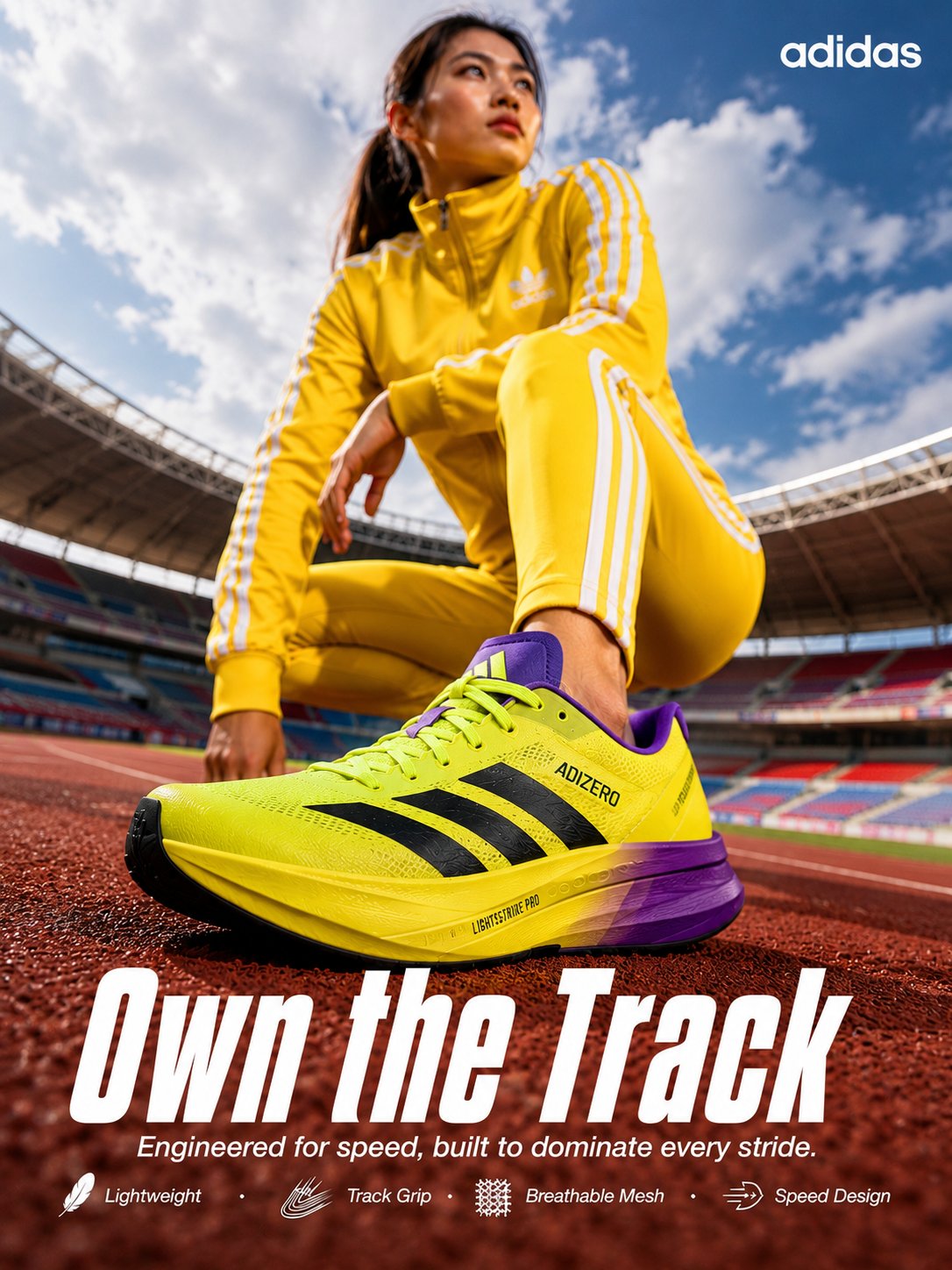
A public gallery prompt may be exciting, but production teams need a safer structure. Keep the energy, framing, and lighting. Remove any instruction that asks for an official logo, real sponsor claim, or final readable headline inside the generated image. Leave room for real typography later.
- Prompt: High-impact cinematic sports advertising poster for [team or athlete concept], powerful hero subject in motion, luxury editorial lighting, layered depth, bold national color palette, clean negative space for a future headline, premium 3D poster finish, 4:5 aspect ratio, no readable text, no official logo, no watermark.
Case 2: use references when the gallery prompt is not enough
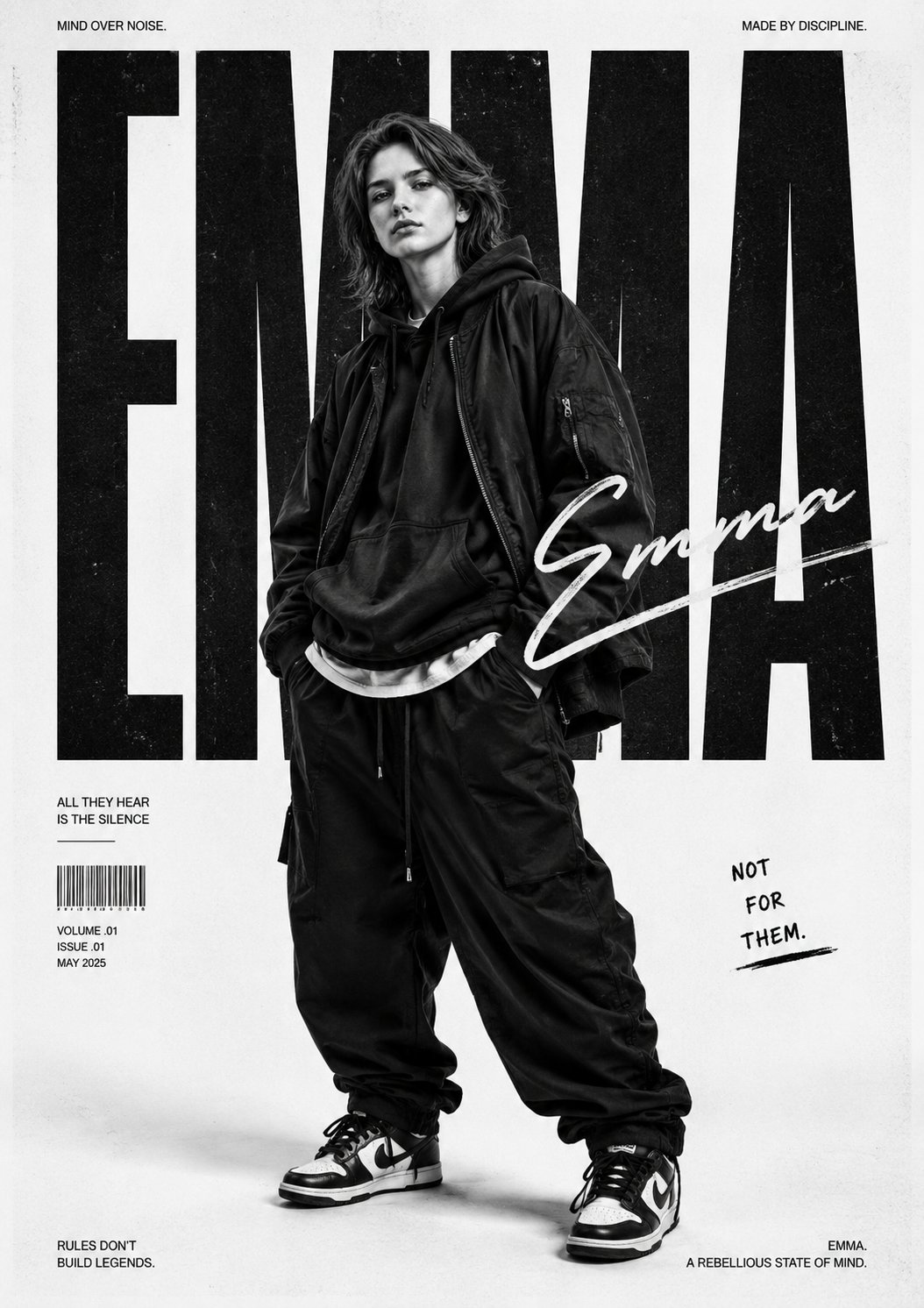
This is where a Vogue AI workflow separates itself from a simple Meigen alternative list. If the result must preserve a face, product silhouette, packaging layout, or brand color system, the prompt needs an explicit reference handoff. Otherwise the first result may look good while failing the real job.
- Prompt: Use my uploaded image as the primary identity reference. Preserve the face, pose direction, product shape, and key colors. Remix the scene into [new campaign style], with [lighting], [background], and [channel format]. Keep identity stable while changing wardrobe, mood, and composition. No extra text, no watermark.
Case 3: judge alternatives by repeatability
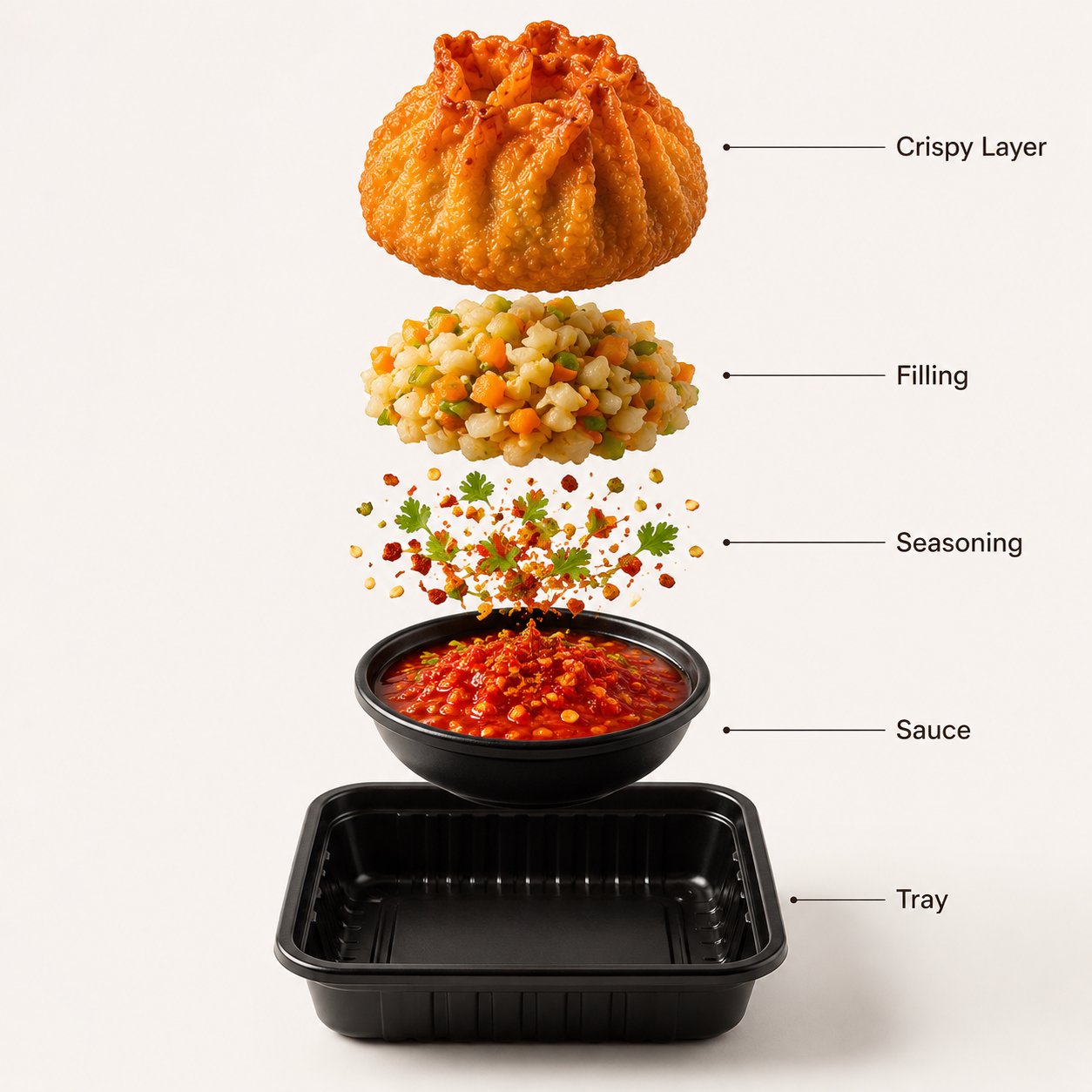
A Meigen alternative should help you reuse the prompt after the first image. For ecommerce, brand, and social work, that means stable variables: product, crop, background, material, reference role, and first failure to inspect.
- Prompt: Premium product photograph of [product], centered in a clean commercial composition, accurate silhouette, crisp material detail, controlled reflections, soft studio shadow, background in [brand color], 4:5 aspect ratio, no text, no watermark.
Scenario matrix
| You need | Start with | Model family to try first | Watch for |
|---|---|---|---|
| Trend browsing and prompt inspiration | A gallery-style feed, then save only the prompt structures worth reusing. | Mixed: GPT Image 2, Nano Banana, Midjourney. | Copying a prompt without knowing which variables to replace. |
| Reference-led portrait or personal avatar | A prompt that states exactly what the uploaded image controls. | GPT Image 2 or Nano Banana image-to-image. | Identity drift, extra hands, over-stylized face, weak eye detail. |
| Sports, fashion, or social poster | A campaign poster prompt with safe headline space. | GPT Image 2 for control; Midjourney for mood exploration. | Generated text, unofficial logos, cluttered composition. |
| Product image or ad concept | A production brief with material, silhouette, lighting, and background rules. | GPT Image 2 when instruction following matters. | Wrong shape, distorted label, generic styling. |
| Video from an existing image | A dedicated image-to-video workflow after the still image is approved. | A video model rather than a still-image prompt library. | Animating too early before the visual identity is locked. |
A practical switching workflow
- Pick one Meigen-style prompt idea and write down the visual job: poster, product photo, portrait, ad concept, or video seed frame.
- Strip the prompt to five controls: subject, composition, style, reference role, and output rule.
- Choose the Vogue AI model tag that matches the failure risk: GPT Image 2 for controlled edits, Nano Banana for fast variations, Midjourney for mood-first exploration.
- Attach a reference image only when identity or shape matters, then say what the reference controls.
- Generate one draft, diagnose the biggest failure, and revise one control before changing the whole prompt.
Mistakes to avoid
| Mistake | Why it hurts | Fix |
|---|---|---|
| Copying the full gallery prompt blindly | The prompt may include another creator context that does not fit your job. | Keep the structure and replace the variables. |
| Asking for final text inside the image | AI image models often distort typography and small marks. | Reserve clean negative space and add final copy in design software. |
| Skipping reference instructions | The model may change the person, product, or package shape. | State what the reference image preserves before generation. |
| Switching models after one weak result | The prompt may be under-specified rather than the model being wrong. | Fix subject, crop, reference role, or output rule first. |
| Treating video as the first step | Motion amplifies visual mistakes that were not solved in the still frame. | Lock the still-image direction before moving to image-to-video. |
FAQ
Is Vogue AI an official Meigen alternative?
No official relationship is implied. This guide compares workflows for people searching for a Meigen alternative: prompt discovery, copying, remixing, references, and production use.
Can I copy Meigen prompts into Vogue AI?
You can use public prompt wording as inspiration, but the better workflow is to copy the structure, replace the variables, remove unsafe brand or text claims, and add reference instructions when needed.
Which model should I start with?
Start with GPT Image 2 when instruction following and controlled scene changes matter. Use Nano Banana for quick variations and image-to-image exploration. Use Midjourney when mood and stylized framing matter more than exact control.
Why not just stay in a prompt gallery?
A gallery is excellent for discovery. It is weaker when you need a repeatable production path: references, model choice, revision rules, and saved prompt versions for the next asset.
What is the safest way to make sports poster prompts?
Describe the sport, motion, lighting, palette, and poster composition, but avoid asking the model to create official marks, final readable slogans, or real sponsor claims. Add those in a design tool if you have the rights.
When should I move from image prompts to video?
Move to video after the still frame works. If the product shape, face, palette, or poster composition is wrong in the still image, image-to-video will usually make the mistake harder to repair.